
QtyPilot For WooCommerce Wordpress Plugin - Rating, Reviews, Demo & Download

Plugin Description
QtyPilot for WooCommerce lets store owners control exactly how many units of a product a customer can buy. Stop unprofitable one-item orders, prevent stock from being wiped out by a single bulk buyer, and enforce case-pack or carton quantities — all without touching a line of code.
The plugin covers three levels of control:
- Global rules for any Simple Product you select, applied instantly.
- Category rules so every product in a chosen category shares the same minimum and maximum, saving you from configuring products one by one.
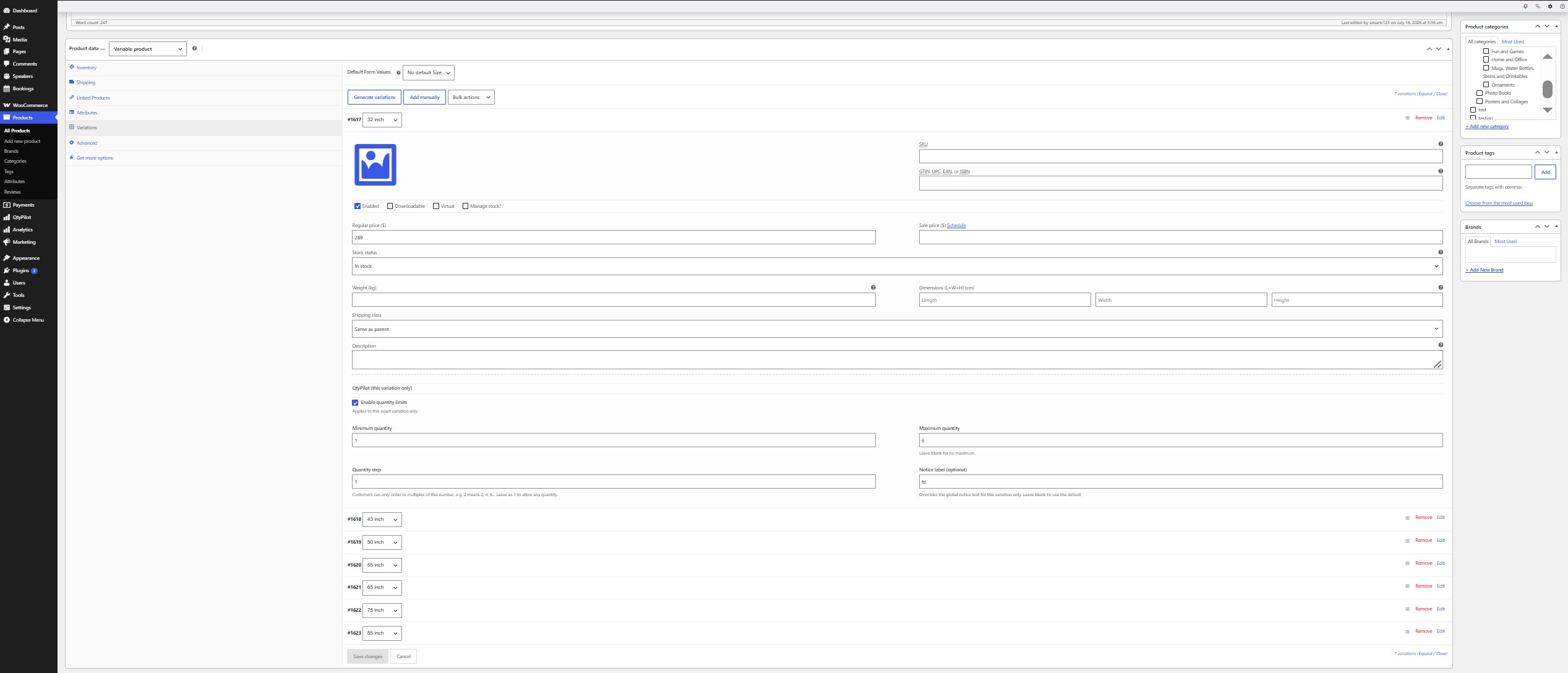
- Per-variation rules for Variable Products, where each variation (size, color, pack size, etc.) can have its own independent minimum, maximum, and quantity step — completely separate from its sibling variations.
Key features
- Set a minimum and/or maximum purchase quantity for Simple Products, individually or by category.
- Configure independent minimum, maximum, and quantity-step rules per variation on Variable Products.
- Optional “quantity step” so customers can only order in multiples (e.g. packs of 6).
- Automatic cart correction: quantities outside the allowed range are adjusted with a clear notice, both on the Cart page and at Checkout.
- Blocks Add to Cart (including AJAX add-to-cart) when a requested quantity is invalid.
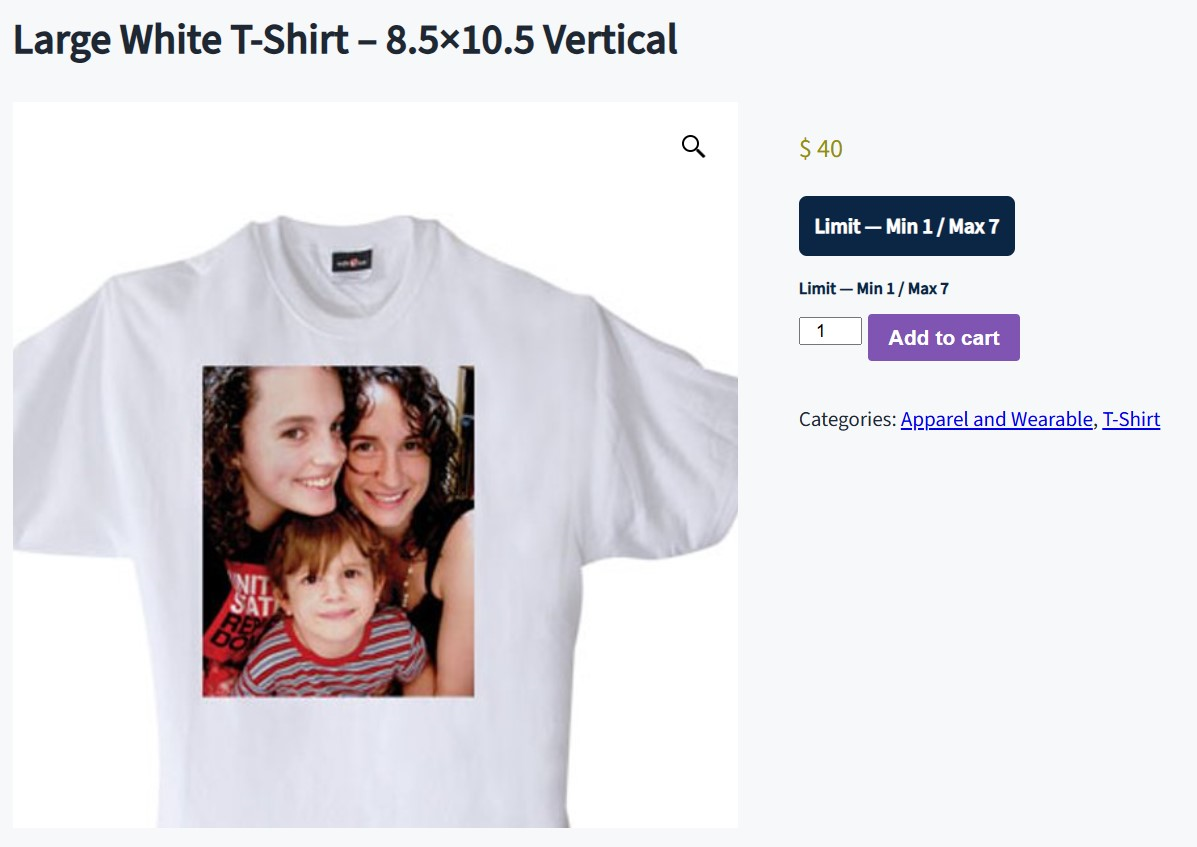
- Customizable customer-facing notice banner (text, background color, text color) shown on the product page.
- Per-variation notice label override, so each variation can show its own message when needed.
- Dedicated settings screen in your WordPress admin sidebar — no existing menus are modified.
- Lightweight: only loads its assets on the settings screen and product edit screens.
How rule priority works
A Variable Product’s own variation settings always take priority. Global and category rules never apply to Variable Products or their variations — only to Simple Products. This keeps bulk category rules from accidentally overriding the specific limits you set on a product’s variations.
Who is this for?
Wholesale and B2B stores, stores selling perishable or limited stock, print-on-demand or made-to-order shops, and any WooCommerce store that needs to enforce minimum order quantities (MOQ) or maximum purchase caps per product, category, or variation.
Screenshots
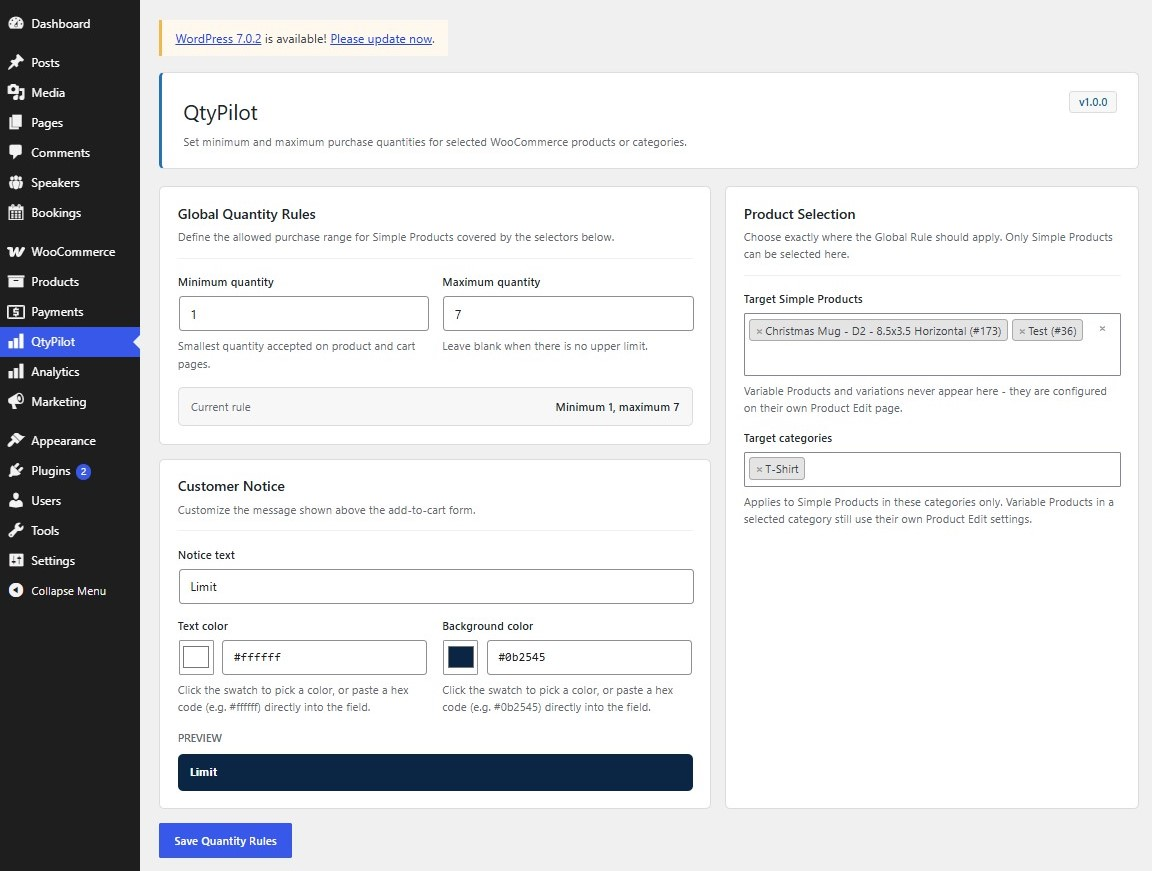
Global quantity rules and Simple Product/category selectors on the QtyPilot settings screen.
Customer notice banner and quantity step in action on a Simple Product page.
Per-variation minimum, maximum, and step fields on the Variations tab of a Variable Product.


