
Quotlet – Request A Quote For WooCommerce Wordpress Plugin - Rating, Reviews, Demo & Download
Plugin Description
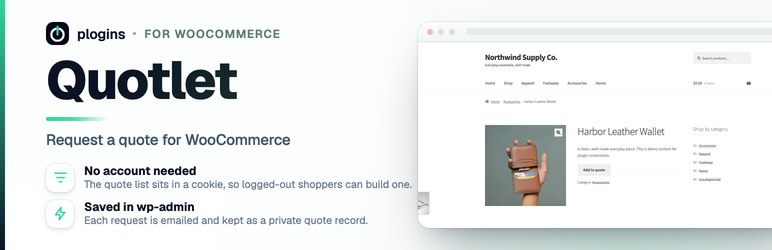
Quotlet turns WooCommerce products into quote requests. On quote-enabled
products it swaps the add-to-cart button for an Add to quote button, and can
hide the price as well. Customers collect the products they want into a quote
list and send their details through a short request form. Each submission is
emailed to you and saved as a private record you can open in wp-admin.
It suits B2B stores, wholesale, bulk orders and made-to-order products where
prices are negotiated rather than fixed.
The code, releases and issue tracker live on GitHub: github.com/wppoland/plogins-estimate; bug reports and pull
requests are welcome there.
Documentation and links
- Documentation: plogins.com/plogins-estimate/docs/
- Plugin page: plogins.com/plogins-estimate/
- Source code: github.com/wppoland/plogins-estimate
- Bug reports and feature requests: github.com/wppoland/plogins-estimate/issues
Features
- Two quote modes: enable quotes for selected products or for all products.
- Per-product toggle in the product editor (selected mode).
- Replaces the add-to-cart button with an Add to quote button on product pages and listings.
- Optionally hides the price on quote-enabled products.
- Per-visitor quote list stored in a cookie, so logged-out shoppers can use it without an account.
- A
[estimate_quote]shortcode that shows the quote list and a request form (name, email, company, message). - Quantity editing and per-item removal on the quote page.
- On submit, emails the recipient you set and saves the request as a private custom post type.
- Configurable recipient email and storefront button text.
- The add-to-quote flow works without JavaScript; the markup uses labels and ARIA attributes and reflows on small screens.
- Ships with a POT file for translation; translations come from translate.wordpress.org language packs.
- Declares HPOS and cart/checkout blocks compatibility.
- On delete, removes its own options; saved quote requests are kept so a reinstall doesn’t lose them.
The [estimate_quote] shortcode
Create a page (e.g. “Request a Quote”) and add the shortcode:
[estimate_quote]
The page shows the current quote list and the request form. When the list is
empty it shows a short message with a link back to the shop instead.
External Services
This plugin does not connect to, send data to, or load anything from any external service. Everything runs on your own site. Quote requests are saved locally as private estimate_quote posts with the customer’s details (name, email, company and chosen items) kept in _estimate_* post meta, the per-product opt-in lives in the _estimate_quote_enabled meta key, and settings are stored in the estimate_settings option. Shoppers’ in-progress quote lists are held in a first-party cookie on your domain, not on any third-party server. When a quote is submitted, the notification email is sent through WordPress’s own wp_mail() to the recipient you configure (the site admin email by default); no other delivery service is involved. The bundled CSS and JavaScript are served from the plugin folder, with no remote CDN, fonts, maps or analytics.
Translations
Quotlet is fully translatable and ships the quotlet.pot template. Translations are delivered by WordPress.org language packs from translate.wordpress.org, which is where Polish, German and Spanish are being contributed; the package itself carries no compiled translation files.
Screenshots

The Add to quote button replacing add-to-cart on a product.

The quote page: list, quantities and the request form.

The Quotlet settings screen under WooCommerce.

Stored quote requests in wp-admin.
Similar Plugins:
 Rating Widget: Post Rating, 5 Star Rating, Reviews, Thumbs Up & Down, Reaction
 Request A Quote For WooCommerce And Elementor – Get A Quote Button – Product Enquiry Form Popup – Product Quotation
 Quotation Manager For WooCommerce | B2B Request A Quote, Wholesale Bulk Cart, PDF Quote Print, Multi-Vendor – BluePi