
Zinn® Translate Wordpress Plugin - Rating, Reviews, Demo & Download

Plugin Description
Zinn® Translate turns a WordPress site into a genuinely multilingual one. Each language gets its own web addresses — /fr/a-propos/ alongside /about/ — with translated URL slugs, the right hreflang tags, its own sitemap, and its own llms.txt for AI answer engines.
It translates what a visitor actually reads, which is more than a page’s body text: titles, bodies and excerpts, URL slugs, SEO titles and descriptions, OpenGraph tags, image alt text, categories and tags, navigation menus, your site title and tagline, and — on a shop — product names, descriptions, short descriptions, purchase notes, attribute labels and variation descriptions.
Where the translations happen
Two things run, and it is worth knowing which is which.
The plugin runs on your site. It lists every translatable string, stores the finished translations in one table on your own server, and swaps the words in while a page renders. It also tells WordPress which language the page is in, so your theme’s and WooCommerce’s own buttons — “Add to cart”, “Read more” — come out in that language too, from the language packs WordPress already publishes.
The translation itself is bought from a provider, and you choose which:
- Your Zinn Digital® plan. Connect the site with its ID and token and the words are translated on Zinn Digital®, against that site’s Site Translation plan.
- Your own API key. Paste a Google Gemini, DeepL or OpenAI key and the plugin translates directly with it. No Zinn Digital® account is needed and the provider bills you.
There is no free translation tier. Machine translation costs money per word, and somebody pays a provider for every one of them — either through your Zinn Digital® plan or on your own key.
What it does not do
- It does not duplicate your content. No shadow posts, no second post type, no parallel site to keep in step. Translations are applied while the page renders, so deactivating the plugin returns your site to exactly what it was.
- It does not add a REST endpoint. It adds a shortcode, a block, a widget and a nav-menu item for the language switcher, and no public route of its own.
- It does not fetch anything while a visitor waits. Translations are read from your own database. A provider being slow can never make your site slow.
Corrections that stick
Every translation can be edited by hand, and an edited translation is never overwritten. Re-translating the page leaves your wording exactly as you typed it.
The language switcher
A shortcode ([zinn_language_switcher]), a block, a widget and a nav-menu item, all the same control. Six styles — dropdown, inline list, pills, minimal text, flags and names, stacked list — each with editable colours, spacing, corners and text size. You choose which languages appear, and whether they are named in their own language (Deutsch) or in yours (German). Right-to-left languages are laid out correctly, and the switcher is keyboard-operable with a visible focus ring.
SEO
- Reciprocal
hreflangon every page, withx-defaultand a self-reference. <html lang>anddir="rtl"where the language needs it.- The canonical of a translated page is that page, never the original.
- Works alongside Yoast SEO, Rank Math, All in One SEO and SEOPress by filtering what they output rather than competing with them, so a page never ends up with two canonicals or two titles.
- Its own per-language sitemaps, indexed at
/zinn-sitemap-index.xml, withxhtml:linkalternates, announced inrobots.txtalongside whatever else is there. - If another translation plugin is active, this one stops emitting
hreflangrather than fighting it.
WooCommerce
Product names, descriptions, short descriptions, purchase notes, attribute labels, attribute values and variation descriptions. Prices, SKUs and the stored option values that identify a variation are never touched — translating those would put the wrong item in a basket.
External services
This plugin sends the text of your site to a translation provider that you choose and configure. It makes no outbound request at all until you have chosen one and saved a credential for it.
What is sent, and when
- To Zinn Digital®, only if you connect the site (mode “My Zinn Digital® plan”). On an hourly background pass and when you press Translate, the plugin posts your site’s translatable text — page and post titles, bodies, excerpts and slugs, SEO titles and descriptions, image alt text, term names, menu labels and WooCommerce product fields — to
https://api.zinndigital.com/v1/sites/{site}/translation/sources, with the site identifier and token you pasted in. It then fetches the finished translations fromhttps://api.zinndigital.com/v1/sites/{site}/translation/bundle/{locale}. Terms: https://zinndigital.com/legal/terms — Privacy: https://zinndigital.com/legal/privacy - To Google Gemini, only if you choose it and save a Google API key. On the background translation pass, the plugin posts batches of that same text to
https://generativelanguage.googleapis.com/v1beta/models/{model}:generateContentwith your key in a request header. Terms: https://ai.google.dev/gemini-api/terms — Privacy: https://policies.google.com/privacy - To DeepL, only if you choose it and save a DeepL API key. The plugin posts batches of that text to
https://api.deepl.com/v2/translate(orhttps://api-free.deepl.com/v2/translatefor a free key) with your key in a request header. Terms: https://www.deepl.com/en/pro-license — Privacy: https://www.deepl.com/en/privacy - To OpenAI, only if you choose it and save an OpenAI API key. The plugin posts batches of that text to
https://api.openai.com/v1/chat/completionswith your key in a request header. If you set a different base URL, it goes to that service instead of OpenAI. Terms: https://openai.com/policies/row-terms-of-use — Privacy: https://openai.com/policies/row-privacy-policy - To WordPress.org, when you publish a language. The plugin asks
https://api.wordpress.orgfor the WordPress, theme and plugin language packs for that language, so your theme’s own buttons are shown in it. This is the same request WordPress makes when you change the site language yourself.
No visitor data, analytics, personal data or order data is transmitted. What is sent is the published content of your site, which is already public, plus the credential you saved for the provider you chose.
- Support diagnostics (only when you press send). If you ask us for help, the plugin can send
a support report tohttps://api.zinndigital.com/v1/connector/diagnostics. You are shown the
exact payload first, already redacted, and nothing leaves your site until you press send.
Credentials are excluded by declaration rather than by matching key names, and render as
[not sent — credential]. The plugin never sends this on its own initiative.
What this plugin stores on your site
One database table, {prefix}zinn_translations, holding one row per translated string: which content it belongs to, which language, the translation, a hash of the source it was made from, and whether you edited it by hand. It also stores your settings, including the API credential you saved.
Uninstalling the plugin drops that table and deletes those settings. Deactivating does not — so switching the plugin off to test something never destroys translations you have paid for.
Screenshots
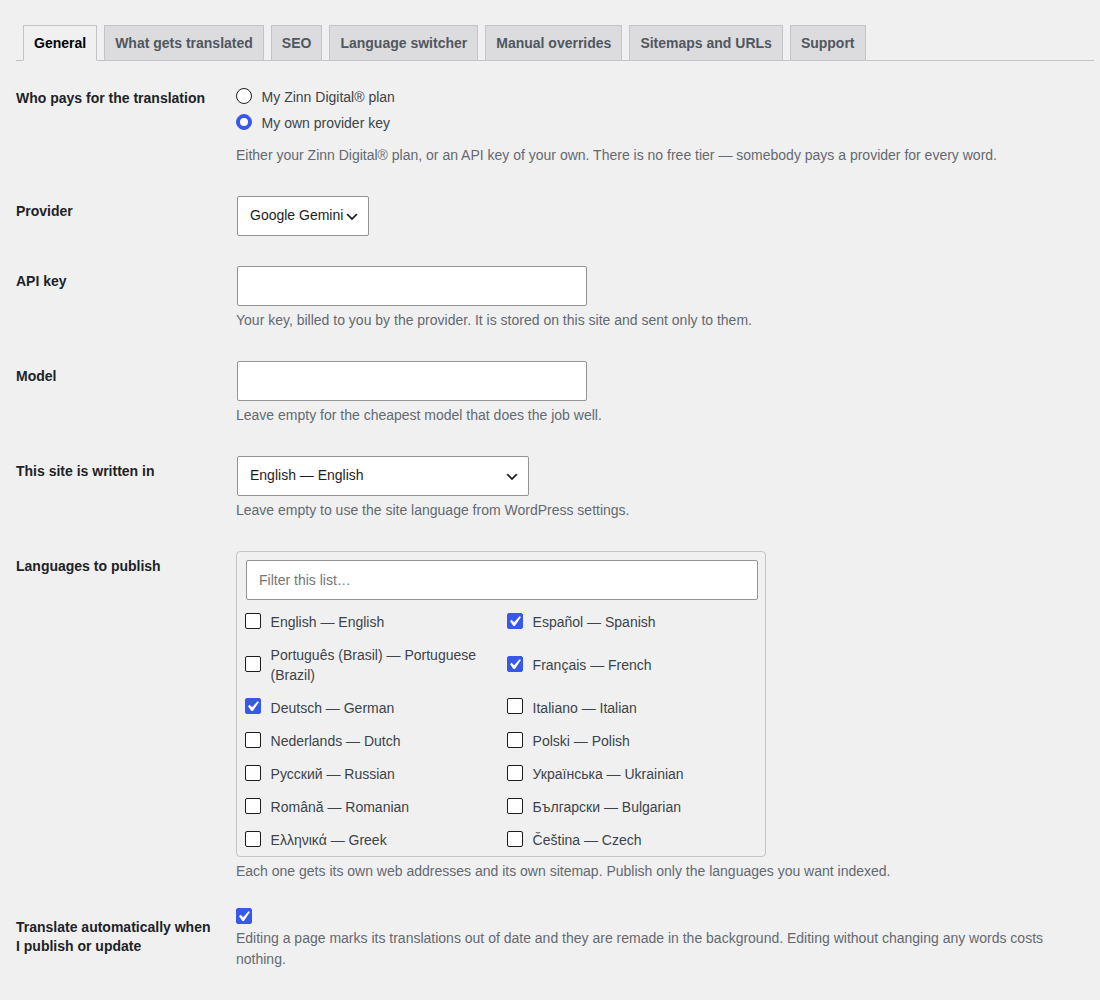
Choosing who pays and which languages to publish.
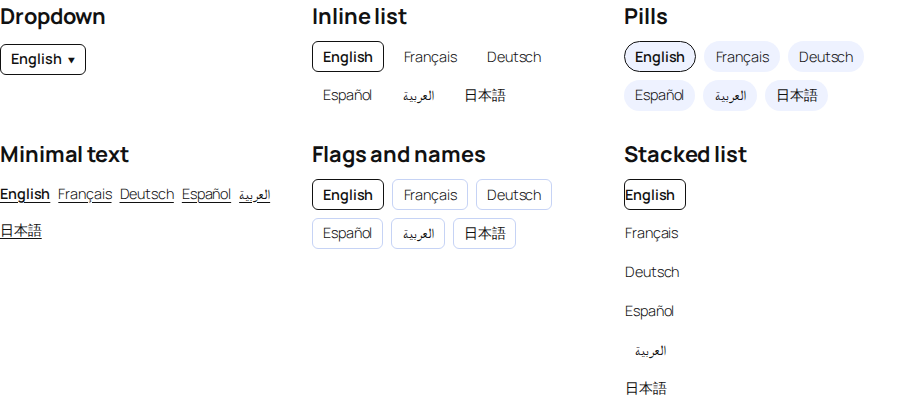
The language switcher, in six styles.
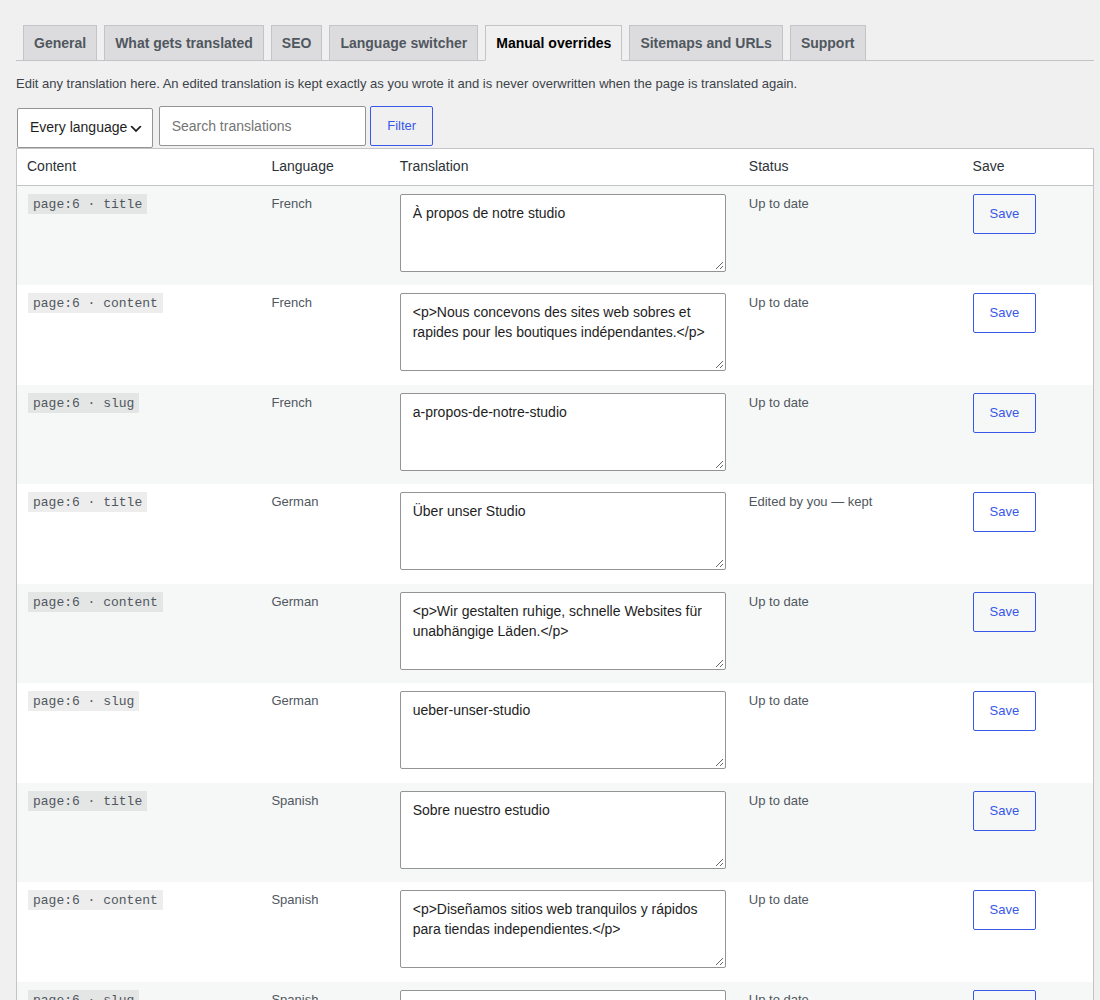
The manual-override screen.
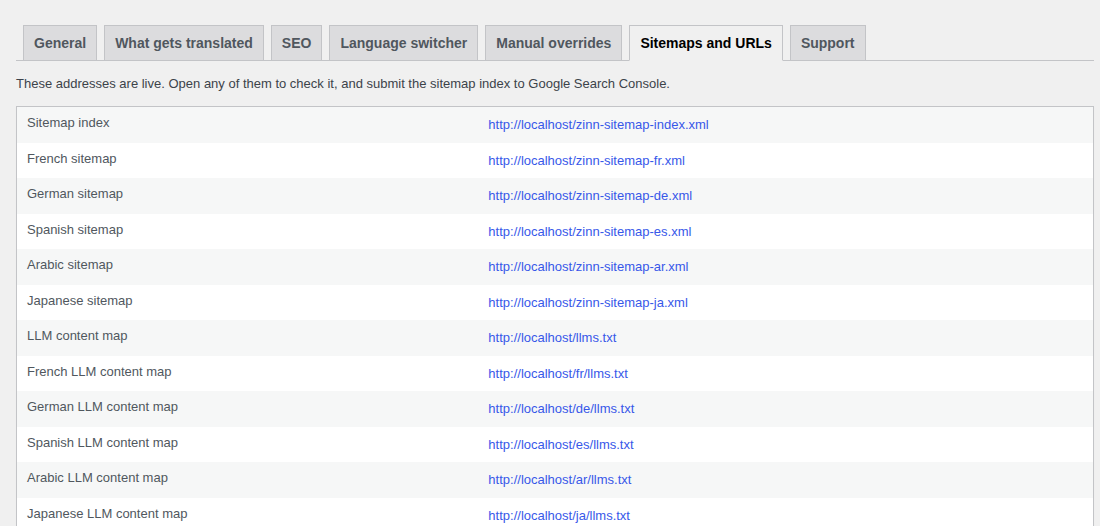
Per-language sitemaps and
llms.txtaddresses, with links to check them.


