
ReaderCount – Privacy-first Stats Wordpress Plugin - Rating, Reviews, Demo & Download

Plugin Description
ReaderCount shows how many people read your site, where they came from and which posts they like, without cookies and without a cookie banner.
This plugin connects your site to ReaderCount:
- Counts your visitors. Adds ReaderCount’s small script (under 2 KB) to every page, with your site’s name filled in.
- Leaves out your own visits. People who can edit the site aren’t counted while they’re signed in, so your own reading doesn’t skew the numbers.
- Finds missing pages. WordPress “not found” pages are marked, so ReaderCount can list the broken addresses readers are trying to reach.
- Your week on the Dashboard. Add a read-only API key and the Dashboard shows the last 7 days’ visitors and page views, compared with the week before, plus your most-read pages.
- Check it’s working. One button asks ReaderCount whether your visits are arriving.
ReaderCount also counts clicks on outbound and affiliate links, file downloads and goals, connects to Google Search Console, and can answer questions about your stats in Claude.
You need a ReaderCount account
The plugin is free. The stats themselves are on ReaderCount, a paid service that starts with a 30-day trial. See plans and prices.
What this plugin sends to ReaderCount
This plugin relies on ReaderCount, an outside service at readercount.com.
- While “Count visitors” is on, every public page loads a script from
https://app.readercount.com/s.js. For each page view it sends ReaderCount the page address, the address the reader came from, the reader’s browser and device type (read from the browser’s own description), how long the page was on screen, and clicks on links to other websites and file downloads. ReaderCount sets no cookies, stores nothing in the reader’s browser and doesn’t keep IP addresses: each day’s visitor count uses a one-way code that changes every day. - If you add an API key, your site’s server asks
https://api.readercount.com/v1/for your stats (at most every 10 minutes) to fill the Dashboard box, and when you press “Check now”.
Nothing is sent until you switch on “Count visitors” or add a key.
Screenshots

Your last 7 days on the WordPress Dashboard.
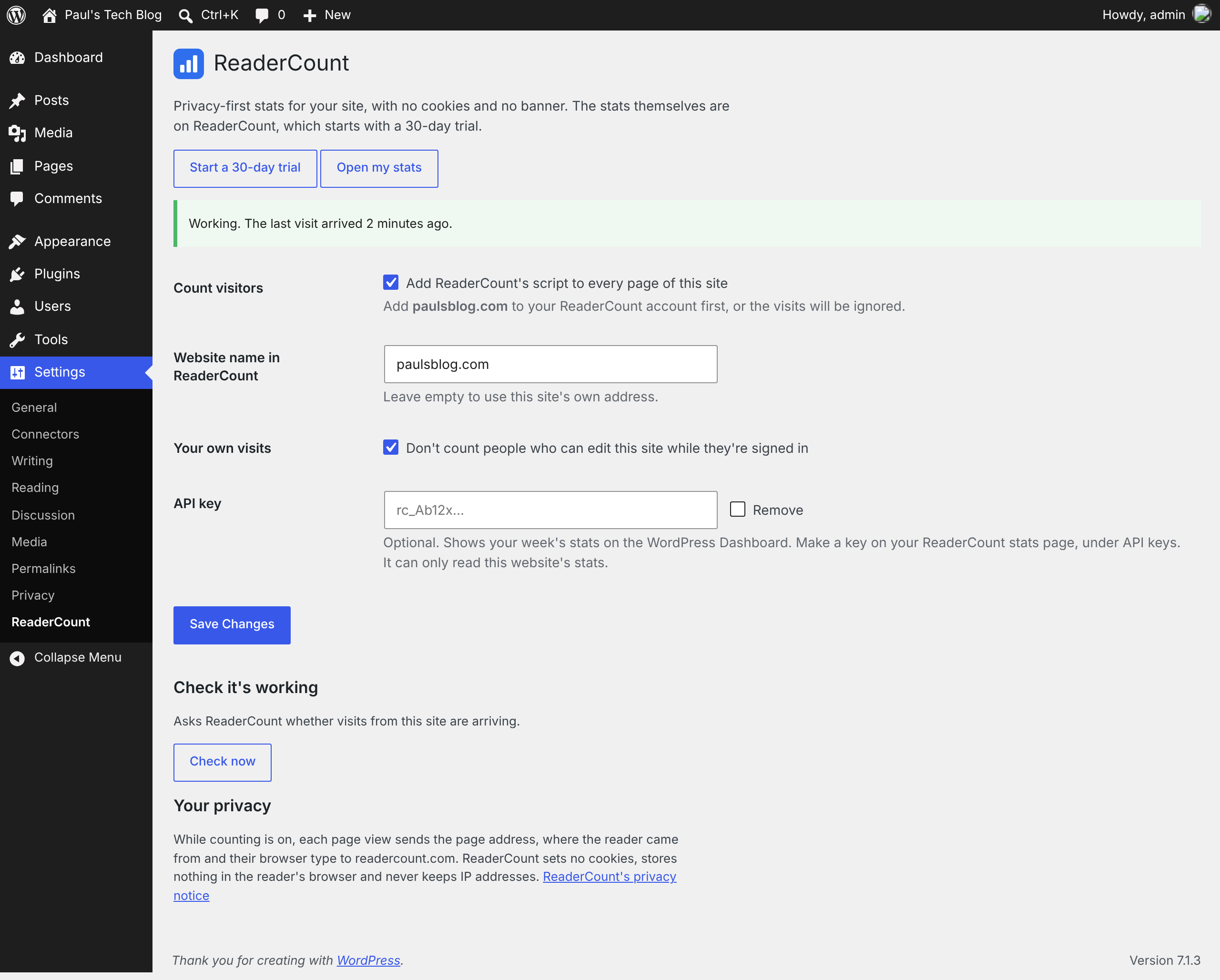
Settings, ReaderCount.


