Reinvent Auto Featured Image Wordpress Plugin - Rating, Reviews, Demo & Download
Plugin Description
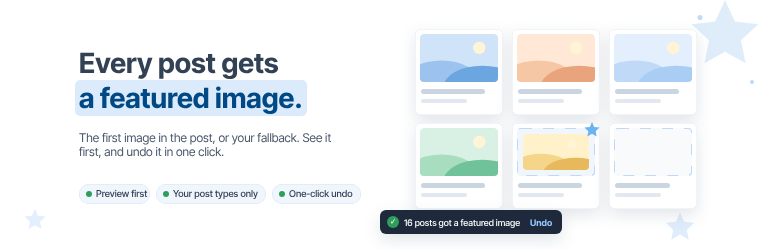
Posts without a featured image leave gaps in your blog grid, archives and social shares. Reinvent Auto Featured Image fills them: each post gets the first image in its content, or a fallback image you choose.
It’s built to be safe. You see what each post will get before anything changes, you choose which post types it touches, and one click undoes everything it did.
Everything is free
- When you save a post without a featured image, the first image in its content becomes the featured image.
- Fallback image. Posts with no image in their content get the image you choose.
- Fill old posts. Fix hundreds of older posts at once, in batches with a progress bar, so large sites don’t time out.
- Preview first. See how many posts have no featured image, and which image each of the newest ones will get, before you fill anything.
- Choose the post types. Posts only by default; add pages, products or any other post type that supports featured images.
- One-click undo. Removes only the featured images this plugin set, and only where the post still uses them.
Safe by design
- Featured images you picked yourself are never changed or removed.
- If you remove a featured image the plugin set, it isn’t added back to that post.
- Only images in your Media Library are used. Nothing is downloaded from other sites.
- Your posts’ content is never edited.
- No tracking. An optional site report is sent only if you allow it.
External services
The plugin works on your own server, with the images in your Media Library. Your images and posts are never uploaded anywhere. The plugin connects to one external service, operated by us, and only if you allow it:
Reinvent WP Services (services.reinventwp.com), used for one thing:
- Site report (only if you allow it). To improve the plugin and help us debug when you report an error. Nothing is sent until an administrator clicks “Allow” on the plugin’s admin page or turns on Site report in its settings. After that, the plugin’s admin page sends your site address, the admin email, the plugin version and the plugin’s settings (no passwords or keys) when the page loads and when you save the settings, and one short report when the plugin is deactivated or deleted. Turning Site report off sends one last report that says so, then nothing. Visitors’ data and your files are never sent, and local or development sites send nothing.
Reinvent WP Services: Terms of use, Privacy policy.
Screenshots

Preview the posts without a featured image, and the image each one will get.

Fill old posts in batches with a progress bar, and undo it in one click.

Every post gets a featured image: the first image in its content, or your fallback image.