
Remodelry Project Gallery Wordpress Plugin - Rating, Reviews, Demo & Download
Plugin Description
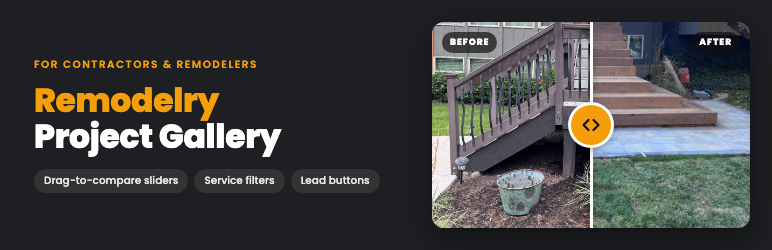
Remodelry Project Gallery is built for contractors, remodelers and home-service businesses. Add each job as a Project, upload a “before” and an “after” photo, and visitors drag a slider to see the transformation.
Nothing sells a remodel like the result. Each project card shows the comparison slider, the service, where the job was done and what was involved, with a button that sends visitors straight to your estimate or contact page.
Features
- A “Projects” section in your dashboard, each with before and after photos
- Draggable comparison slider that works with mouse, touch and keyboard
- Polished cards with a service tag on the photo, icons for project details and hover effects
- One accent color setting styles the slider handle, tags, filters and buttons to match your brand
- Optional “drag me” hint: each slider sweeps once when it scrolls into view
- Call-to-action button on every project (e.g. “Get a free estimate”) to turn visitors into leads
- Group projects by Service (Kitchens, Bathrooms, Basements…)
- Gallery grid with one-click service filter buttons and project counts
- Project details: location, scope of work, cost range and completion date
- Every project gets its own page at /projects/project-name/ – good for local search
- Block editor block plus shortcodes for classic editors and page builders
- Lightweight: no jQuery on the front end, about 1.5 KB of JavaScript (gzipped); files load only on pages that show a gallery
- Accessible: keyboard-operable slider, labeled controls, alt text fallbacks, respects reduced-motion settings
- Translation ready
Shortcodes
Gallery of projects:
[bapg_gallery]
Options (all optional):
service="kitchens,bathrooms"– only these service slugscolumns="3"– 1 to 4limit="12"– number of projectsfilter="yes"– show service filter buttonsdetails="yes"– show location, scope, cost and dateexcerpt="no"– show the project excerptratio="4/3"– photo shape, e.g. 3/2, 16/9, 1/1orderby="date"– date, title, menu_order, modified or randorder="DESC"– ASC or DESCstyle="card"– card or minimal (default comes from Settings)
Single slider:
[bapg_slider id="123"]
Screenshots
No screenshots provided
Similar Plugins:
 Rating Widget: Post Rating, 5 Star Rating, Reviews, Thumbs Up & Down, Reaction
 WoowGallery – Image Gallery / Content Gallery / Ecommerce Gallery / Social Gallery / Video Gallery / Album Photo Gallery
 Elementor Image Gallery Plugin ( Masonry Gallery, Elementor Gallery Plugin With Captions, Elementor Portfolio Gallery Widget, Filterable Gallery )