SAB Photo Gallery Wordpress Plugin - Rating, Reviews, Demo & Download
Plugin Description
Build a gallery, drag images into a custom grid, embed it via shortcode or block. No coding required.
Every gallery is its own WordPress post behind the scenes (a sab_photo_gallery), so it gets its own title, its own admin list screen, standard WordPress edit/delete permissions, and native WordPress revisions — the Compare Revisions screen shows a readable, line-by-line diff of the gallery’s images and settings, not just the title.
Gallery types in this version:
- Custom Grid — drag to reposition, drag a corner handle to resize. Snaps to a fixed 12-column grid.
- Masonry — auto-flowing columns, no manual positioning. Choose a Classic (CSS columns) flow or a Bento preset with a repeating mixed-tile-size pattern.
Features
- Visual drag-and-drop builder: add images from the native Media Library, drag to reposition, resize by dragging a corner handle
- New images are auto-placed below existing content — nothing overlaps by default
- Save with a click, or with the Ctrl/Cmd + S keyboard shortcut, from anywhere on the builder screen
- One-click copy of the gallery’s
[sab_photo_gallery id="X"]shortcode, from the builder sidebar or the All Galleries list - Every gallery save creates a WordPress revision, with a real content diff (not just title) on the Compare Revisions screen
- Publish/Update buttons and admin notices (publish, update, trash, restore, etc.) are worded for galleries, not generic WordPress “posts”
- One rendering engine behind both the
[sab_photo_gallery id="X"]shortcode and the SAB Photo Gallery Gutenberg block (with a live preview in the editor), so output never drifts between the two - Sitewide General Settings (gallery type, gutter, Custom Grid responsive behavior, Masonry columns/style, pagination, captions, powered-by link), each overridable per gallery from the builder’s Gallery Settings panel
- Per-gallery Design controls: padding/margin per side and per breakpoint, background color, z-index
- Optional per-gallery lightbox, sized in viewport units so it scales correctly on any screen
- Configurable pagination — “Load more” button, infinite scroll, or numbered pages — once a gallery has more images than the configured batch size
- Multiple galleries on one page are fully isolated — each gets a unique ID and its own scoped CSS
- No frontend footprint unless a gallery is actually embedded on a page
- All plugin code (PHP classes/functions, CSS classes, JS globals, AJAX actions, postmeta keys) is namespaced under
sab-photo-gallery/sab_photo_galleryto avoid conflicts with other plugins
Screenshots
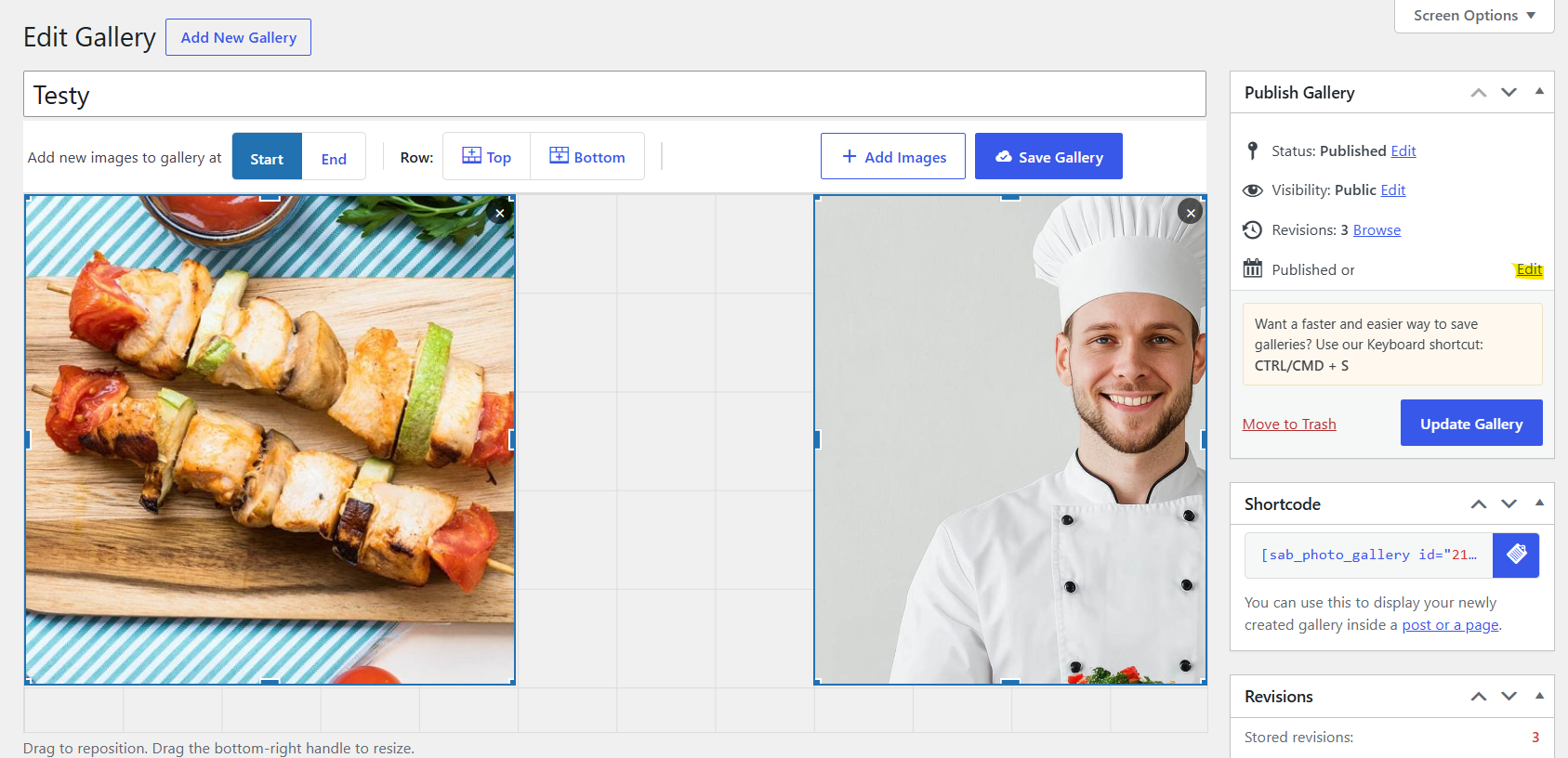
The drag-and-drop Custom Grid builder — reposition and resize images directly on the canvas.

Custom Grid View on Frontend.
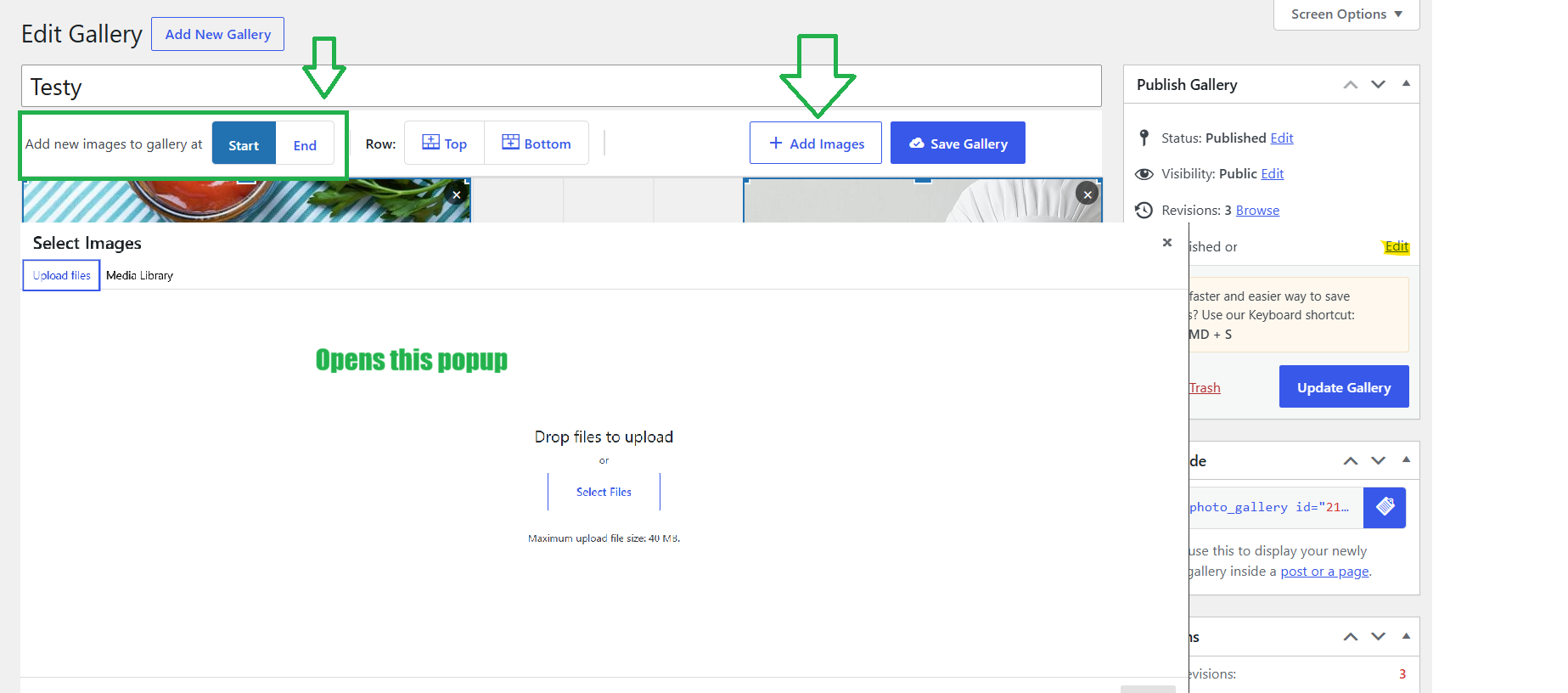
Add images in gallery at Start or End.
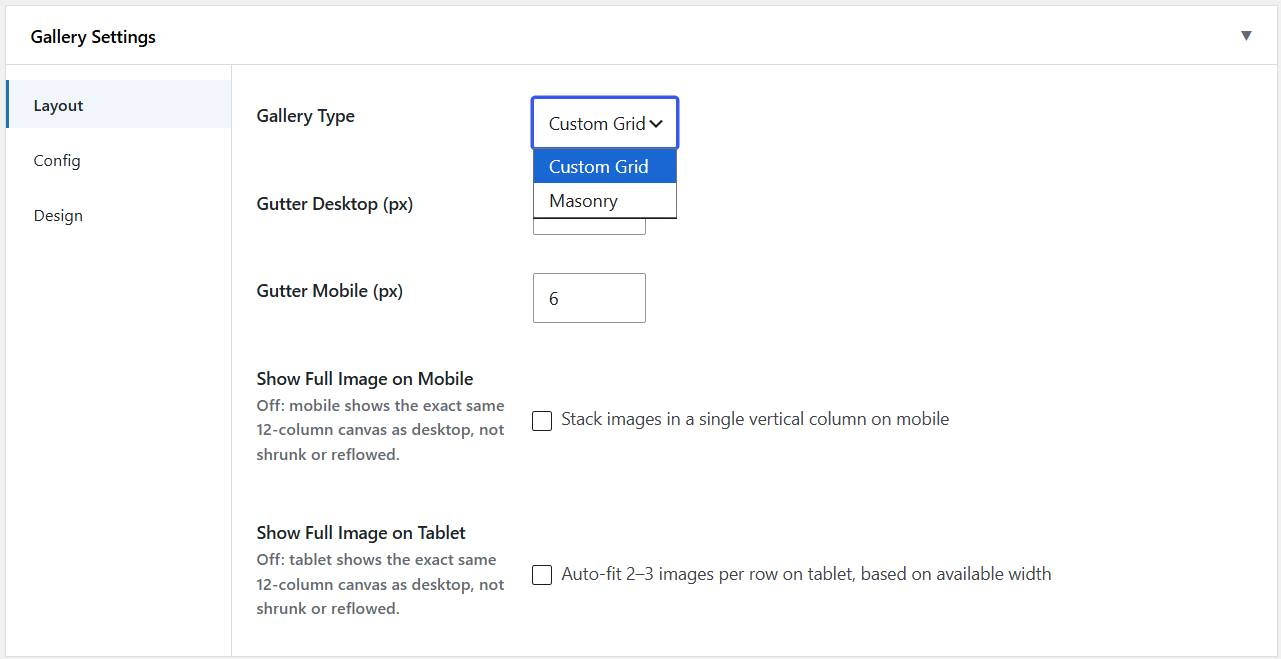
Gallery Settings : Layout Designs
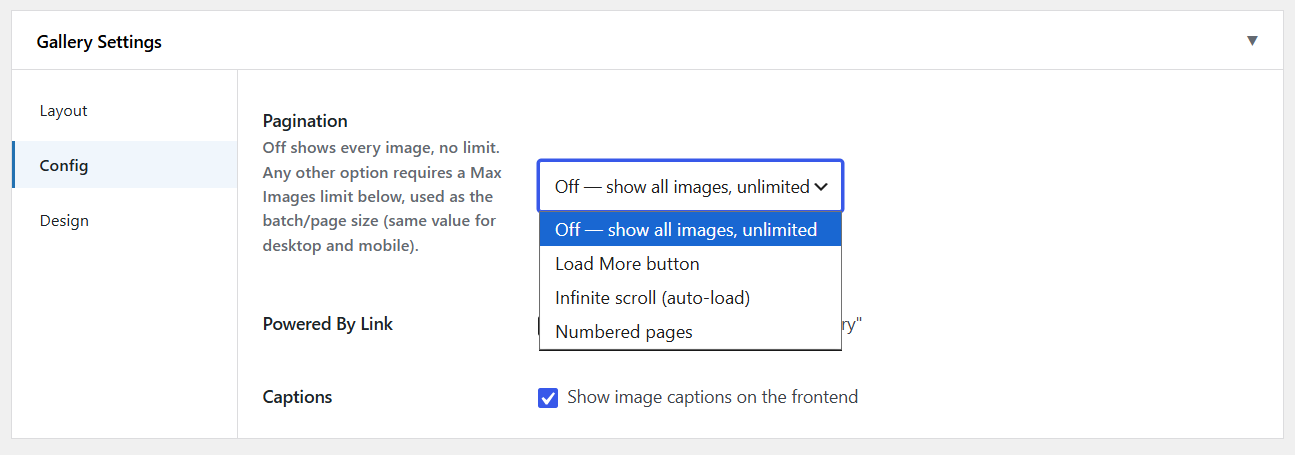
Gallery Settings : Config Controls
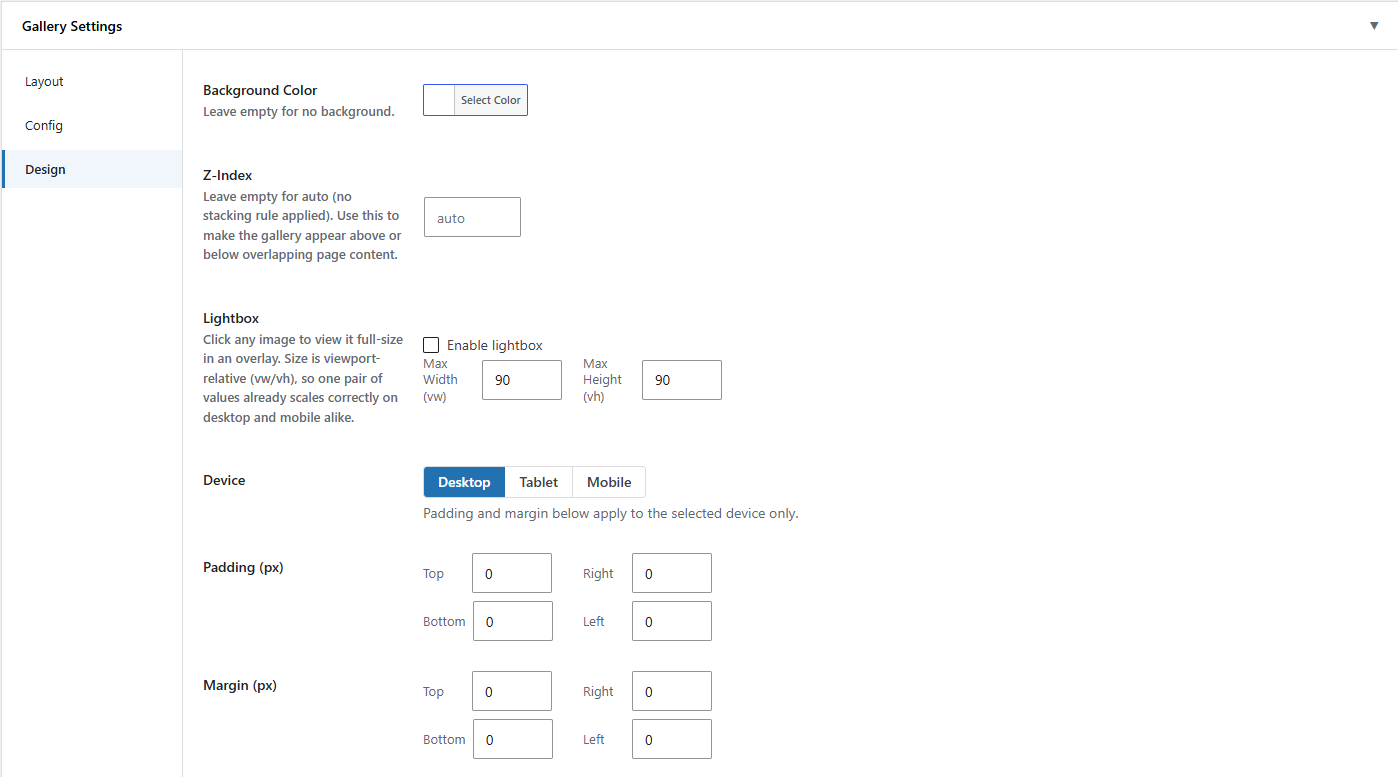
Gallery Settings : Design Controls
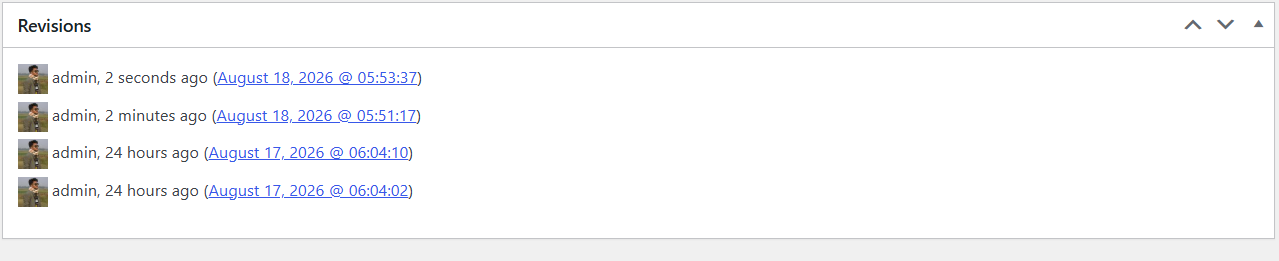
Gallery Revisions
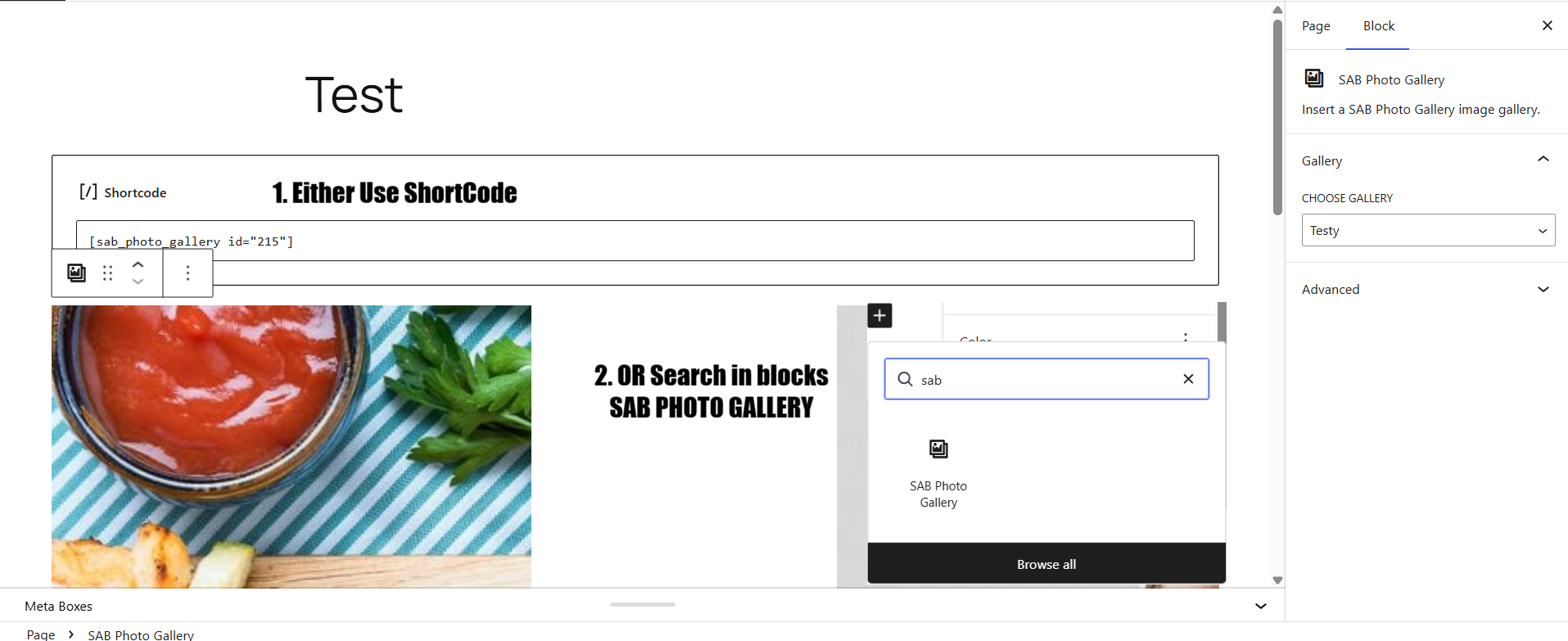
The SAB Photo Gallery block in the editor, with a live preview.
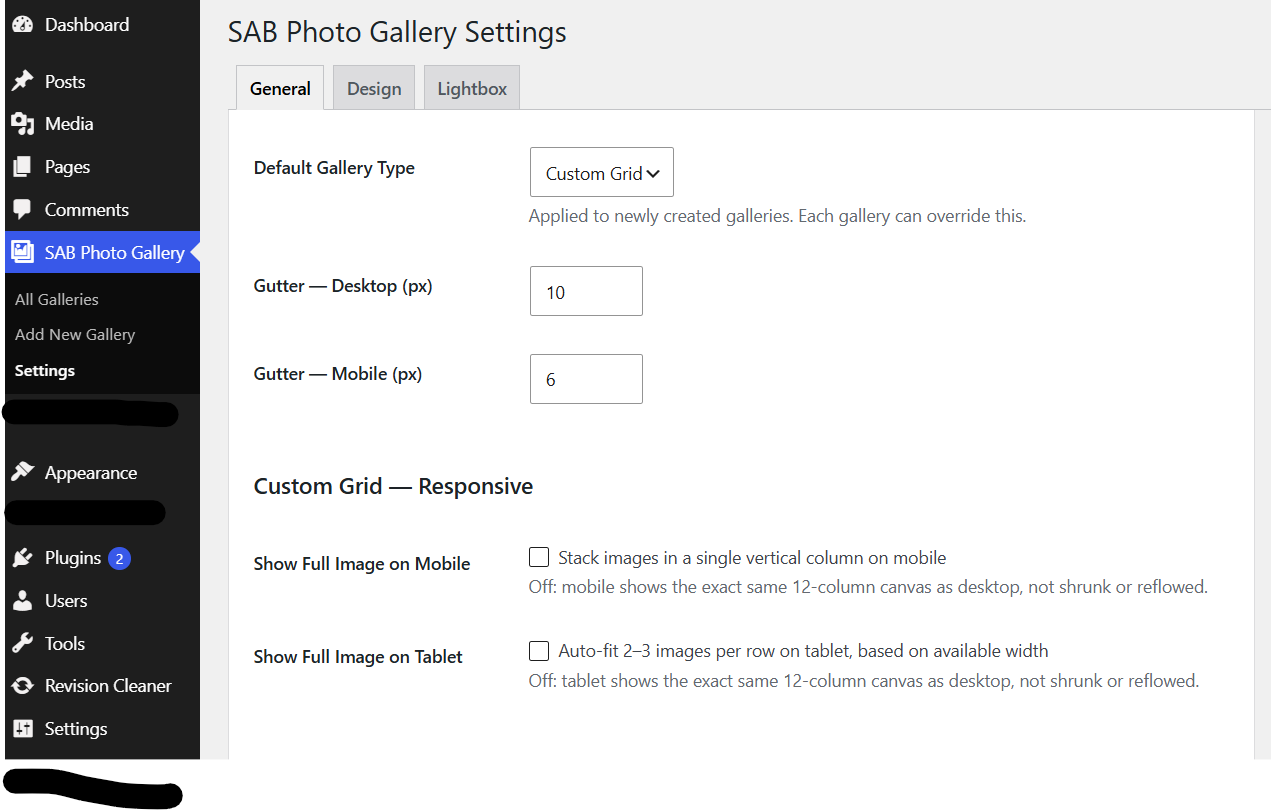
The General Settings screen with sitewide defaults.