SanBar EXPress Catalog Hub Wordpress Plugin - Rating, Reviews, Demo & Download

Plugin Description
SanBar EXPress Catalog Hub turns your store catalog into product tables, cards and printable catalogs, with full visual management in the WordPress dashboard. Everything described here is included and free.
Features
- Create product tables with a visual interface — no complex shortcodes
- Manual mode: hand-pick products one by one
- Dynamic mode: auto-load products by category, tag or brand
- Display layouts — Table, Cards and A4 (printable order sheet) — each with independent columns and appearance
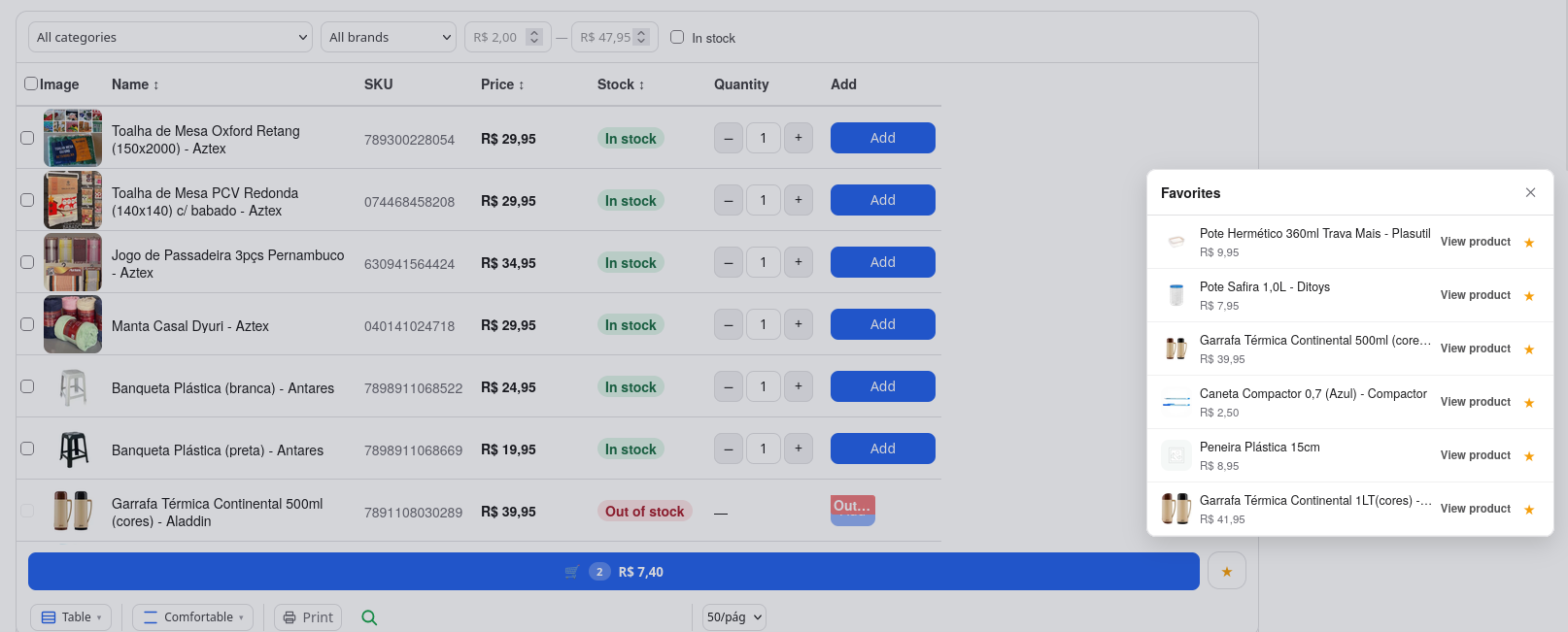
- Table layout with three densities (Compact, Normal, Comfortable) and fixed-size columns (S/M/L/XL): every row has the same height, text is cut cleanly instead of shrinking, and columns always line up
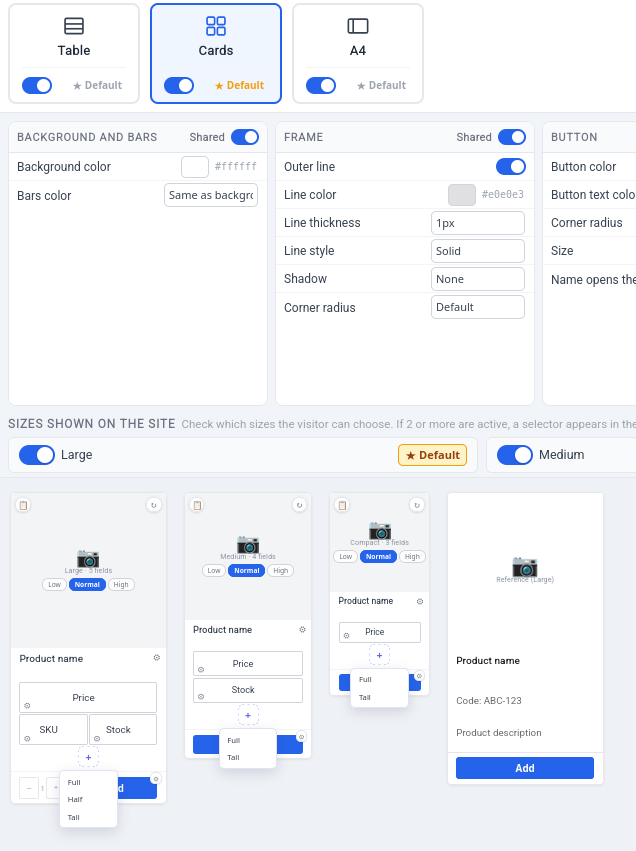
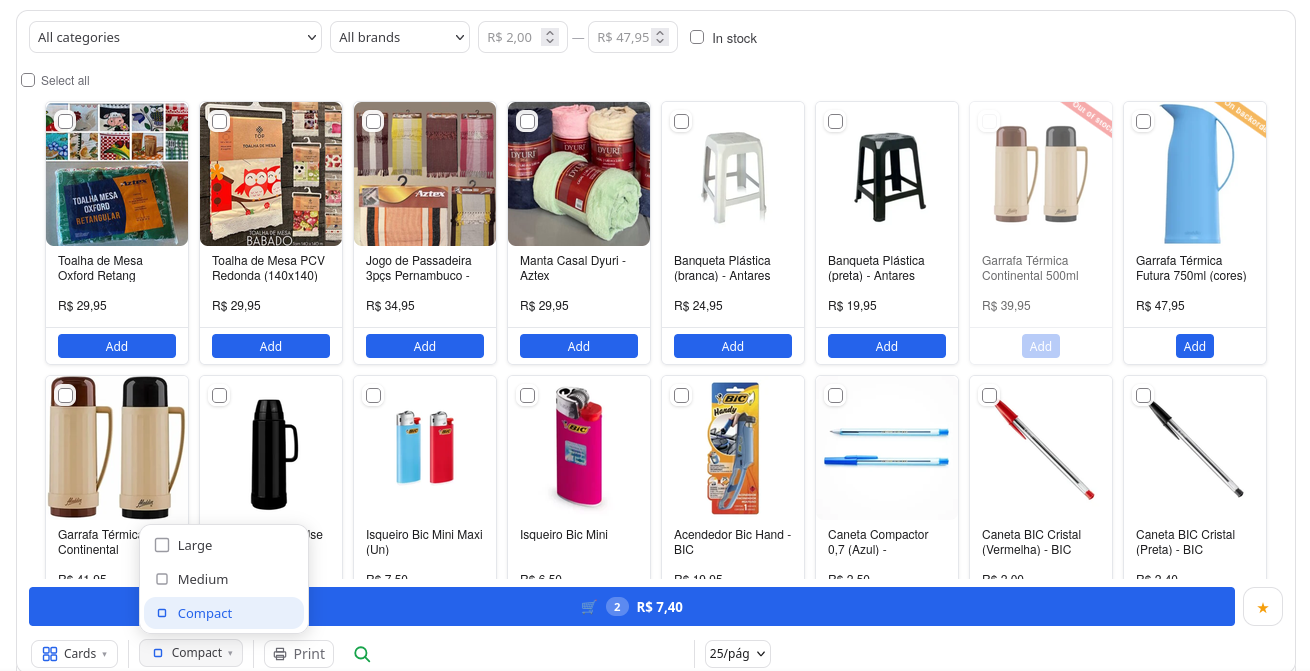
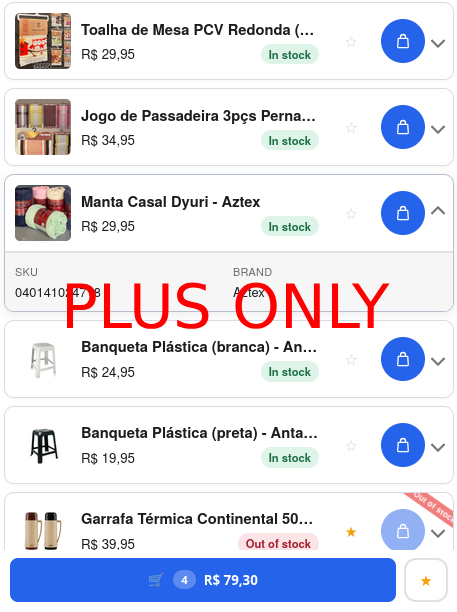
- Cards layout with 3 fixed sizes (Large, Medium, Compact), several active on the site at once; every card in a table has exactly the same height
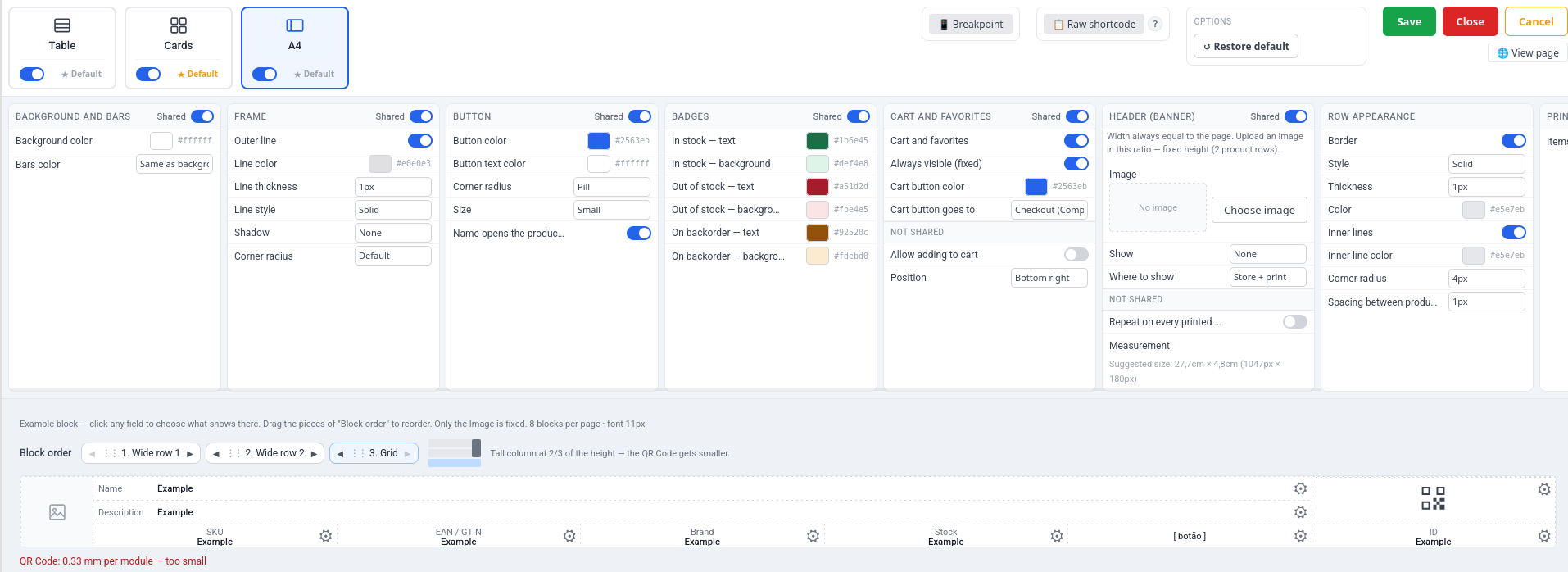
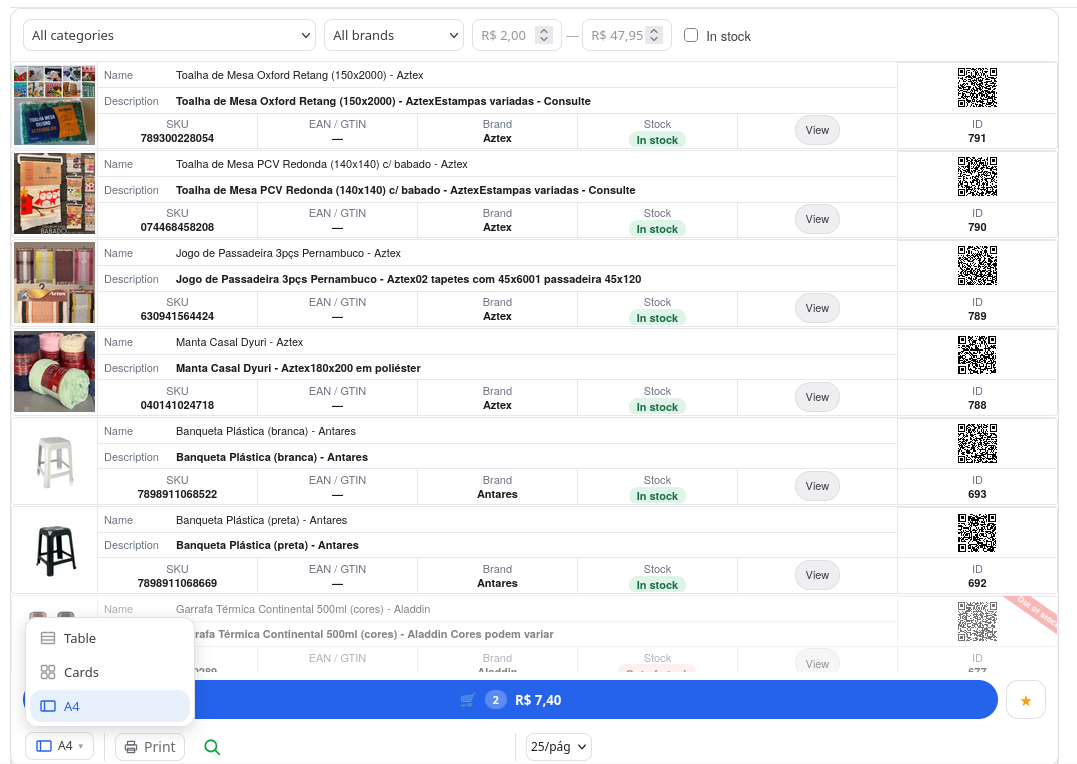
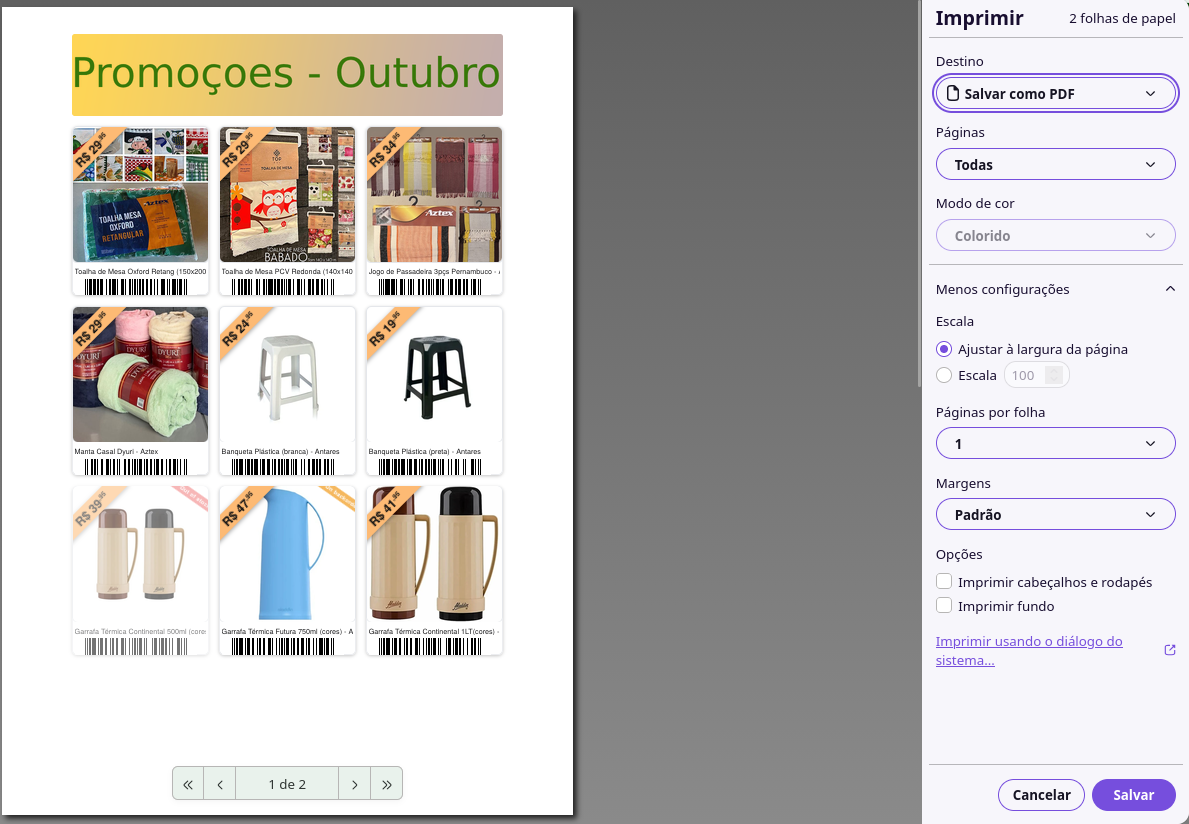
- A4 layout — landscape sheet with 4, 6 or 8 products per page, one image per row, optional tall QR code column
- Multiple layouts can be enabled per table at once, switchable by the visitor on the frontend
- Breakpoint — choose which layouts are allowed at each screen size (phone/tablet/desktop), with configurable size cutoffs
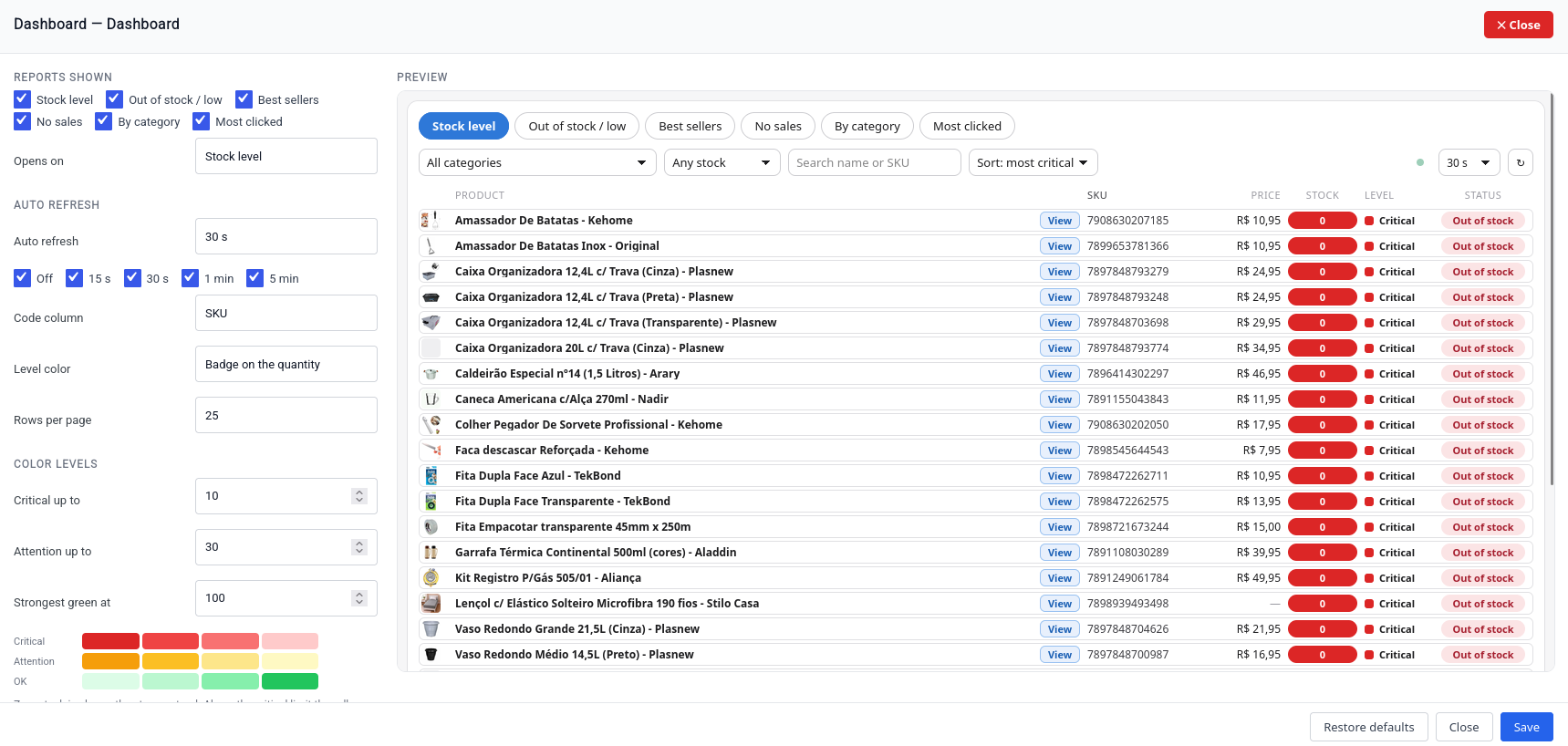
- Dashboard — a live product monitor (not a product list): stock level, out of stock/low, best sellers, no sales, by category and most clicked. One 25 px card per product with thumbnail, name, view button, SKU or GTIN, price and the report values, in perfectly aligned columns. Four-step red/yellow/green level colors with thresholds you set, as a badge or the whole row; auto refresh every 30 s (selectable); visible only to store managers unless you make it public
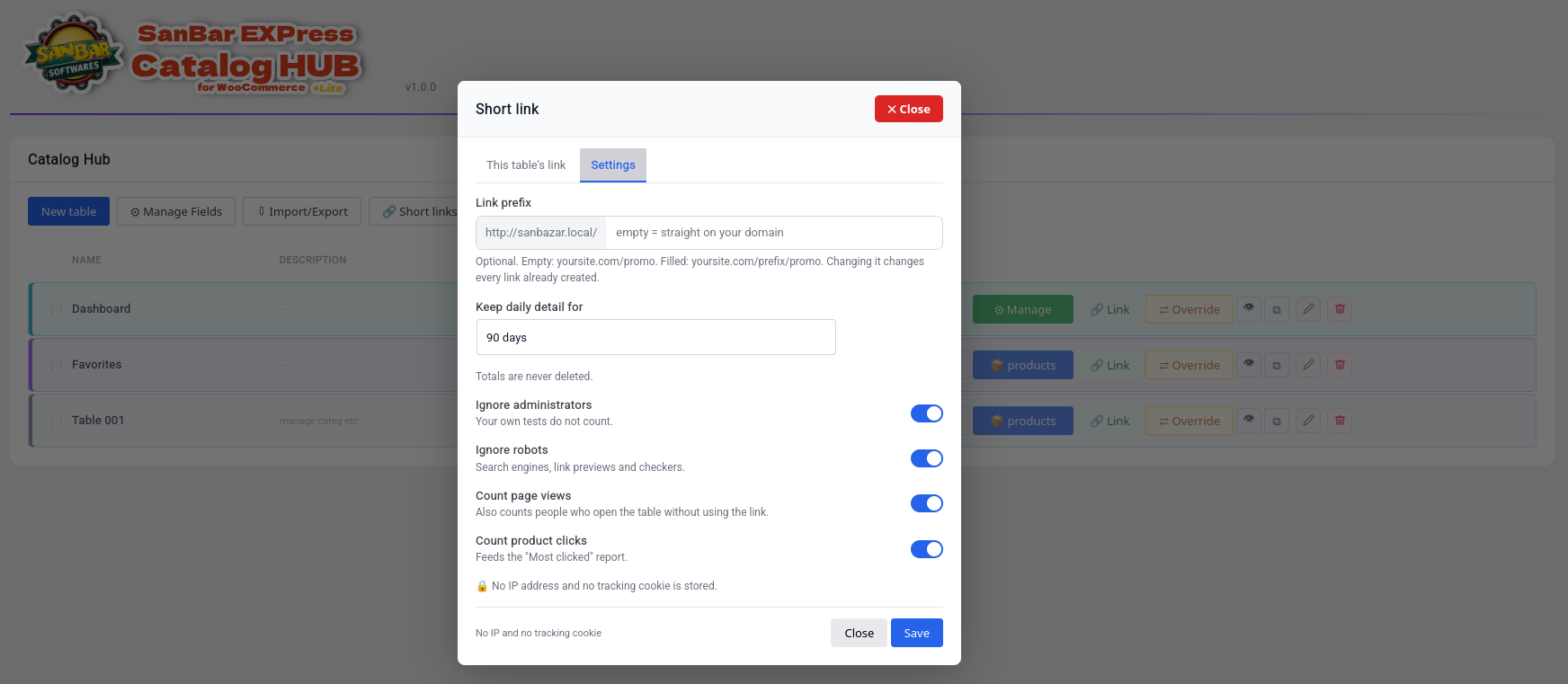
- Short links with click counts —
yoursite.com/promo(optional prefix) redirects to a table, product, category or any address, with total/unique clicks per table in the tables list, a hover summary (today, 7 and 30 days, page views, product clicks), a general links screen, settings and CSV export. No IP address and no tracking cookie is stored - One-click publish — when a table’s page is still a draft, the link dialog warns that visitors would get a 404 and offers “Open page (preview)” and “Publish page now”
- Raw shortcode and RAW page — shows the table’s products with zero plugin styling, using your active theme’s own native product layout; create a normal page, a RAW page, or both, and delete them together with the table (they go to the trash)
- Barcode and QR code field — Code 128, EAN-13, UPC-A, ITF-14 and QR generated on your server, with reading hints
- Notes column — a fixed text shown in every row of a column
- Cart & favorites bar — floating cart indicator on every layout
- Configurable columns: choose, reorder and rename each column
- 45+ column types, including native WooCommerce fields, Facebook for WooCommerce feed fields and Google Shopping feed fields
- Custom field columns: read any product meta_key, usable multiple times per table
- Per-column styling: background/text color, alignment and fixed-size widths
- Replace your shop or category page with a table view
- Progressive filters — category, brand, price range, stock and attributes — each individually toggleable per table
- Real-time search within the table
- Sorting by name, price and stock
- Inline variation selector — a compact modal with image, attributes, price, stock and its own quantity/add-to-cart
- Add-to-cart and bulk purchase directly from the table: checkbox multi-select, Shift+click range selection, live count/total summary
- “Copy selected” as a formatted table (paste into Word/Gmail/Docs) or plain tab-separated text (WhatsApp/Notepad)
- Configurable pagination and image lightbox
- Optional Print button in the table footer — toggle on/off per table
- Option to use the full screen width, with a side margin, per table
- Phone-friendly footer — layout, density, items per page and print move into a slide-up “Options” drawer on small screens; the tables list also turns into compact cards with a “more actions” menu
- Admin preview overlay — a fullscreen preview of the table in the dashboard, without needing to publish a page
- Draft preview while editing a table in the dashboard, before saving
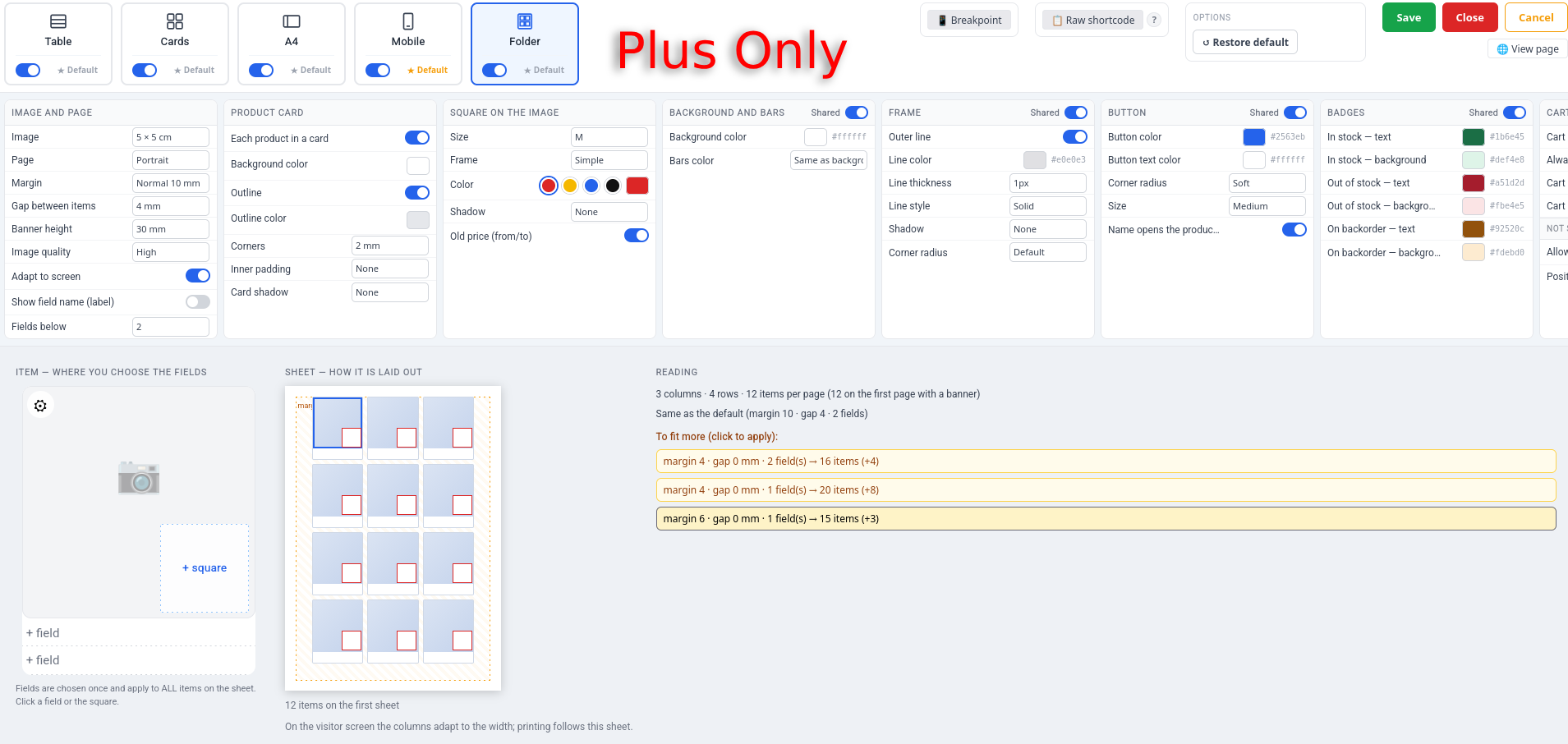
- Full appearance panel — borders, shadow, grid lines, corner radius, typography, button and badge styling, independent per layout
- Optional image banner at the top of the table
- Save, apply, import and export appearance/column presets
- Drag-and-drop table reordering in the dashboard list
- Custom field auditing — mark each field’s value type (number, text, yes/no) for smarter filters and suggestions
- Fields manager with 17 categories and 150+ read-only fields: codes, dimensions, supplier, pricing/cost, Brazilian fiscal fields and international tax codes. Sensitive fields (cost, margin, supplier) are only shown to store managers
- “Conditional Calculation” columns — combine values from other fields (tax rates, prices, custom meta) with a formula (sum, subtract, multiply, divide, round, min, max), with correct value+percentage tax math built in, plain-language previews and 14 ready-made models. Read-only integration with SanBar EXPress Store Manager’s fiscal fields (IPI, ICMS, PIS, COFINS, etc.), never writes to them
- Custom display label per column, for every column type and every layout
- Optional integration with SanBar EXPress Store Manager
About the name and the SanBar EXPress suite
“SanBar” and “SanBar EXPress” are the product line of the author, Sandro Barboza, who also publishes it under the Sanbazar name (sanbazar.com.br). This plugin is one of several independent WooCommerce tools of that line. They share a dashboard menu when installed together, but each one works on its own — you only need the ones you want:
- SanBar EXPress Catalog Hub — product tables, cards and printable catalogs (this plugin)
- SanBar EXPress Store Manager — bulk product editing
- SanBar EXPress Store Manager GO — mobile store management
- SanBar EXPress NF-e XML Import-BR — import products and costs from Brazilian invoices (NF-e)
- SanBar EXPress Fiscal Check-BR — Brazilian fiscal data checks
- SanBar EXPress IMG Tuner — image optimization
- SanBar QuickProducts Entry — fast product entry
- SanBar Menu Maker — menus
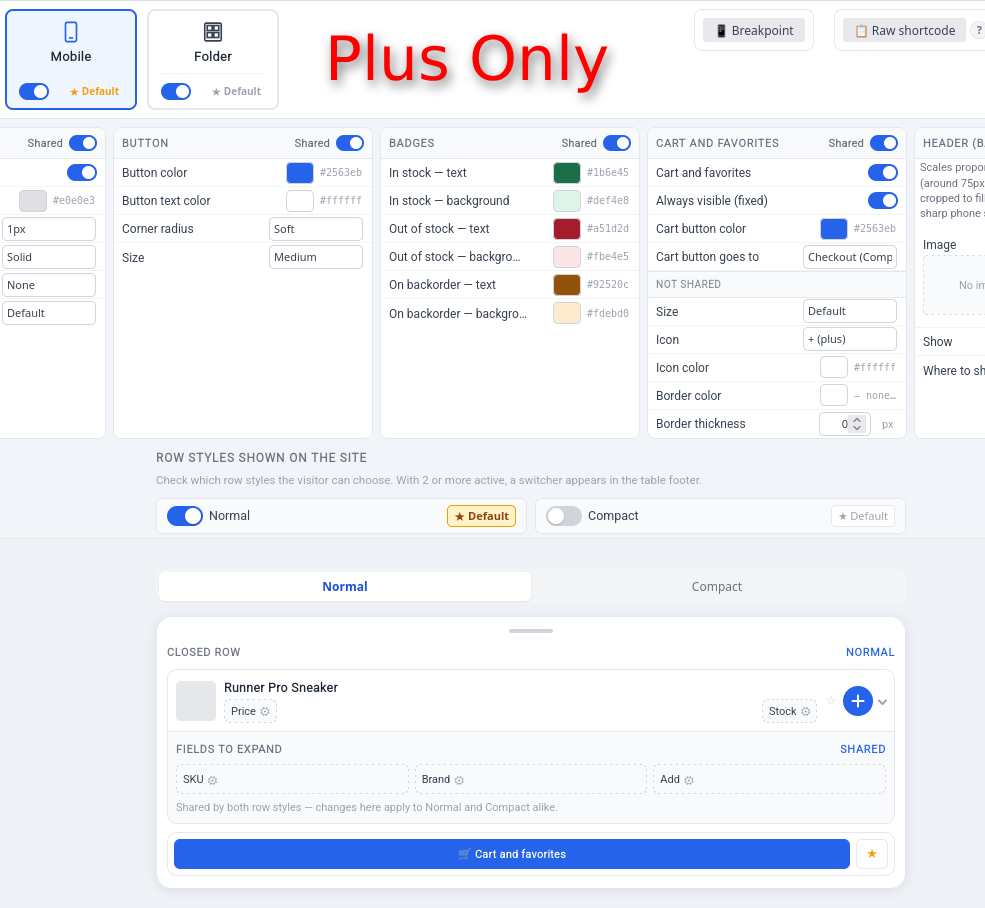
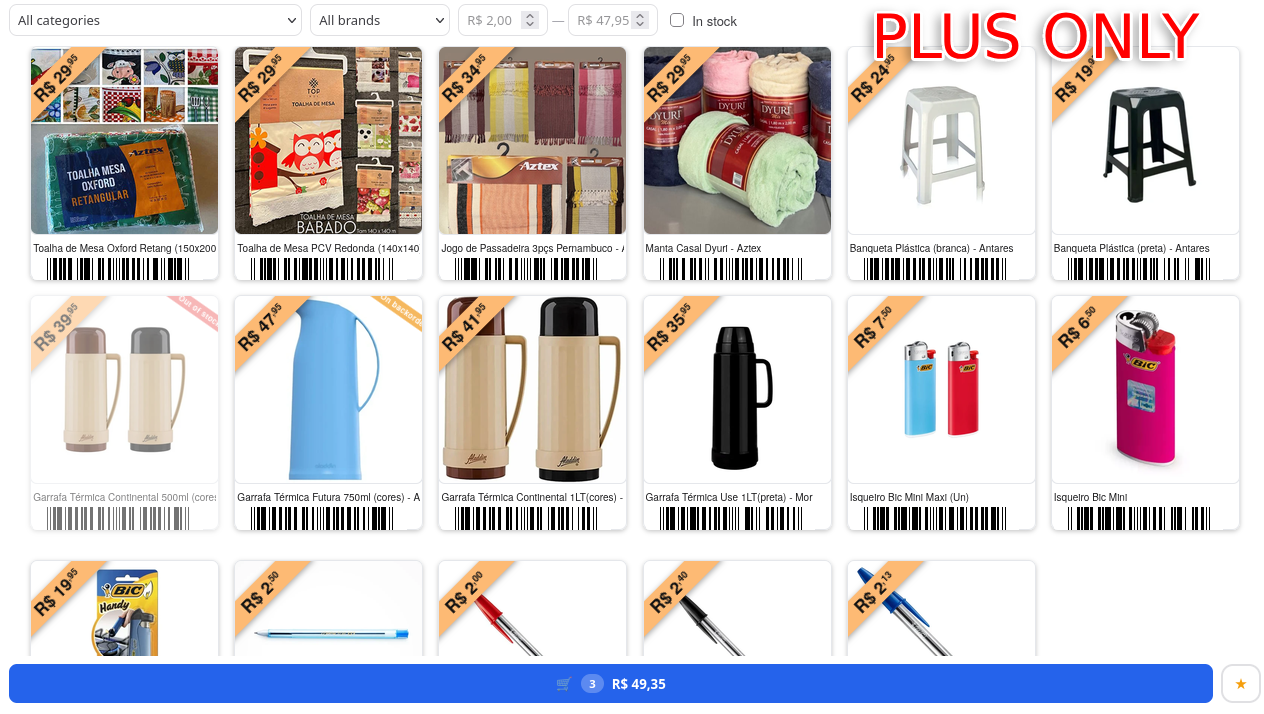
The SanBar name is not affiliated with any third party. A separate paid edition of this plugin (not hosted on WordPress.org) adds the Folder, Mobile and Index layouts and conditional tables.
SanBar EXPress Store Manager Integration
When Store Manager is installed, this plugin automatically adds:
- “Tables” button in the Store Manager toolbar
- “Add to table” button when selecting products
External services
This plugin does not connect to external services. All 14 fonts offered in the table Appearance settings (Roboto, Open Sans, Lato, Montserrat, Raleway, Oswald, Merriweather, Nunito, Poppins, Inter, Playfair Display, Ubuntu, PT Sans, Source Sans Pro) are bundled with the plugin in assets/fonts/ — both the admin preview and the frontend tables load them locally, so no visitor data is sent to Google. Font licenses: assets/fonts/FONTS-LICENSES.txt.
Privacy
Short links and click counts do not store IP addresses, user agents or tracking cookies. A visit is counted only as a daily total; to tell a returning visitor from a new one within the same day the plugin uses a one-way hash that changes every day and cannot be linked from one day to the next. Robots, link previews and store administrators are ignored by default. You can choose how long the daily detail is kept (30 days, 90 days, 1 year or forever); the totals are never deleted. Uninstalling the plugin removes its short-link tables and settings. The Dashboard shows stock numbers only to store managers unless you explicitly make it public.
Screenshots
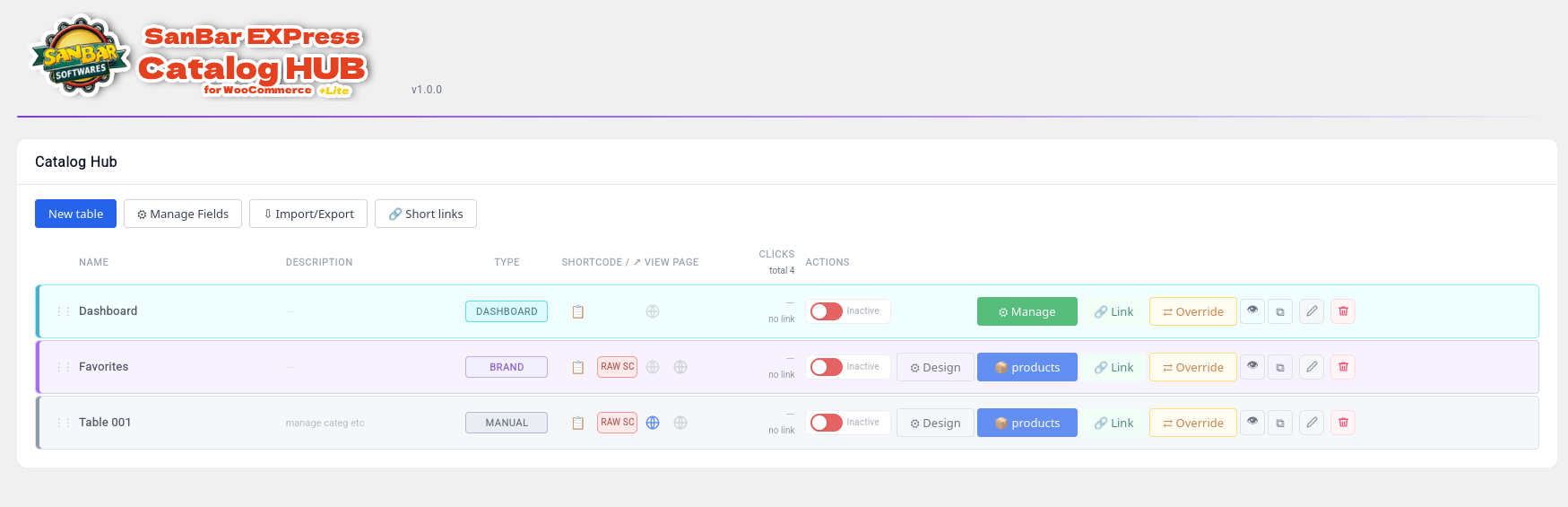
Table list in the admin dashboard
Column configuration with drag-and-drop
Product table on the frontend with active filters
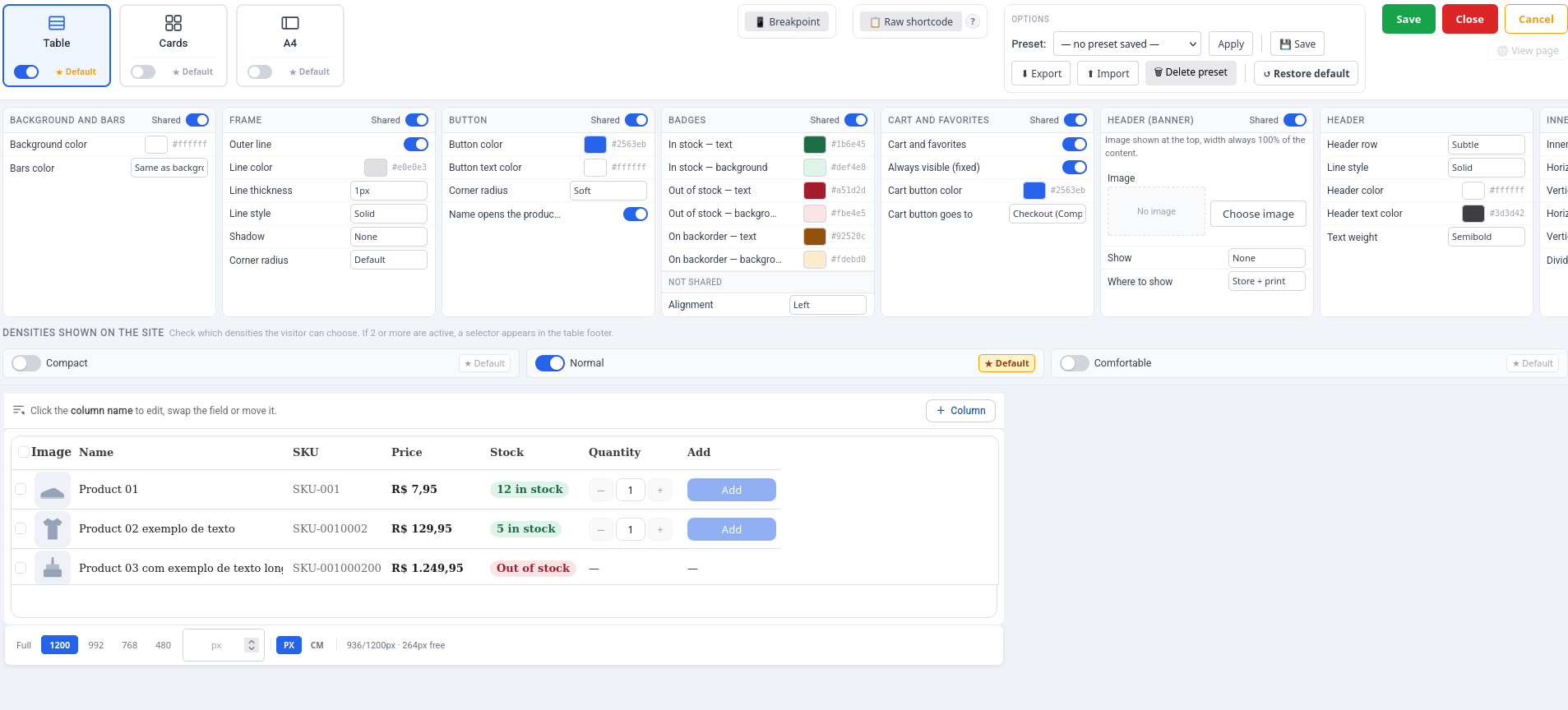
Per-column color picker