Silicon Sicily Accessibility Fixer For WooCommerce Wordpress Plugin - Rating, Reviews, Demo & Download
Plugin Description
Accessibility Fixer scans the six pages that matter for a sale — home, category, product, cart, checkout, my account — with axe-core, the same accessibility engine used by professional testing tools, running privately in your own browser.
It reports every issue it finds, with a likely origin (theme, plugin, or content) and the WCAG criteria involved. For a handful of common, well-understood issues it can fix the underlying HTML in code: a missing or invalid page language, a duplicated or empty page title, a missing skip-to-content link, and links or buttons with no accessible name. Each fix is off by default, has a preview, and can be switched off at any time, restoring the page exactly as it was.
What Accessibility Fixer does not do. It does not make your store compliant. No automated tool can honestly promise that. It is not legal advice and it does not replace a manual review or an audit by a qualified professional. It does not touch your cart, checkout, or account pages with any fix — those are only scanned and reported, never modified, because a mistake there could stop a sale. It does not write anything to your theme files, your database content, or your product catalog. It does not use an overlay or a widget that changes what visitors see in their browser; every fix is applied in the HTML your server sends out, or not at all.
Why this matters now. The European Accessibility Act has been in force since 28 June 2025 and covers e-commerce; separately, accessibility lawsuits against online stores are common in the United States. Accessibility Fixer does not chase either of those facts with fear-based claims — it just finds and fixes what it honestly can, and lists what still needs a person to look at it.
How it works, in short.
- You read a short notice about what the plugin does and does not do, and acknowledge it once per admin account.
- You run a scan. By default the cart and checkout are scanned empty, with nothing added and nothing written; there is an opt-in to scan checkout with one real product in your own session, which is removed automatically afterward.
- You get a report per page: rule, severity, WCAG references, a code snippet, a likely origin, and whether a fix is available.
- For fixable issues you can preview the change privately, then turn it on. Accessibility Fixer asks known caching plugins to clear the page and re-checks the live HTML without credentials, so you can see whether the fix actually reaches your visitors — caching can otherwise hide a fix that is technically “on.”
- A manual checklist covers what no automated tool can verify (contrast, alternative text, focus order, and more), with a status you set yourself.
- Every screen ends with the same line: this report is not a certification and not legal advice.
Performance and safety. Fixes only apply where nothing else is switched on; with everything off, Accessibility Fixer adds no code to your public pages. Each fix measures its own added time, and switches itself to “suspended” if it ever averages more than 20 ms per page, so it cannot quietly slow your store down.
Your data. Everything stays on your site. Scanning runs in your browser; axe-core ships inside the plugin; nothing is sent to any external server.
This is version 1.0: free, focused on the buying journey, honest about its limits. A paid version with scheduled scans, multi-site management, and more is being considered for later, entirely as a separate plugin — nothing in this free version will ever be locked behind it.
In italiano. Accessibility Fixer trova e corregge nel codice i problemi di accessibilità del tuo negozio WooCommerce, e ti dice con onestà che cosa resta da controllare a mano. Scansiona le sei pagine che contano per una vendita (home, categoria, prodotto, carrello, cassa, account) con axe-core, lo stesso motore degli strumenti professionali, eseguito nel tuo browser senza inviare nulla all’esterno. Per quattro problemi comuni (lingua della pagina, titolo, link “salta al contenuto”, link e bottoni senza nome) applica la correzione nell’HTML, con anteprima, verifica e possibilità di spegnerla in qualsiasi momento. Non tocca mai carrello, cassa e account, non scrive nel tema né nel database, non usa barre o widget sovrapposti e non promette conformità: nessuno strumento automatico può farlo. La traduzione italiana dell’interfaccia è pronta e sarà distribuita da translate.wordpress.org dopo la pubblicazione.
What’s next
Accessibility Fixer 1.0 is deliberately small: six store pages, four fixes, everything verified. Here is what we are planning for the next releases, in the order we expect to ship them:
- More in-code fixes. Product images with no alternative text, filled from the product name; form fields with a placeholder but no label; duplicate element IDs; links that open a new tab without saying so. Same rule as today: a fix is applied only when the correct value is certain, otherwise the issue is reported, not guessed.
- Scan any page you choose. Add your blog, landing pages or legal pages to the six store pages scanned by default.
- A guide for every manual issue. For each problem Accessibility Fixer cannot fix safely, a short page explaining where it usually comes from and how to correct it in your theme.
- Report export. PDF and CSV, for agencies and for keeping a record of what was checked and when.
Your feedback decides the order. We are a very small team and we build what people actually ask for. If one of these matters to your store, or if something is missing from the list, tell us in the support forum or leave a review: a single message saying “I need the image fix” moves it up the list. Bug reports are welcome too, with the theme name and WooCommerce version if you can.
Nothing on this list will ever be locked behind a paid version: what is free today stays free.
Third-party libraries
Accessibility Fixer bundles axe-core 4.13.0 (Copyright Deque Systems, Inc.), licensed under the Mozilla Public License 2.0, which is compatible with the GPL this plugin is distributed under. The licence text ships in assets/vendor/axe-core-LICENSE.txt.
The file shipped is the official minified distribution build, unmodified. The human-readable source for the same version is at https://github.com/dequelabs/axe-core/releases/tag/v4.13.0, and assets/vendor/README.md records the version, licence and provenance in full.
Privacy
Accessibility Fixer does not send any data to an external server. Scanning happens in your own browser, and axe-core is included in the plugin itself.
On your own site, Accessibility Fixer stores, in its own database tables and WordPress options:
- Scan results (page, issue, likely origin) for up to the 10 most recent full scans, plus the latest verification scan per fix per page.
- Which fix is on, off, or suspended, and its measured performance.
- The status of each manual checklist item, and who last updated it.
- The identifier of the admin user who acknowledged the notice or switched a fix on or off, with a timestamp — nothing about your store’s visitors is ever collected.
Uninstalling the plugin removes its database tables and settings. The acknowledgement log is kept by default so it survives a reinstall, but can be deleted at uninstall time from Settings.
Screenshots
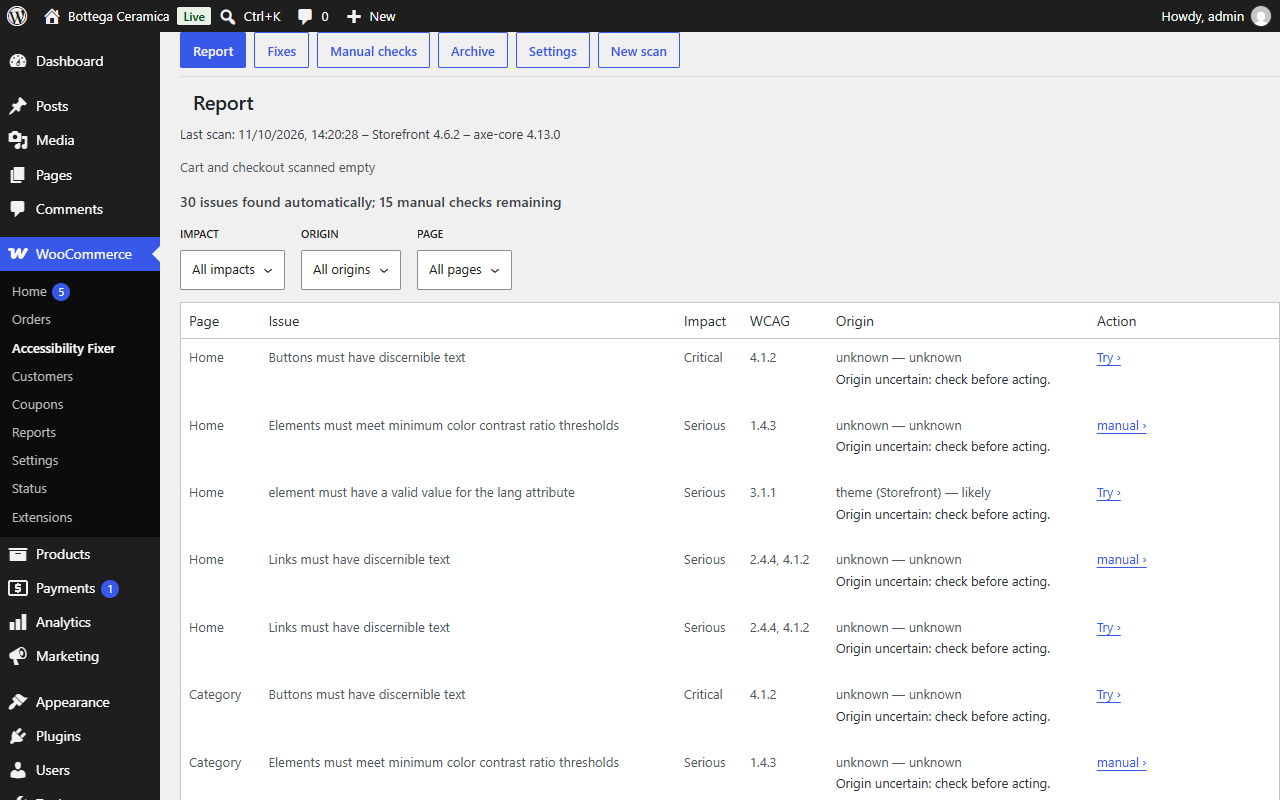
Report — every issue found across the six scanned pages, with severity, likely origin, and whether a fix is available.
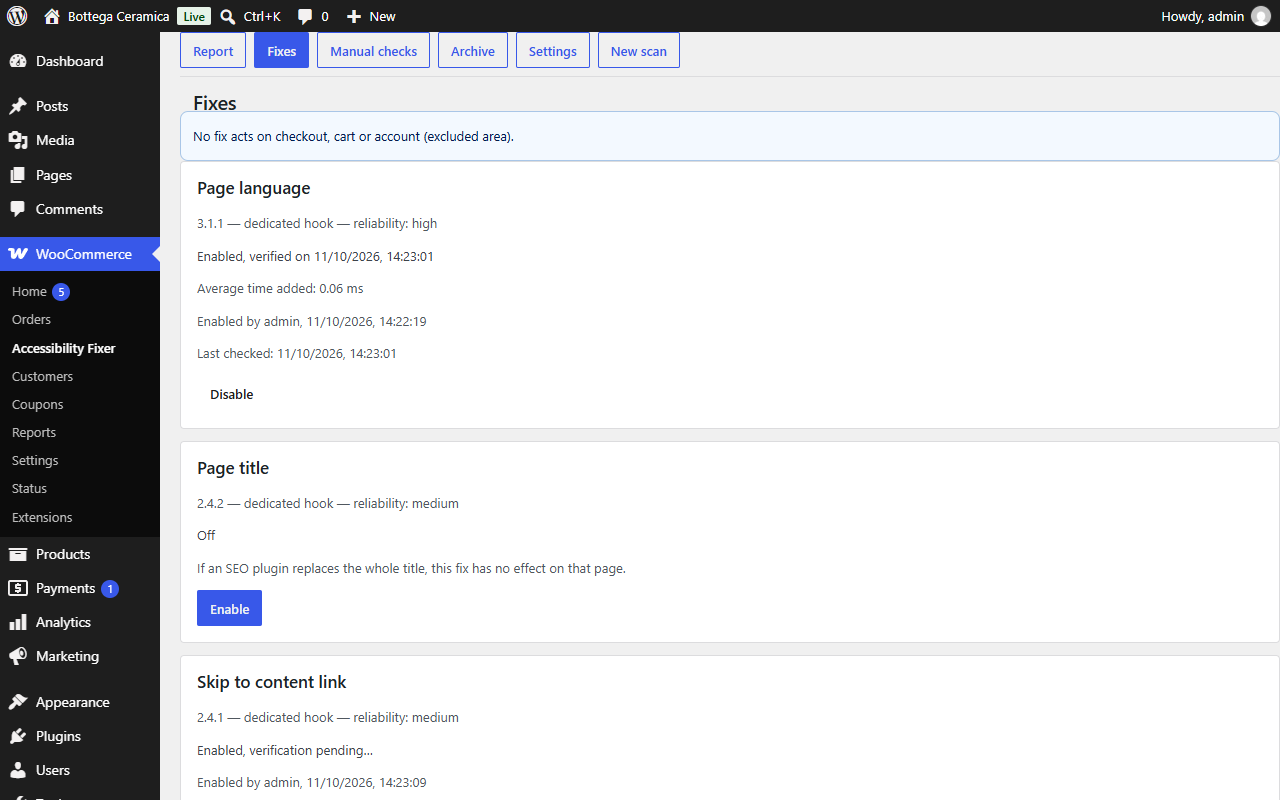
Fixes — the four available fixes, each with its own switch, mechanism, reliability, and verification status.
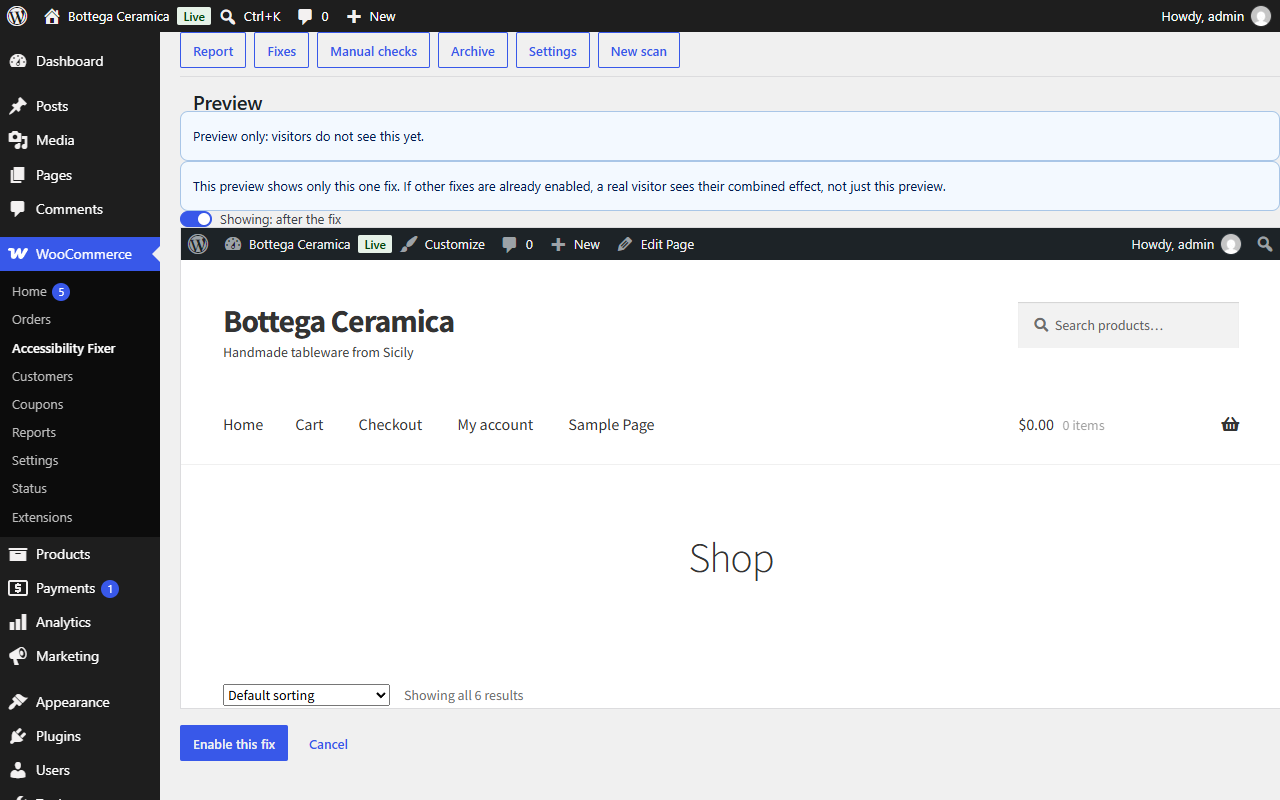
Preview — trying a fix privately before turning it on for visitors.
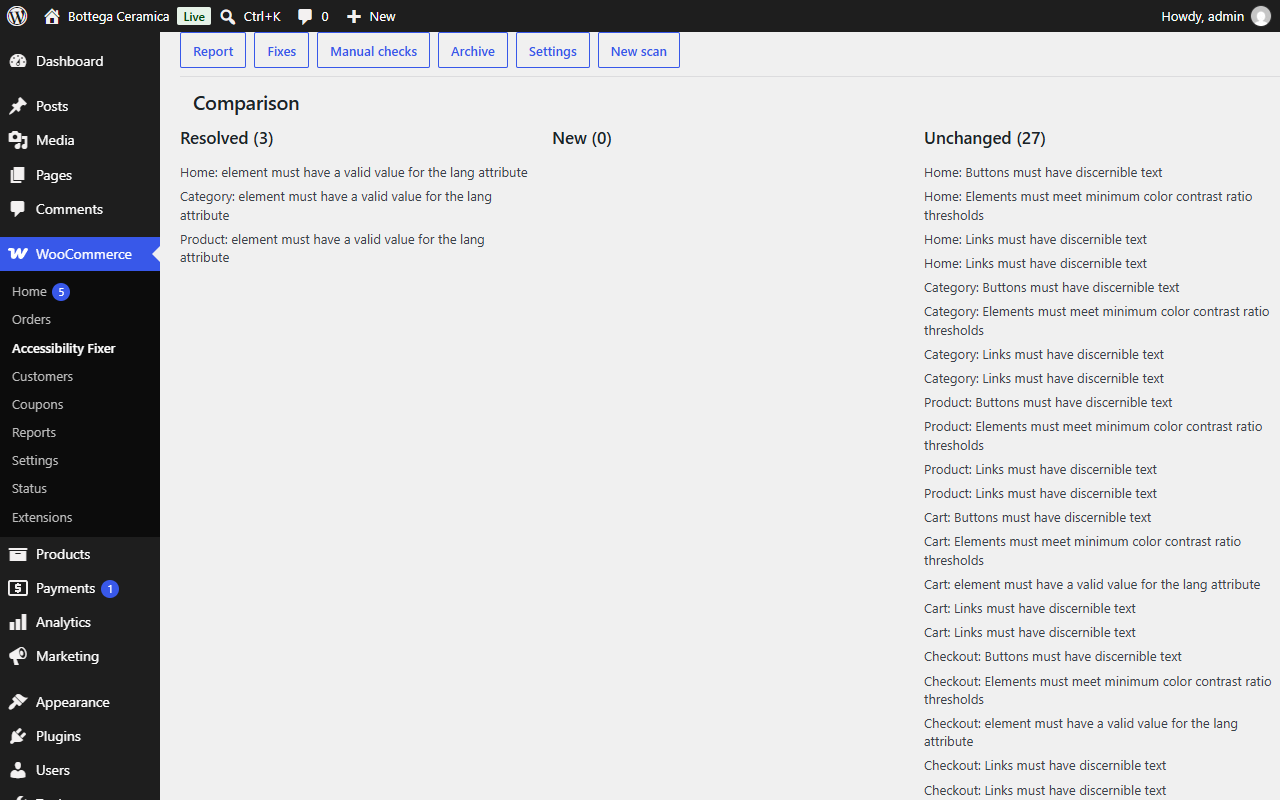
Comparison — before and after a fix is switched on or off: resolved, new, and unchanged issues.
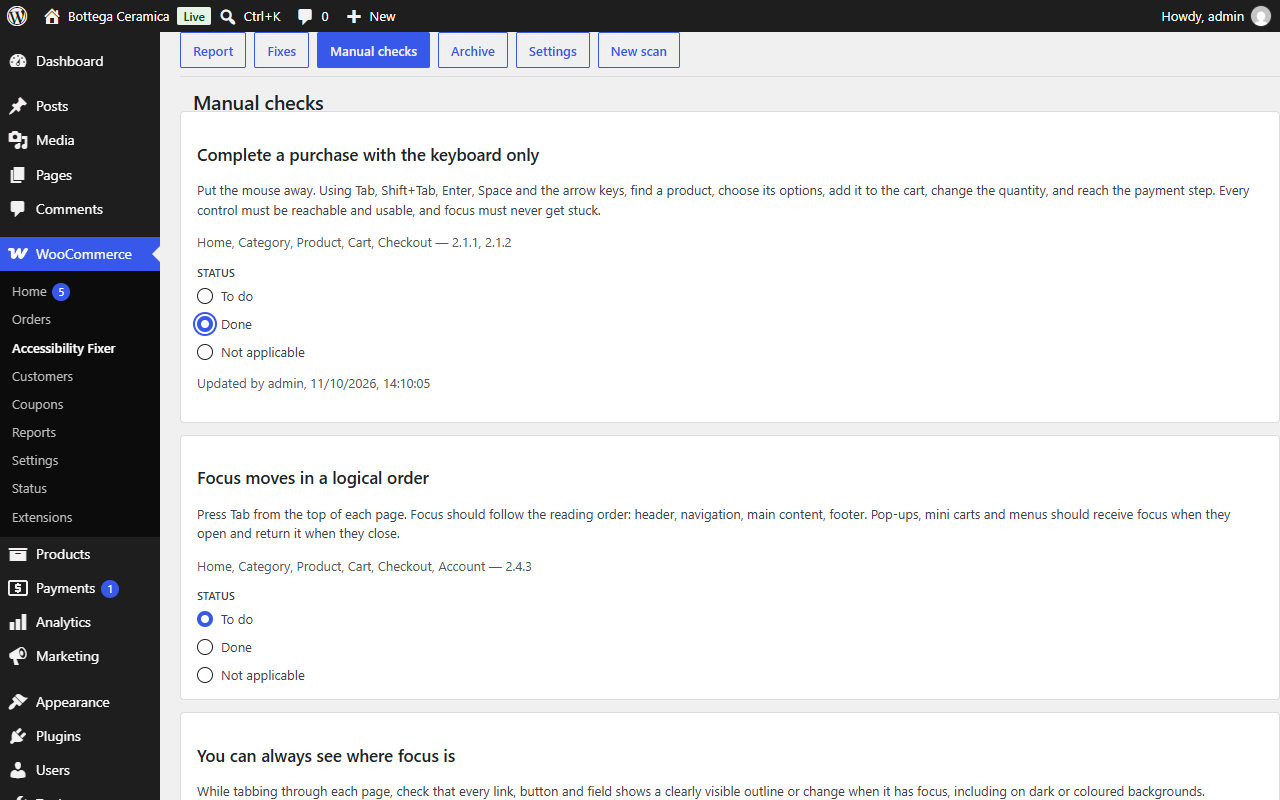
Manual checks — the checklist for what no automated scan can verify, with status you set yourself.
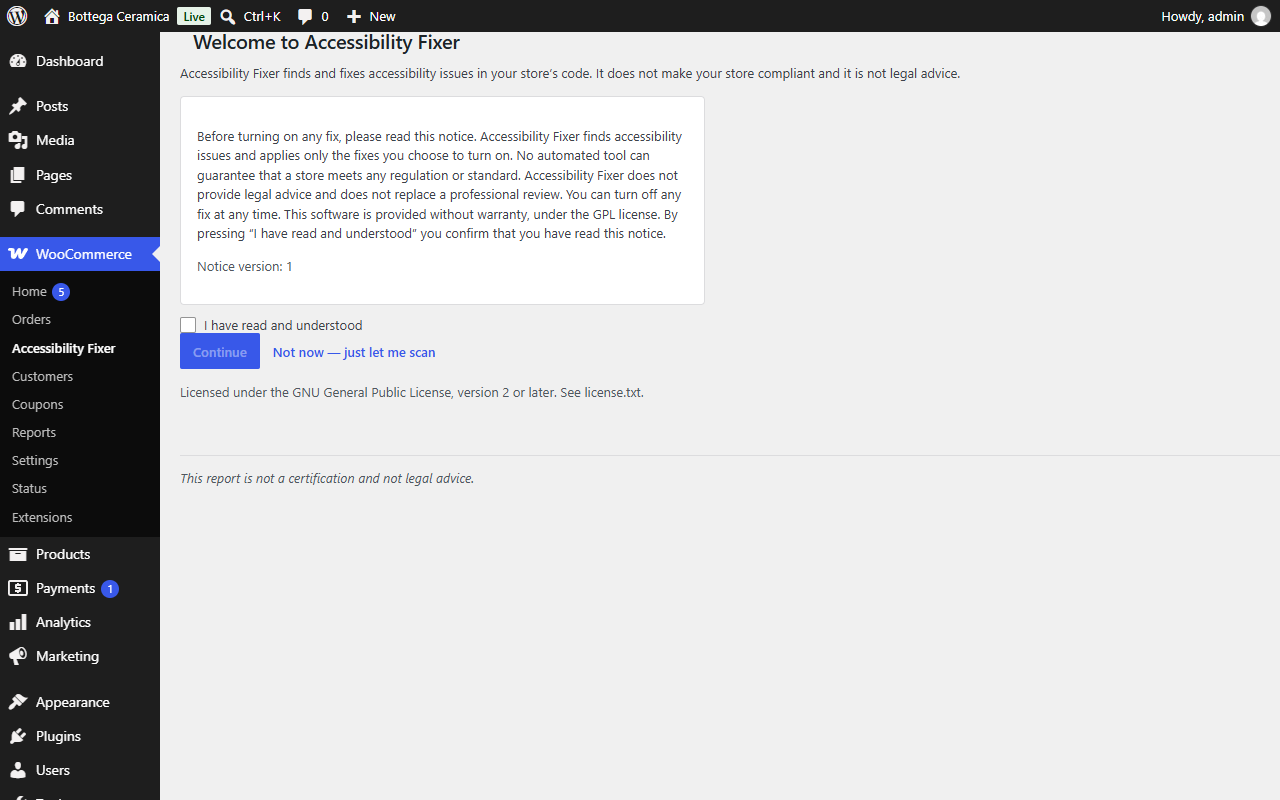
Welcome and acknowledgement — the notice every admin reads once before any fix can be switched on.