Sofrah Venue Wordpress Plugin - Rating, Reviews, Demo & Download
Plugin Description
Sofrah Venue keeps a restaurant’s or cafe’s content in one place, so changing theme loses nothing:
- Menus with sections, dishes, prices as you write them, dietary labels in your own words and an allergen notice per dish.
- A venue allergen statement, required before any dish is published.
- Opening hours in the venue’s time zone, and dated notices (closed, special hours, paused).
- “Today”: mark a dish sold out, or available again, with one tap on a phone.
- Two staff roles: Venue manager and Menu editor.
- Six blocks: Menu, Hours and location, Notices, Table request, Request status and Contact details.
- A setup checklist and a one-click import of two fictional demos (a restaurant and a cafe).
Deposits and events through WooCommerce
- Optional table deposit, per guest or per booking, for parties above a size you choose. It is asked for only after a person at the venue confirms the request: Sofrah Venue creates a WooCommerce order and WooCommerce emails the guest a link to pay it with any payment method you have set up. Nothing is paid before you accept, so a declined request needs no refund.
- If the booking is cancelled before the deposit is paid, the order is cancelled. If the venue cancels after payment, the deposit is refunded through the payment method where it allows refunds; otherwise the order tells staff to refund it. If the guest cancels after paying, the order notes it for your policy.
- The guest’s status page shows whether the deposit is due, paid or refunded, with the payment link while it is due.
- Set menus and events: mark any WooCommerce product with a date and time. The date shows on the product page, in the cart, at checkout and on the order; seats are WooCommerce stock; once the date has passed, the product can no longer be bought.
- Compatible with WooCommerce’s order tables (HPOS) and the cart and checkout blocks.
Table requests are requests
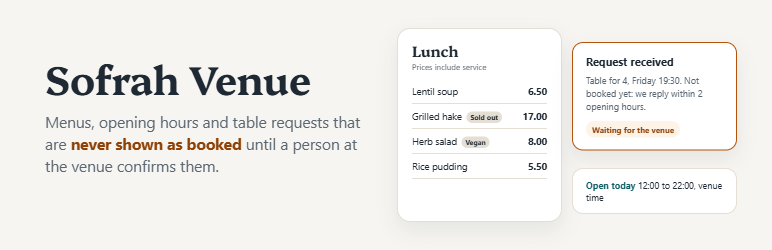
Requests go through the free Five Star Restaurant Reservations plugin, which holds them and sends the emails. Sofrah Venue never shows a request as a confirmed table until a person at the venue confirms it in that plugin:
- After sending, the guest reads “Request received – your table is not confirmed yet”, with your reply window and phone number.
- The plugin’s automatic confirmation rules are kept off.
- If sending stalls, the guest is told the request may not have arrived and is asked not to send it again straight away.
- Each email to the guest links to a status page that shows where the request stands.
- If a confirmed booking is later closed, Sofrah Venue emails the guest a short cancellation notice (the reservation plugin sends nothing in that case).
- Free-text notes are off by default, so guests are not invited to type health details.
Requests stay off until every step of the setup checklist is done, including a test request you send and see arrive.
Privacy
Sofrah Venue stores no information about guests and makes no outside requests: no telemetry, no external fonts or scripts. Deposits and event tickets are WooCommerce orders, covered by WooCommerce’s own export and erase tools. Sofrah Venue adds WordPress personal-data export and erase tools for the requests the reservation plugin holds, and suggested privacy-policy text.
Screenshots
No screenshots provided