SosWoo Buy Now Button For WooCommerce Wordpress Plugin - Rating, Reviews, Demo & Download

Plugin Description
SosWoo Buy Now Button for WooCommerce adds a responsive Buy Now button to your store, helping customers move from product selection to checkout with fewer steps.
Choose where the button appears on shop and single-product pages, control its appearance, and use the shortcode to place a button where you need it. The plugin supports Simple and Variable products in the free version.
Free features
- Responsive, mobile-friendly Buy Now button.
- Choose button position on archive and shop pages:
- After price
- After title
- Before Add to Cart button
- After Add to Cart button
- After rating
- None (hide)
- Choose button position on single-product pages:
- Before Add to Cart button
- After Add to Cart button
- None (hide)
- Show the button only for products in selected categories.
- Enable the button for Simple and Variable product types.
- Clicking Buy Now adds the selected product to the cart and redirects the customer to the checkout page.
- Customisable button text.
- Choose Default style to match your theme’s buttons or Custom style to set your own appearance.
- Set normal and hover colours for button text, background, and border.
- Configure button width and height in pixels.
- Additional CSS field for more styling control.
- Use the
[soswoo_buy_now]shortcode to display a button where shortcodes are supported. - Works on single-product pages, shop pages, archive loops, and shortcode placements.
- Supports Blocksy, Storefront, Twenty Twenty-Four, and other WooCommerce-compatible themes.
Want more control over the Buy Now experience?
Upgrade to SosWoo Buy Now Button Pro for additional product-type support and checkout-flow options. Pro features include support for Grouped and External / Affiliate products, alternative redirect actions, and controls to simplify the product page.
Explore Pro features and get the premium version:
https://soswoo.com/woocommerce-plugin/soswoo-buy-now-button-for-woocommerce/
Premium features
SosWoo Buy Now Button Pro adds the following features:
- More product types: Enable the Buy Now button for Simple, Variable, Grouped, and External / Affiliate products.
- Choose the button action: Redirect customers to the checkout page, cart page, or a custom page after clicking Buy Now.
- Hide the Add to Cart button: Choose Yes or No using the available dropdown or checkbox setting.
- Remove the quantity input: Optionally hide the quantity input on single-product pages. This option is unchecked by default.
- Reset the cart: Clear the cart when the customer clicks the Buy Now button.
See the Pro product page for details:
https://soswoo.com/woocommerce-plugin/soswoo-buy-now-button-for-woocommerce/
Credits
- Developed by Suresh Dindorkar (https://soswoo.com).
- Uses the WooCommerce Store API for one-click add-to-cart functionality.
Screenshots
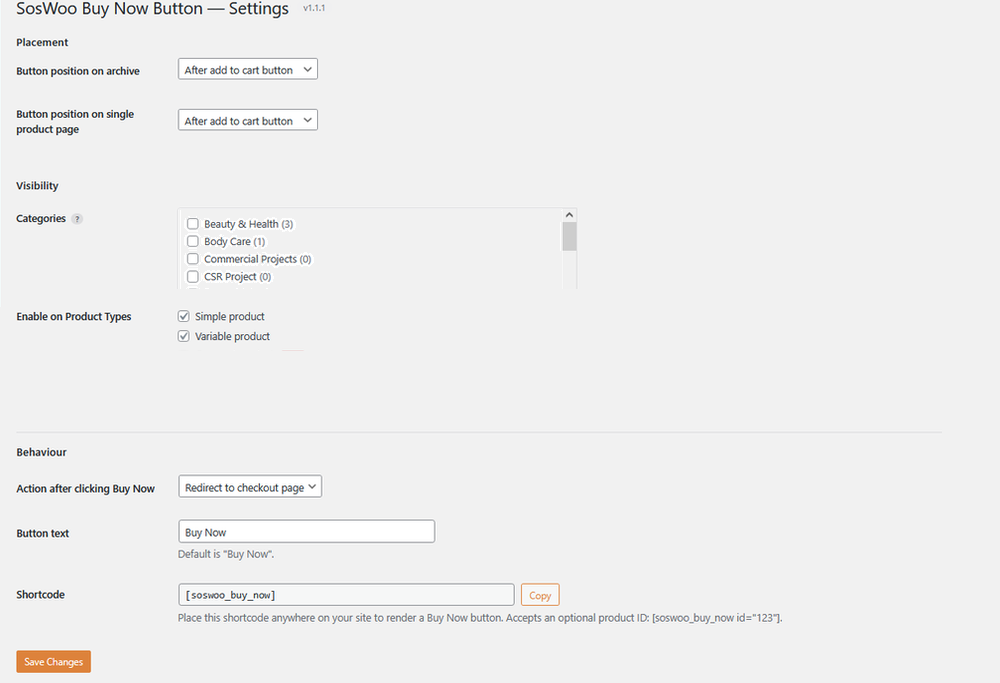
Admin Settings — Configure button placement, product visibility, click behaviour, button text, and shortcode.
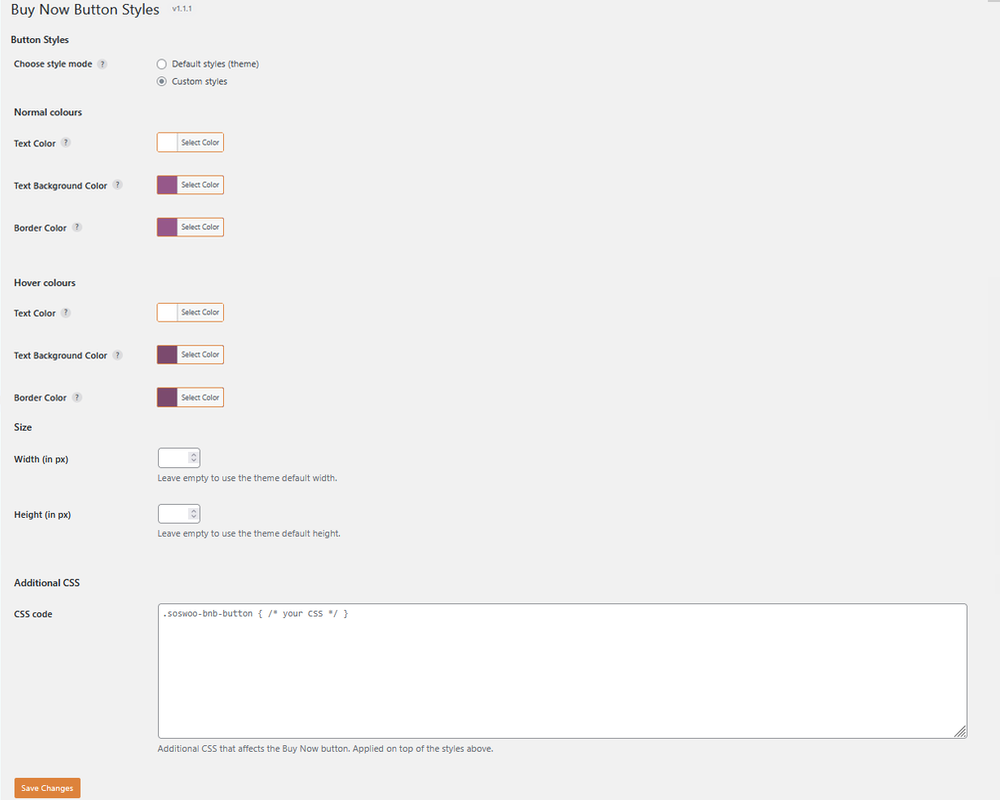
Admin Button Styles — Customize button colours, hover colours, dimensions, and additional CSS.
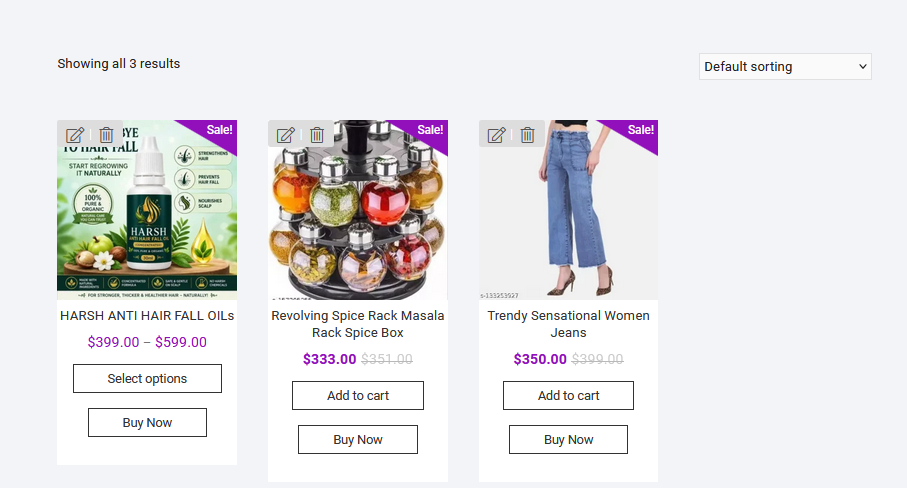
Shop Page — Buy Now buttons displayed on WooCommerce product listings.

Single Product Page — Buy Now button displayed alongside Add to Cart on a WooCommerce product page.