Spinix Migration & Backup Wordpress Plugin - Rating, Reviews, Demo & Download

Plugin Description
Spinix Migration & Backup packs your entire website – every file in the WordPress folder (including .htaccess, wp-config.php, .user.ini, .well-known and other dotfiles), the full database and all settings – into a single .spinix file. Restore it on the same site or on a completely different domain: URLs, server paths and the table prefix are updated automatically and permalinks stay exactly as they were.
Spinix Migration & Backup is developed and maintained by Spinix Technologies Ltd, a UK company.
Highlights
- Complete backups – all files and the full database in one
.spinixfile. - One-click migration – automatic URL change (including serialized data, nested serialized data and JSON-escaped URLs used by page builders), server path change, table prefix change.
- Safe restore – files are unpacked to a private staging folder and the database is imported into temporary tables. Your live site is untouched until the final step, which switches everything in seconds (one atomic database rename).
- Undo restore – the previous database and files are kept so a restore can be reverted with one click.
- No upload size limit – uploads are sent in small resumable pieces sized for your server. Interrupted uploads resume.
- FTP friendly – drop any
.spinixfile intowp-content/spinix-backups/and it appears on the Backups page, ready to restore. - Resumable everything – backups, restores and exports work in short steps, so low PHP time limits and dropped connections are no problem. Paused operations continue where they stopped.
- Plain-English errors – permission problems, missing PHP extensions, memory/time limits, firewall blocks, database privileges and corrupted files are explained with step-by-step fixes and a “Copy message for my host” button.
- Database only – download a MySQL dump (.sql or .sql.gz) without shell access, with optional find & replace.
- Files as ZIP – download all files, wp-content, uploads, all plugins or all themes as ZIP (ZIP64, no ZipArchive needed).
- Single plugin or theme as ZIP – ready to install elsewhere.
- Password-protected backups – AES-256-GCM encryption.
- Integrity check – every block carries a CRC32 checksum; verify any backup with one click.
- Scheduled backups – daily, twice daily or weekly, with retention and email notifications.
- System Health – pre-flight checks with a health score, activity log and downloadable debug report.
- WP-CLI –
wp spinix backup|restore|export-db|list|verify. - Works on Apache, LiteSpeed, Nginx and IIS. PHP 7.4 – 8.5.
What is migrated automatically
- Site URL and home URL (http/https, www and non-www, protocol-relative, JSON-escaped and URL-encoded forms).
- Absolute server paths (for example Wordfence’s .user.ini, cache plugins, upload paths).
- Table prefix (user roles and user capability keys are adapted).
- wp-config.php from the backup is used, but the destination server’s database name, user, password, host and table prefix are kept automatically.
- .htaccess: old host-specific PHP handler lines are disabled (a classic cause of “500 errors” after migration) and the destination server’s PHP handler is re-applied; RewriteBase is fixed when moving between root and sub-folder installs.
- Permalinks are rebuilt with all plugins active on the first page load after the restore, and popular caches are purged (WP Rocket, W3 Total Cache, WP Super Cache, LiteSpeed, SiteGround, Autoptimize, Breeze, WP Fastest Cache, Elementor CSS, object cache).
Source code
All JavaScript and CSS in this plugin is the original, human-readable source code. Nothing is compiled, bundled or minified, and no build tools are needed:
assets/js/admin.js– the admin interface (plain JavaScript, no framework).assets/css/admin.css– the admin styles.
The plugin includes no third-party libraries. To change the interface, edit these files directly.
Screenshots
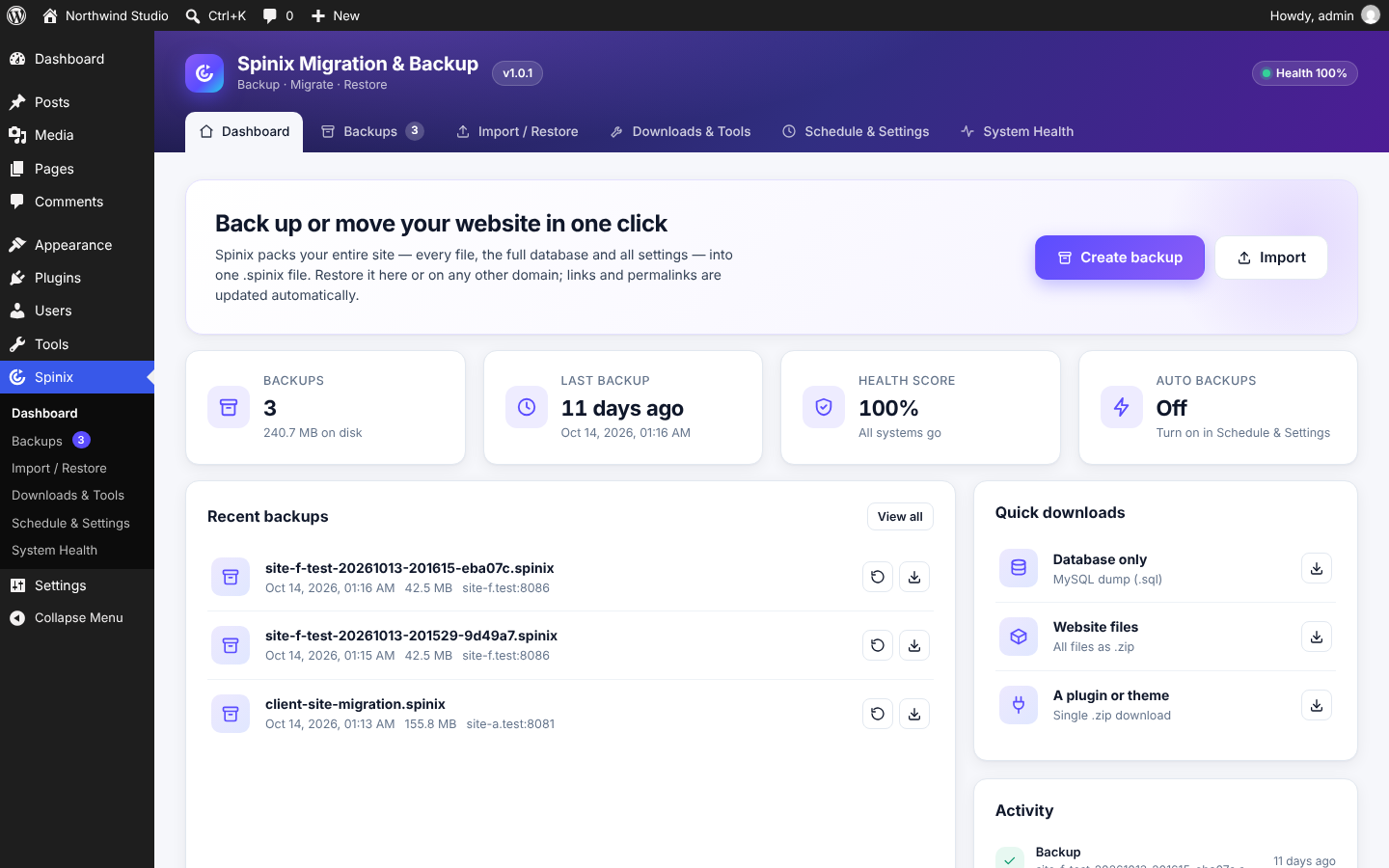
Dashboard with one-click backup and import, backup count, health score and activity.
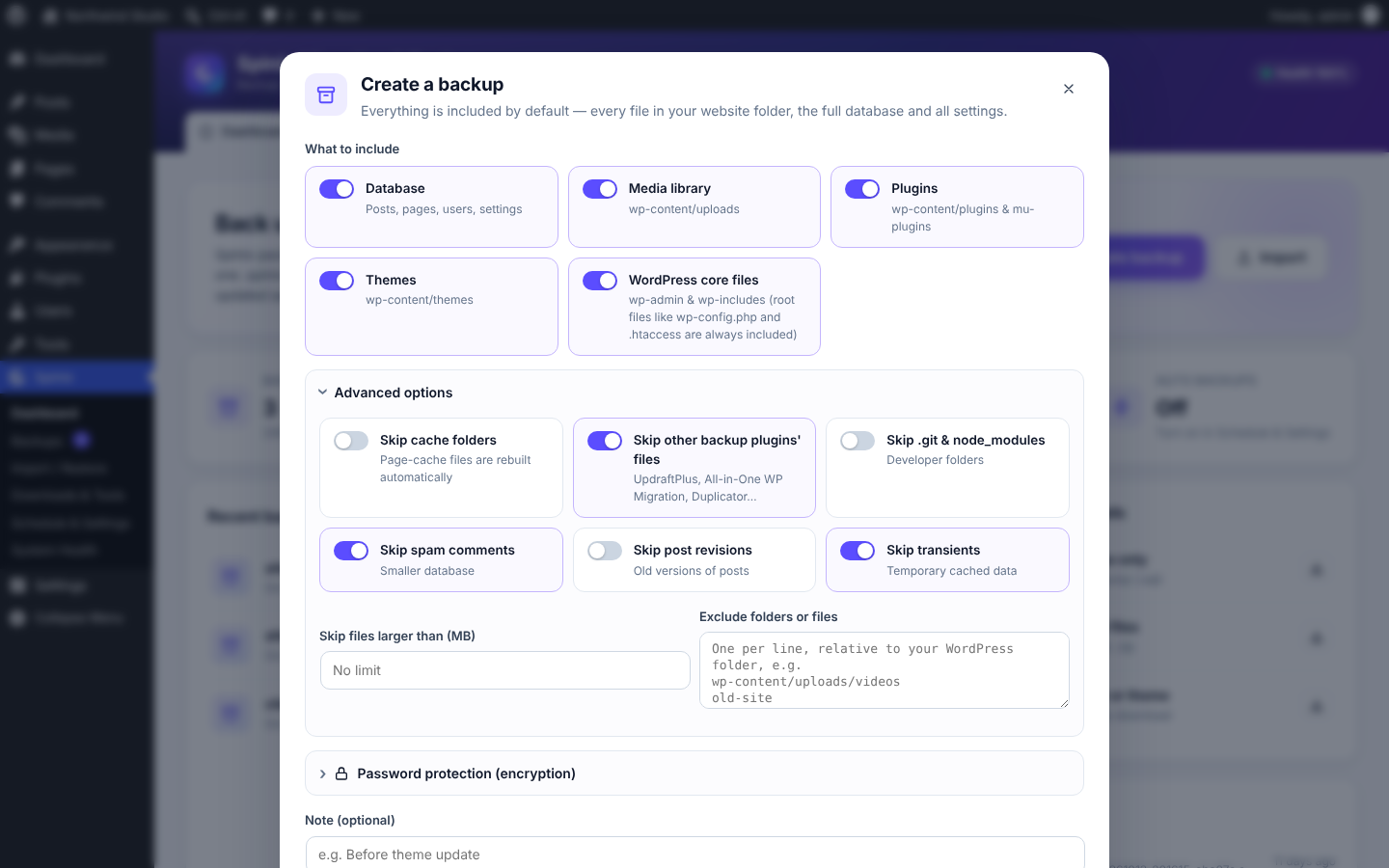
Create a backup: choose what to include, advanced exclusions and optional password encryption.
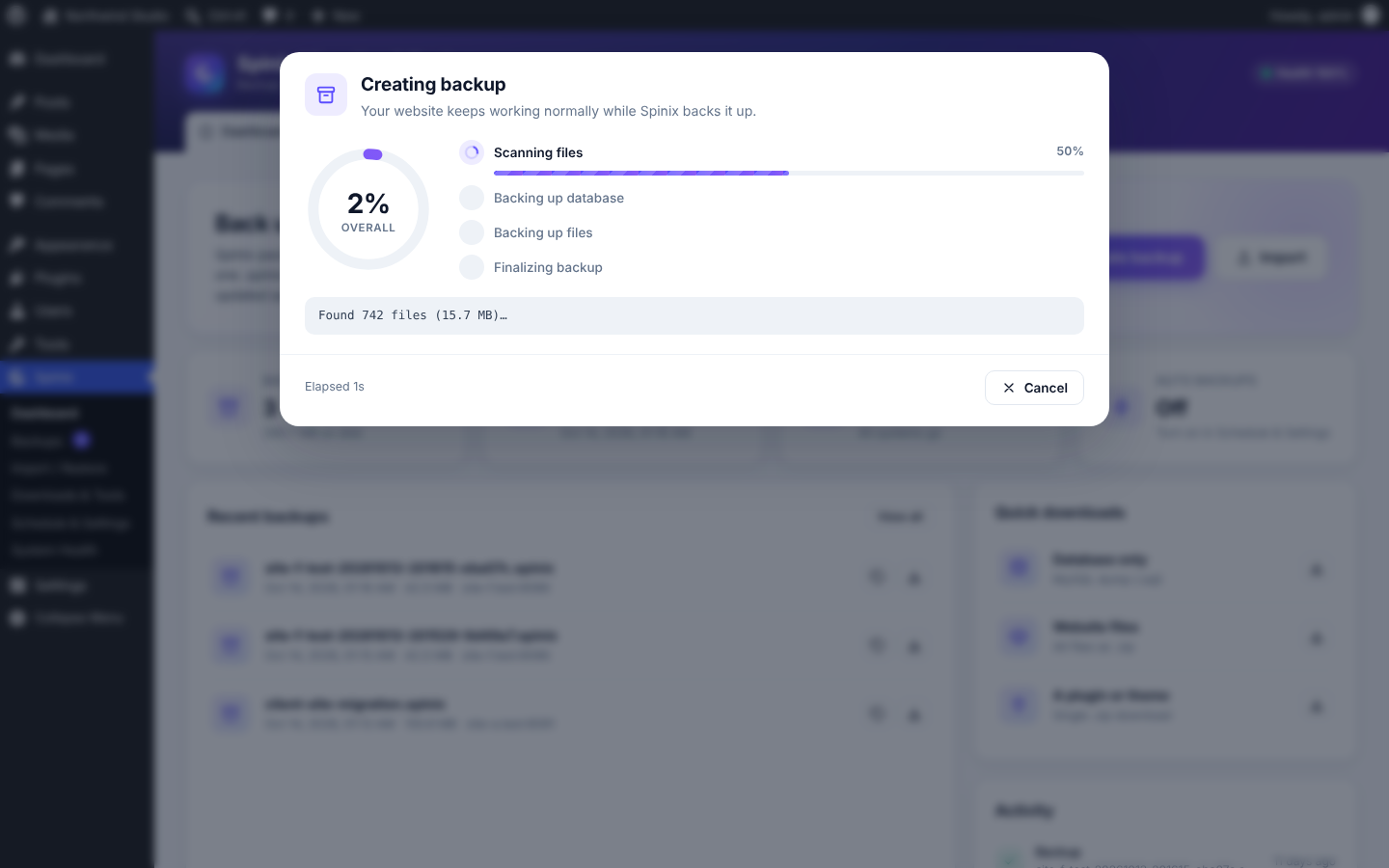
Live progress for every step with a percentage per stage.
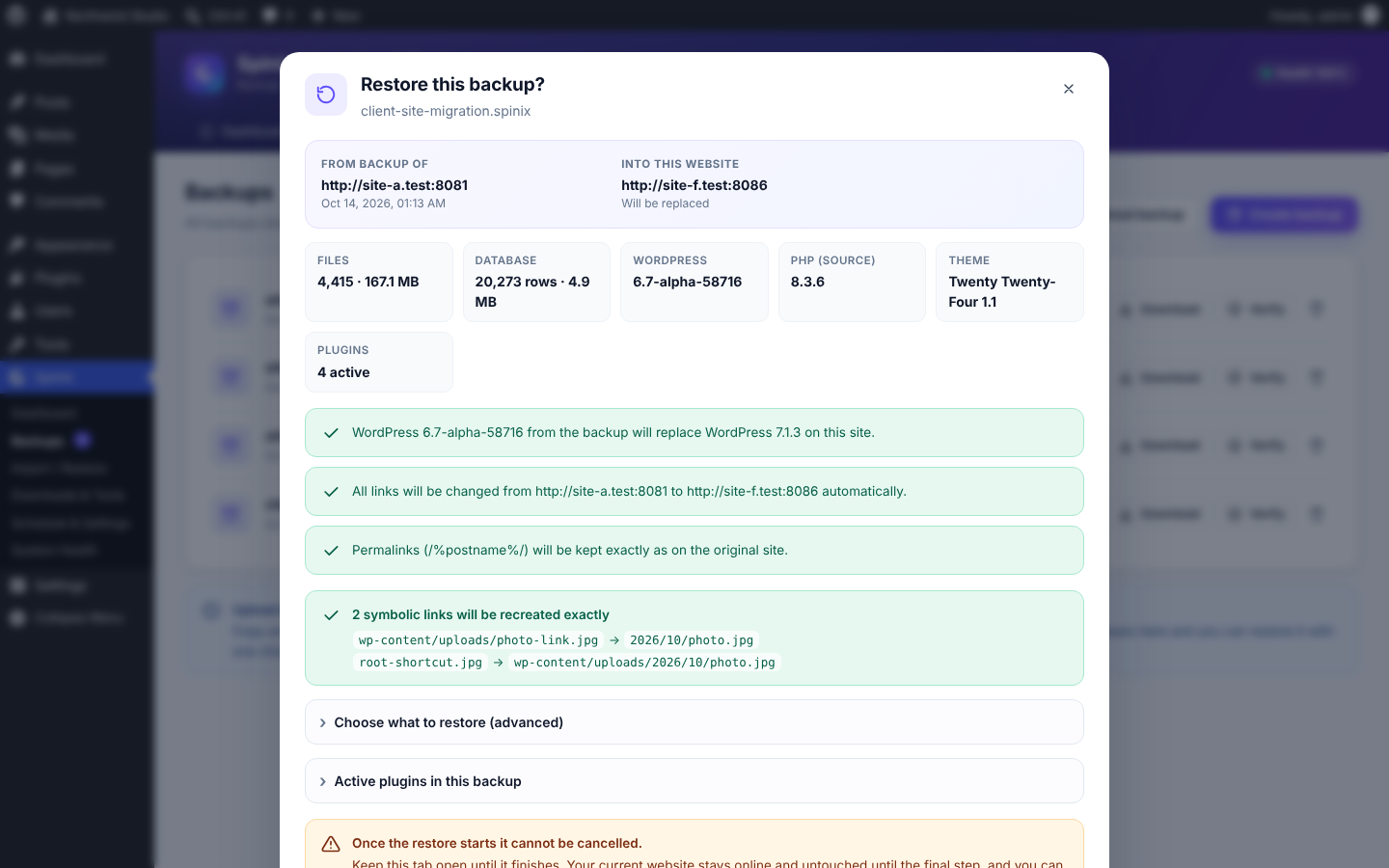
Before restoring, Spinix shows exactly what will change: domain, table prefix, permalinks and compatibility warnings.
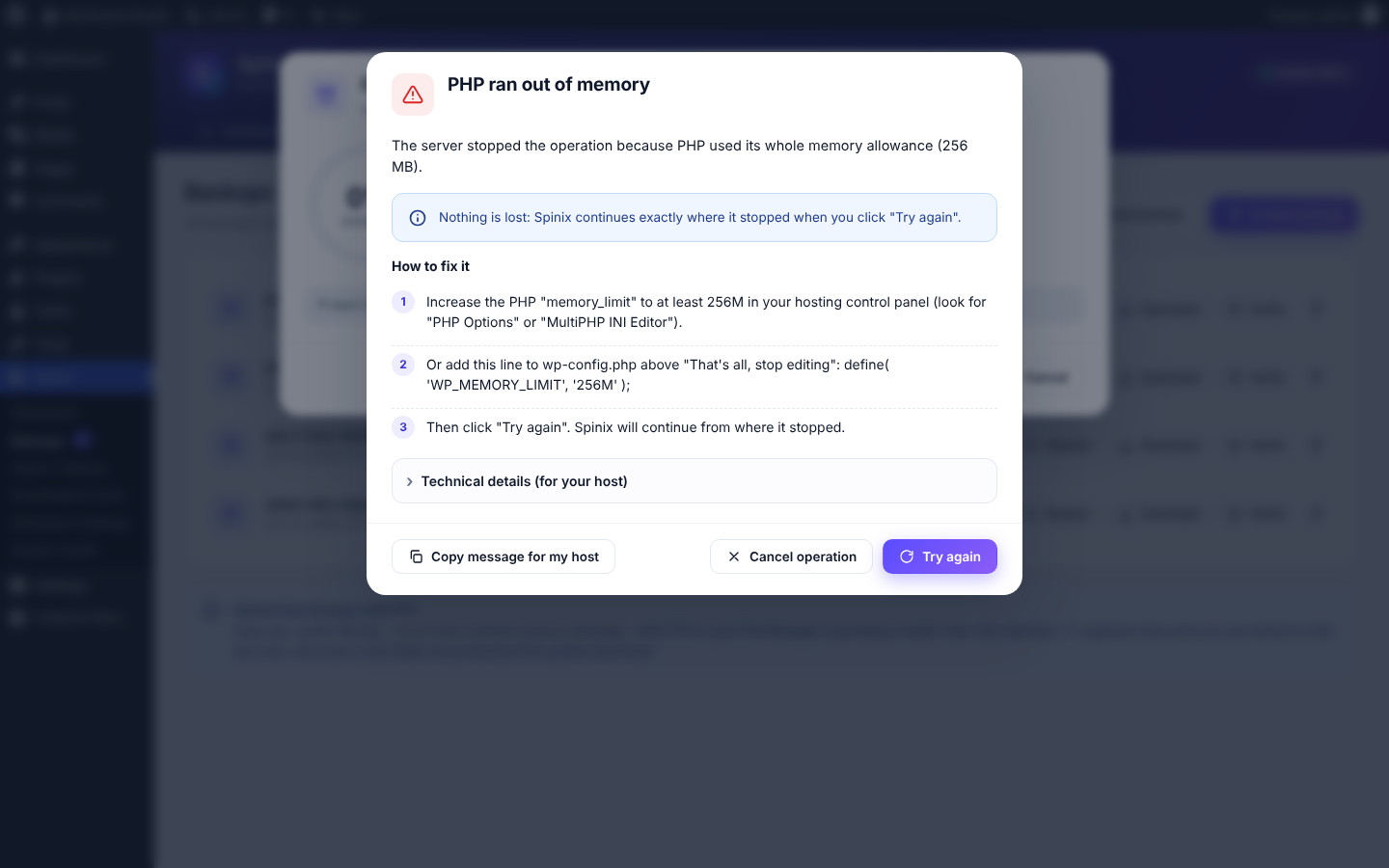
Errors are explained in plain English with step-by-step fixes and a “Copy message for my host” button.
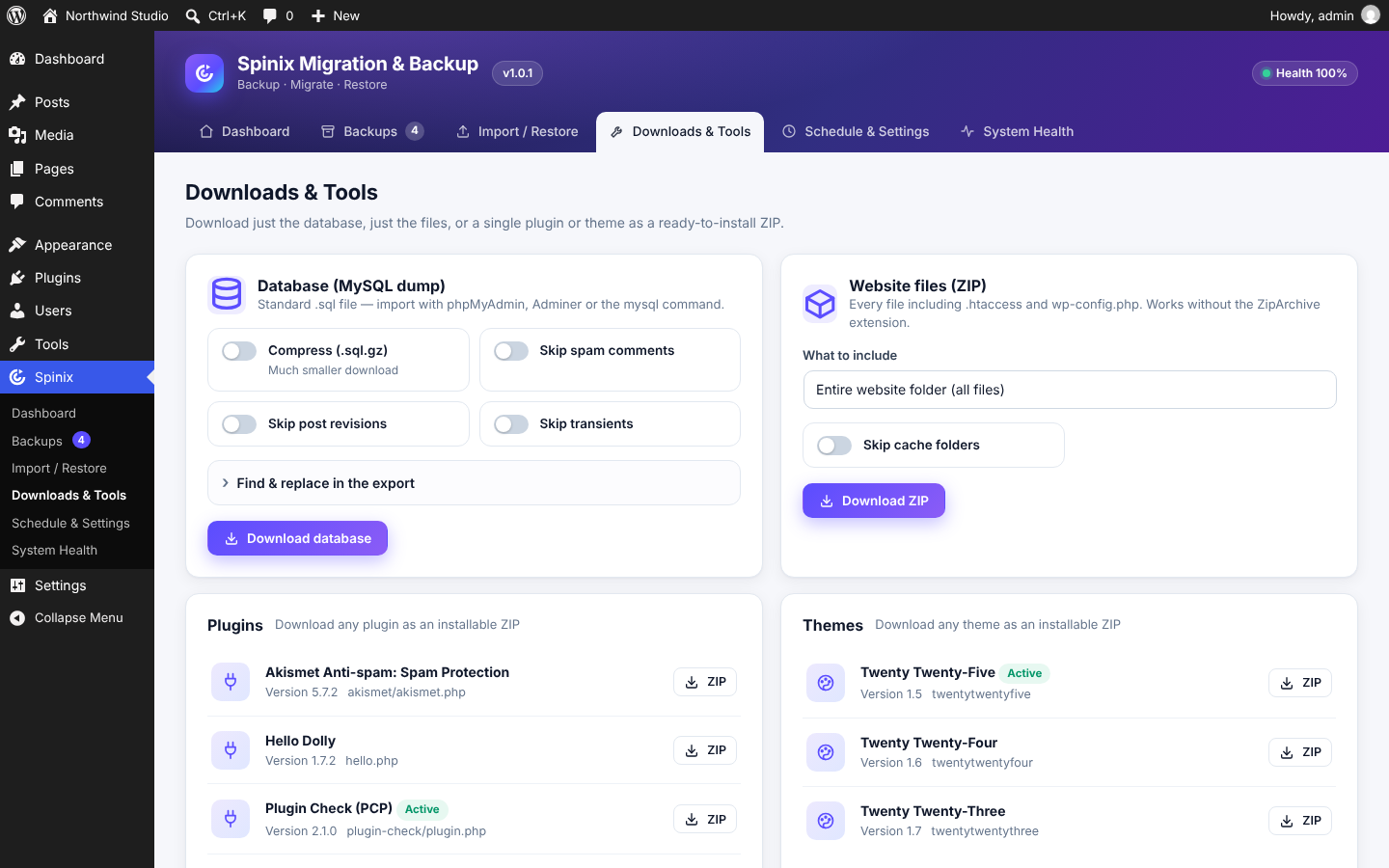
Downloads & Tools: database dump, files ZIP, and any single plugin or theme as an installable ZIP.
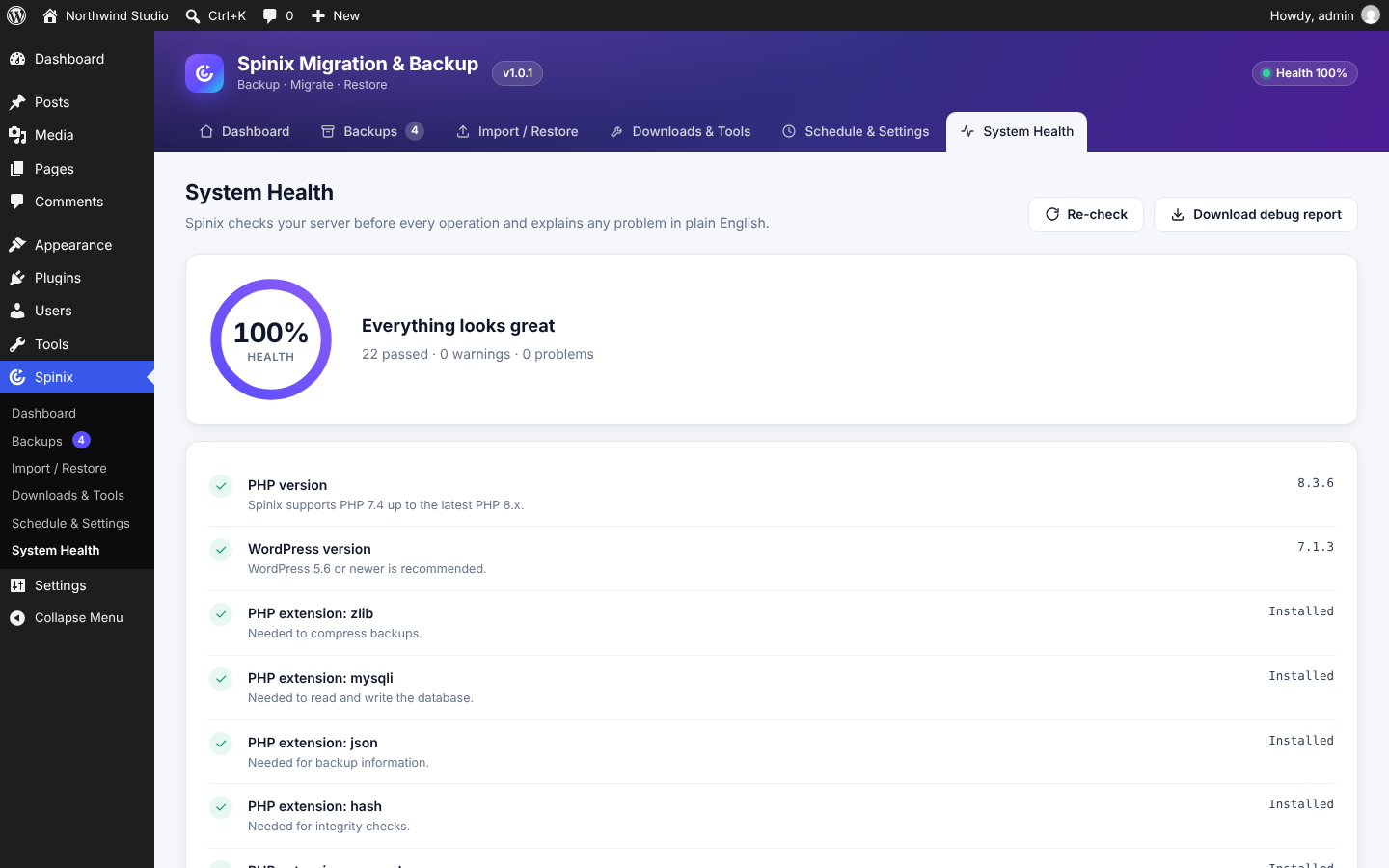
System Health checks your server before every operation.