SVisciano – Light-Dark Theme Mode Wordpress Plugin - Rating, Reviews, Demo & Download

Plugin Description
SVisciano – Light-Dark Theme Mode allows you to create a secondary color variant of your website and let users switch between the default theme and a custom override.
The plugin does not force a predefined light or dark style. Instead, it works on top of your existing design:
• The default theme (switch OFF) keeps the original colors used to build your site.
• The alternate theme (switch ON) applies custom color overrides based on a mapping system you define.
• The switch in automatic mode works for both themes and decides to use default or alternate based on the user’s browser preferences.
This means your base theme can be either light or dark. You decide which version is the default, and the plugin generates the secondary variant accordingly.
How it works:
- Select your base theme (Light or Dark) in the settings.
- Scan a page of your site to automatically detect color variables.
- Map the original color variables to the custom override colors you want to apply.
- Place the shortcode anywhere on your site to display the theme switcher.
The scanning system helps you detect color variables used on a specific page, making the mapping process easier. However, you are not limited to the scan results: you can manually enter any color variable name and define its override value.
When users activate the switch to the alternate theme of your base theme, the mapped colors are dynamically replaced with your custom ones, creating a clean secondary theme without modifying your original design.
Key Features:
• Base theme selectable (Light, Auto or Dark)
• Custom color override mapping
• Automatic variable scanning system
• Manual variable mapping supported
• Multiple toggle switch styles
• Shortcode-based placement
• Lightweight and compatible with most themes
SVisciano – Light-Dark Theme Mode gives you full control over how your secondary theme looks, without locking you into a predefined dark mode system.
Screenshots
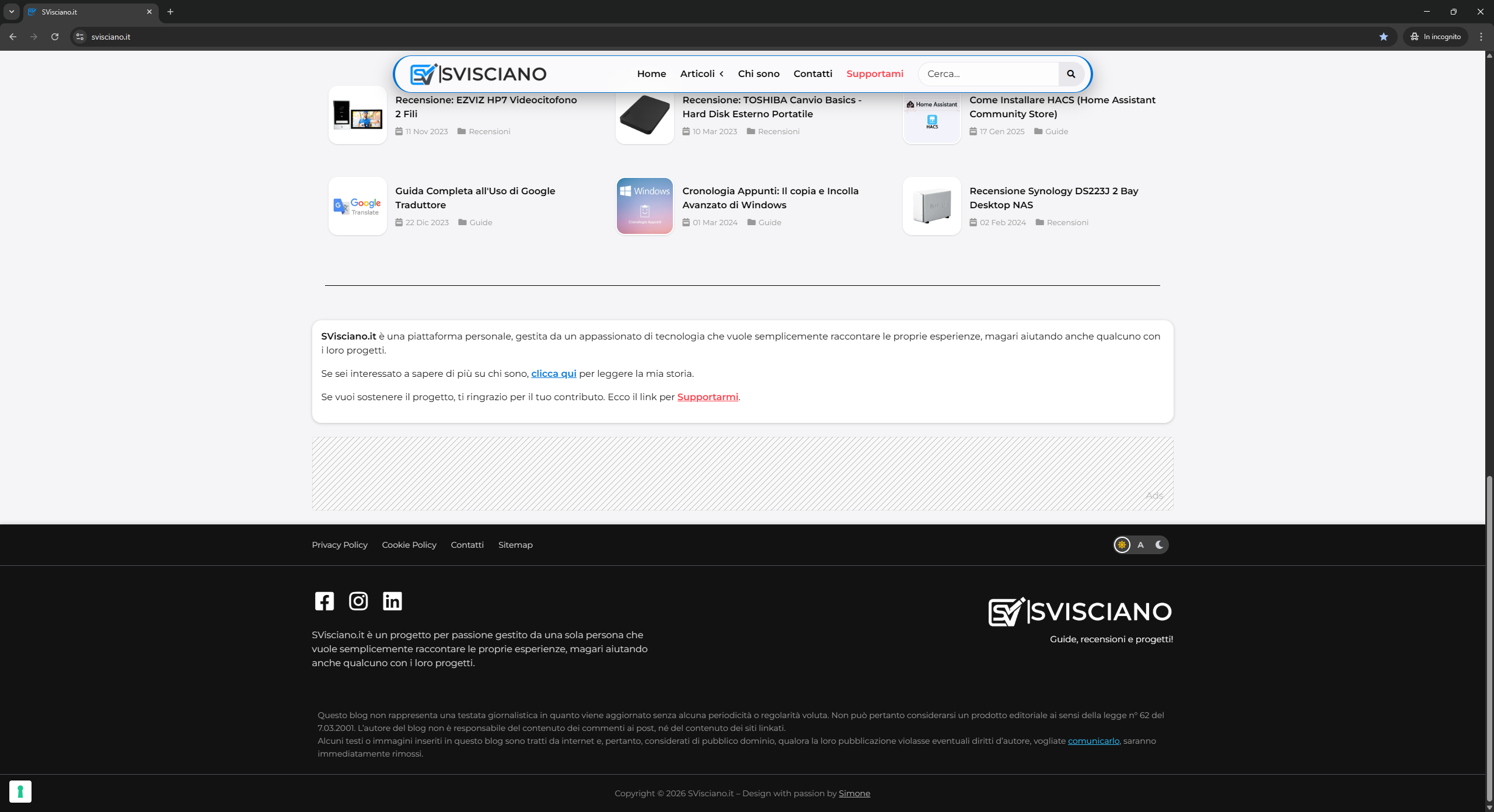
Example of Light Mode
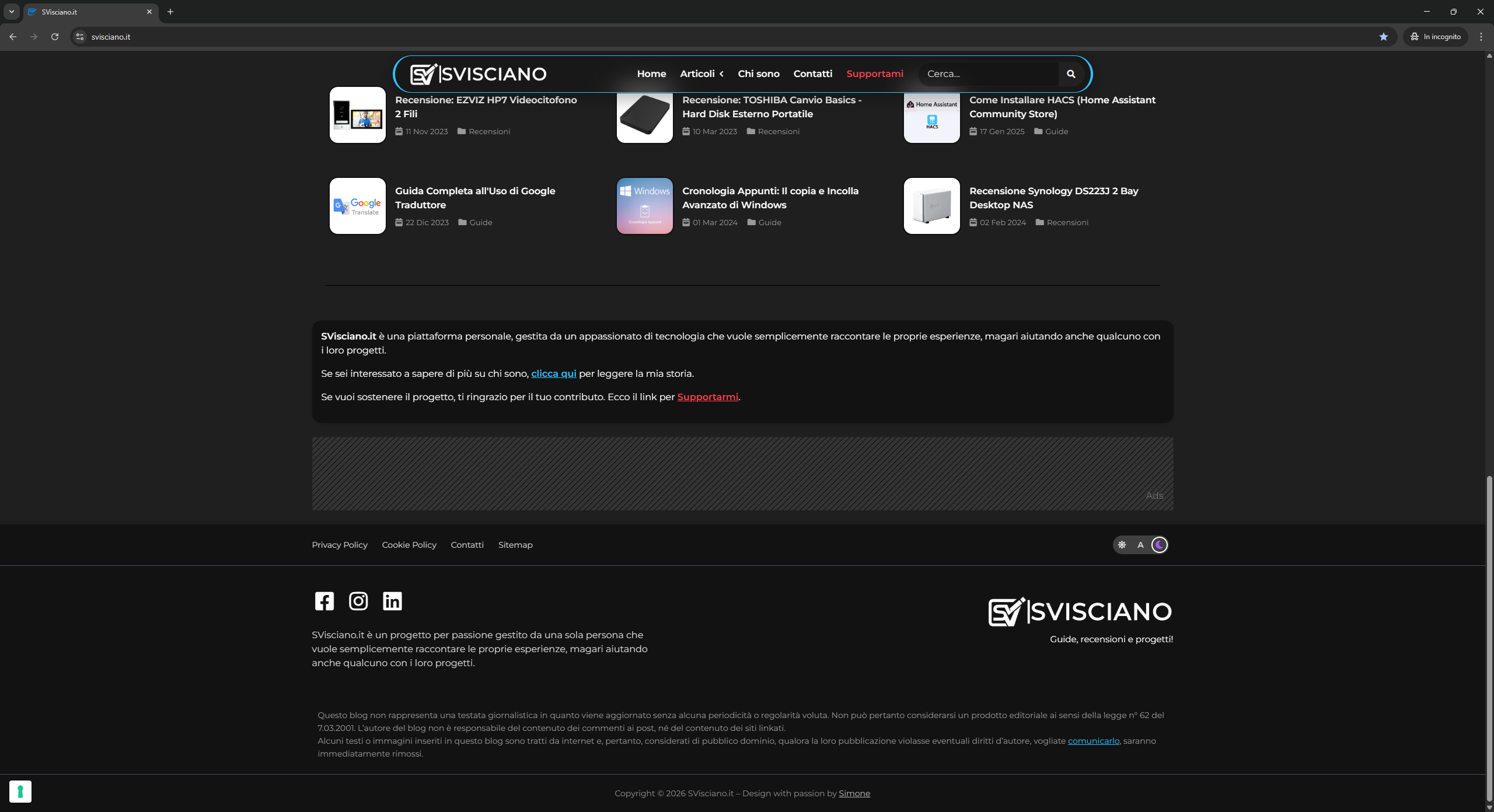
Example of Dark Mode
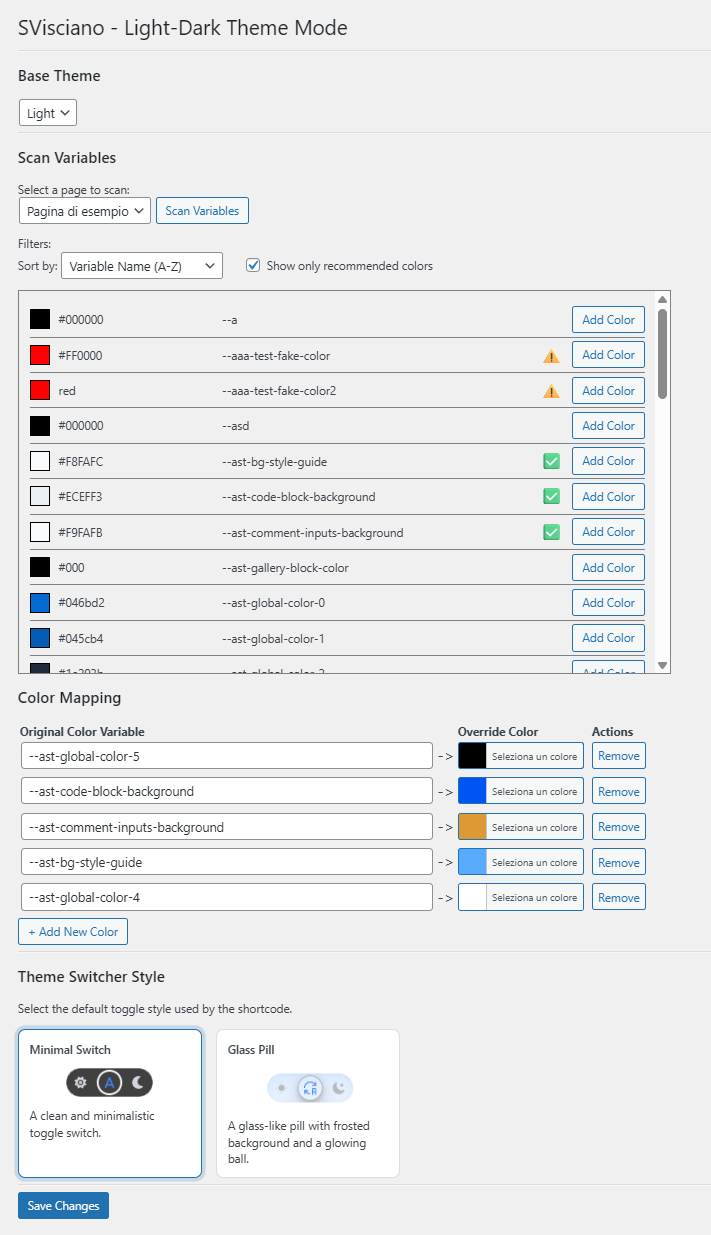
Plugin settings page inside the WordPress admin panel.