
TheLaTeXLab – Citations & Bibliography Wordpress Plugin - Rating, Reviews, Demo & Download

Plugin Description
TheLaTeXLab – Citations & Bibliography is a WordPress citation plugin for academic bloggers, PhD students, postdocs, and research labs. Paste an identifier, get a clean citation, render a bibliography. No external account required.
It is a modern, actively maintained citation tool: it works in both the block editor and the Classic Editor, and it does not lock your content (deactivate the plugin and your in-text citations stay readable as plain text).
Insert citations from identifiers
- DOI citation: paste a DOI, get the verified record from CrossRef.
- PubMed: paste a PubMed ID (PMID) or PMC ID.
- ISBN citation: paste an ISBN-10 or ISBN-13.
- arXiv: paste an arXiv ID.
- Paste a URL from doi.org, arxiv.org, PubMed, or a publisher page and the plugin extracts and verifies the identifier. A citation is produced only when it can be confidently verified against the source, never guessed.
- Import existing libraries: BibTeX (.bib) and RIS (.ris) upload.
Auto-format a bibliography
Eight citation styles: APA 7, MLA 9, Chicago 17 (author-date), Harvard, IEEE, Vancouver, Nature, AMA. Selectable per post, with a site-wide default.
Block editor and Classic Editor, both
An “Insert Citation” block for Gutenberg and a toolbar button for the Classic Editor, sharing the same search-or-paste modal.
Publications page mode
A publications list block and the [thelatexlab_publications] shortcode render your references as a sortable, filterable list. Ideal for a researcher personal site.
Robust by design
- Citations are stored as portable JSON. Deactivate the plugin and in-text citations stay readable.
- Resolved metadata is cached for 30 days.
- Compatible with PHP 7.4+ and WordPress 6.0+.
This is academic references for WordPress done the obvious way: identifier in, formatted citation out. Made by TheLaTeXLab.
External services
This plugin resolves identifiers and parses or converts reference files using TheLaTeXLab’s citation API, a service operated by TheLaTeXLab. It is required for the lookup, import, and export features. Citation formatting (the bibliography you see on the page) runs locally on your server and does not use the API.
What is sent, and when:
- When you resolve an identifier or URL (DOI, PubMed ID, ISBN, arXiv ID, PMC ID, or a URL), that identifier or URL is sent to the API to fetch the bibliographic record.
- When you import a reference file (.bib, .ris, .enw, .nbib), the contents of that file are sent to the API to be parsed into citation records.
- When you edit a reference or export to RIS, the affected reference data is sent to the API to regenerate BibTeX or RIS.
- Each request includes your site URL (for diagnostics and abuse prevention). No personal data, post content, or visitor data is sent.
- Optional email updates: only if you tick the “Get plugin updates by email” option on the plugin’s welcome screen and submit it, your email address and site URL are sent to the service and stored so TheLaTeXLab can email you occasional plugin updates. This is entirely optional, off unless you choose it, and you can unsubscribe at any time.
Nothing is sent when a page with a bibliography is viewed by your readers; rendering is local.
API endpoint: https://api.thelatexlab.com
Terms and privacy policy: https://thelatexlab.com/privacy-policy/
The API base URL is configurable in the plugin settings, so you can point it at your own deployment if you prefer.
Credits
Bibliography formatting uses citeproc-php by Sebastian Boettger (MIT license). The bundled citation style (CSL) files come from the official Citation Style Language styles project (CC-BY-SA); the per-style author attribution is retained inside each file. One file (Chicago) has a single compatibility edit to its page-range-format value so it works with the bundled formatter.
Screenshots
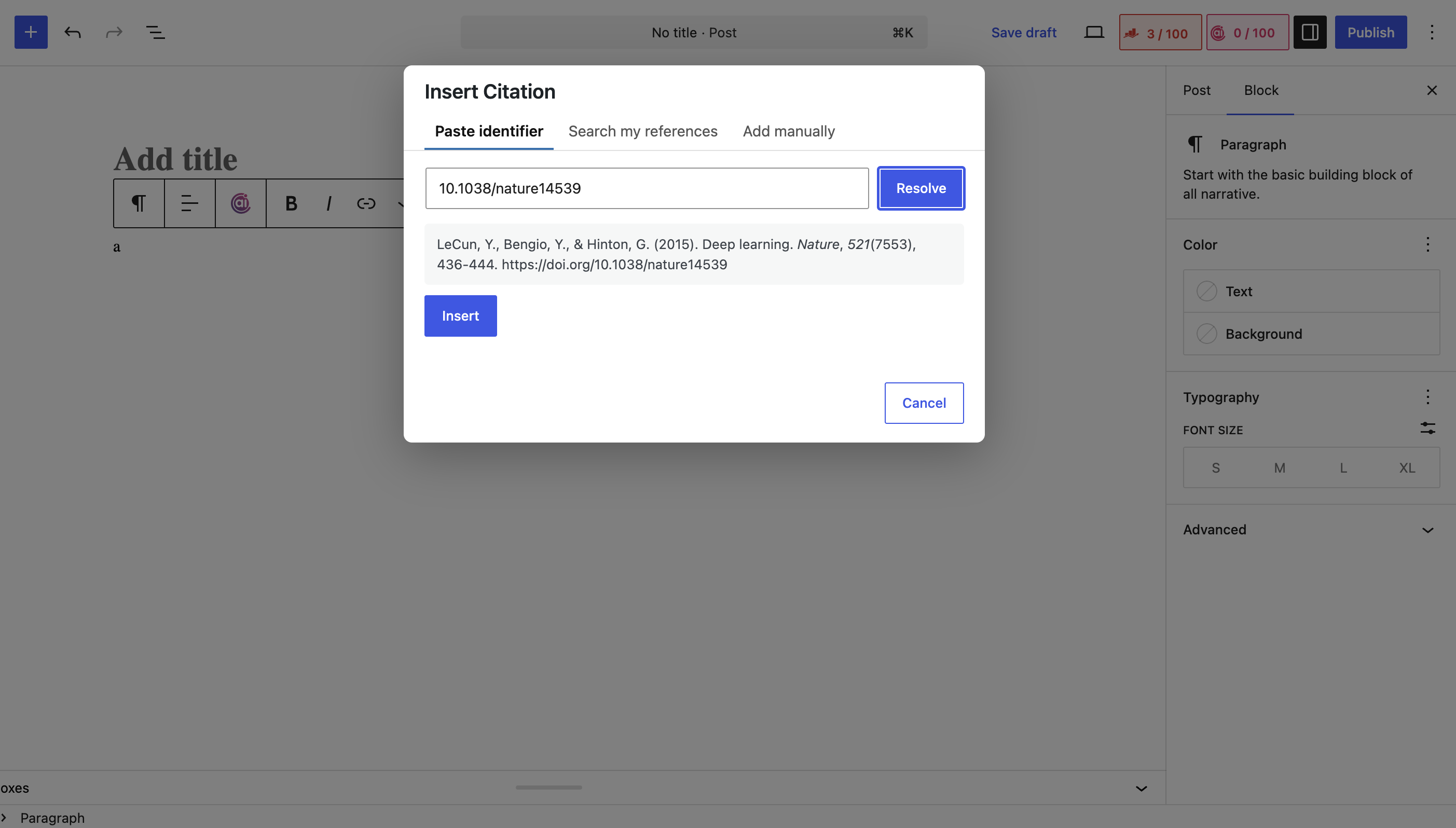
The Insert Citation modal: paste an identifier, search your library, or add manually.
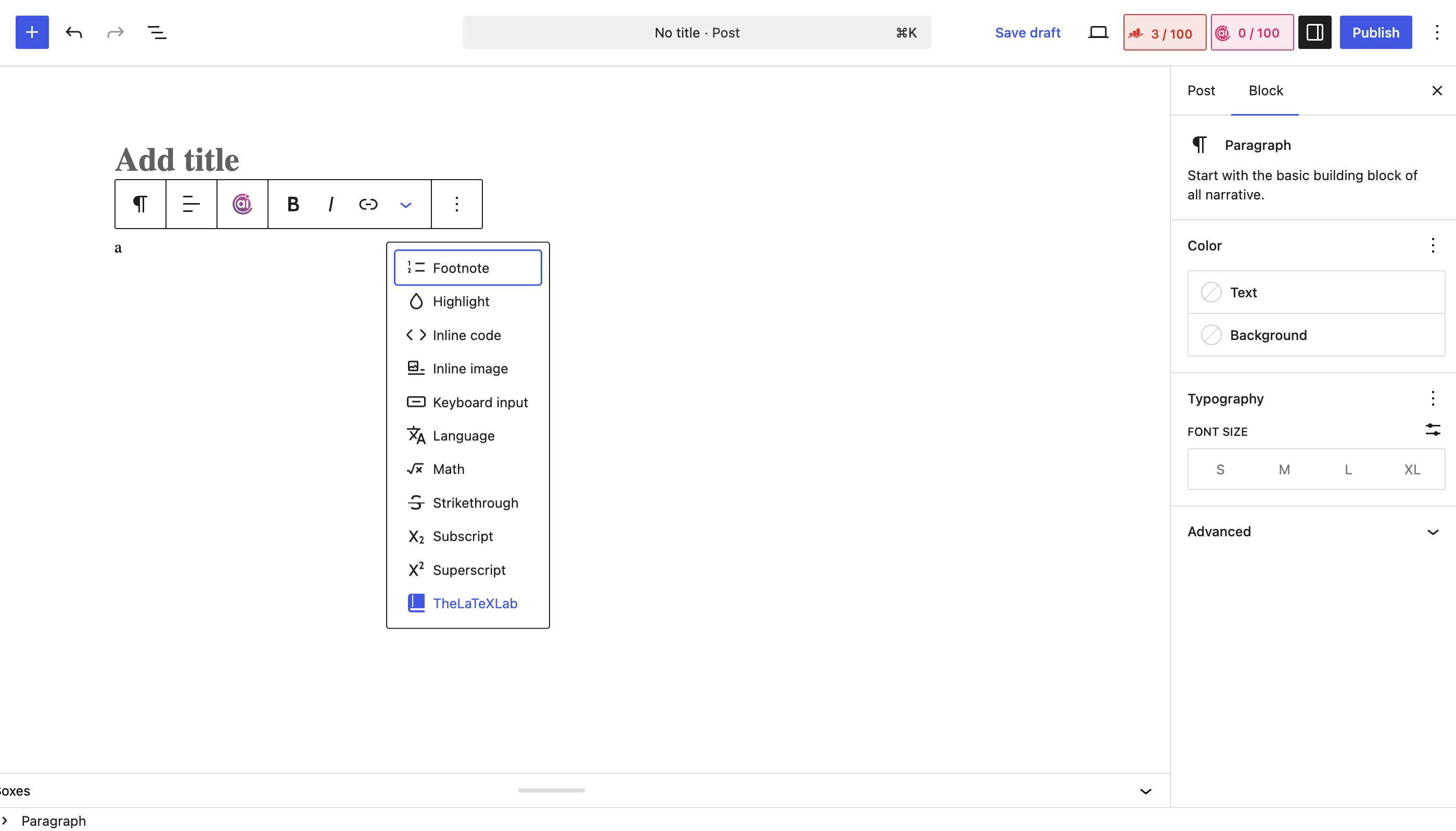
The Insert Citation block in the editor.
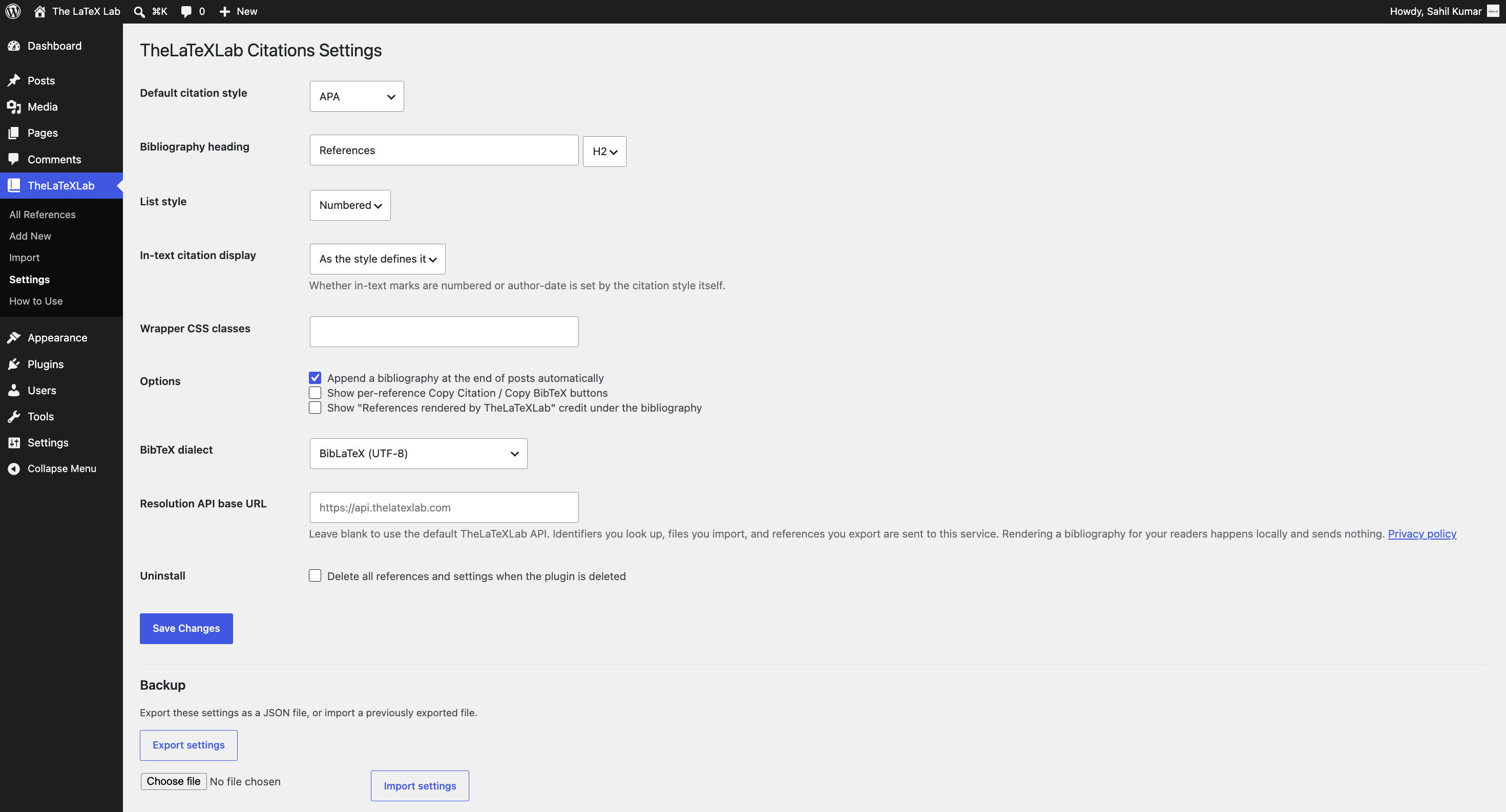
The settings page with style and display options.
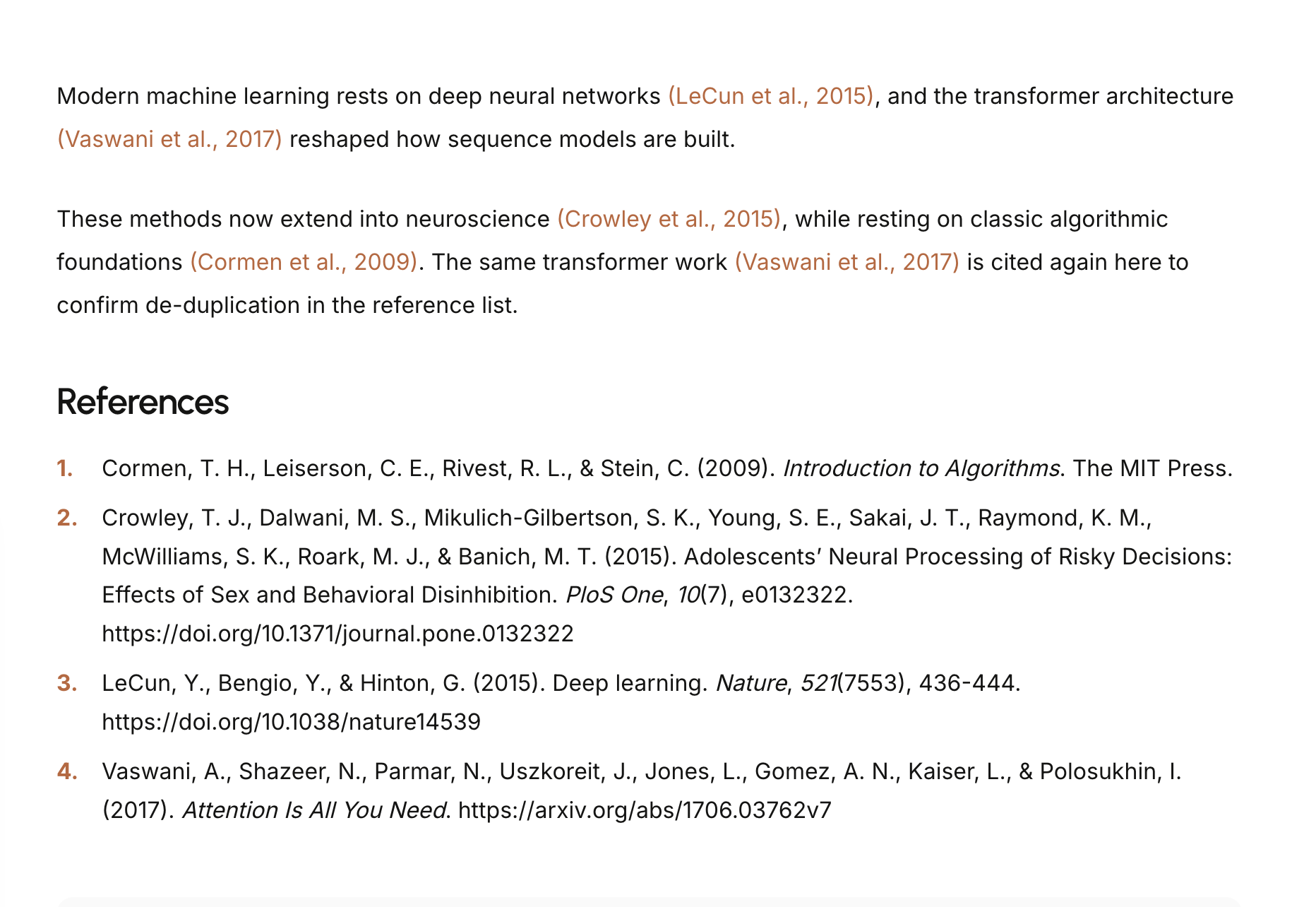
A rendered bibliography on the front end.
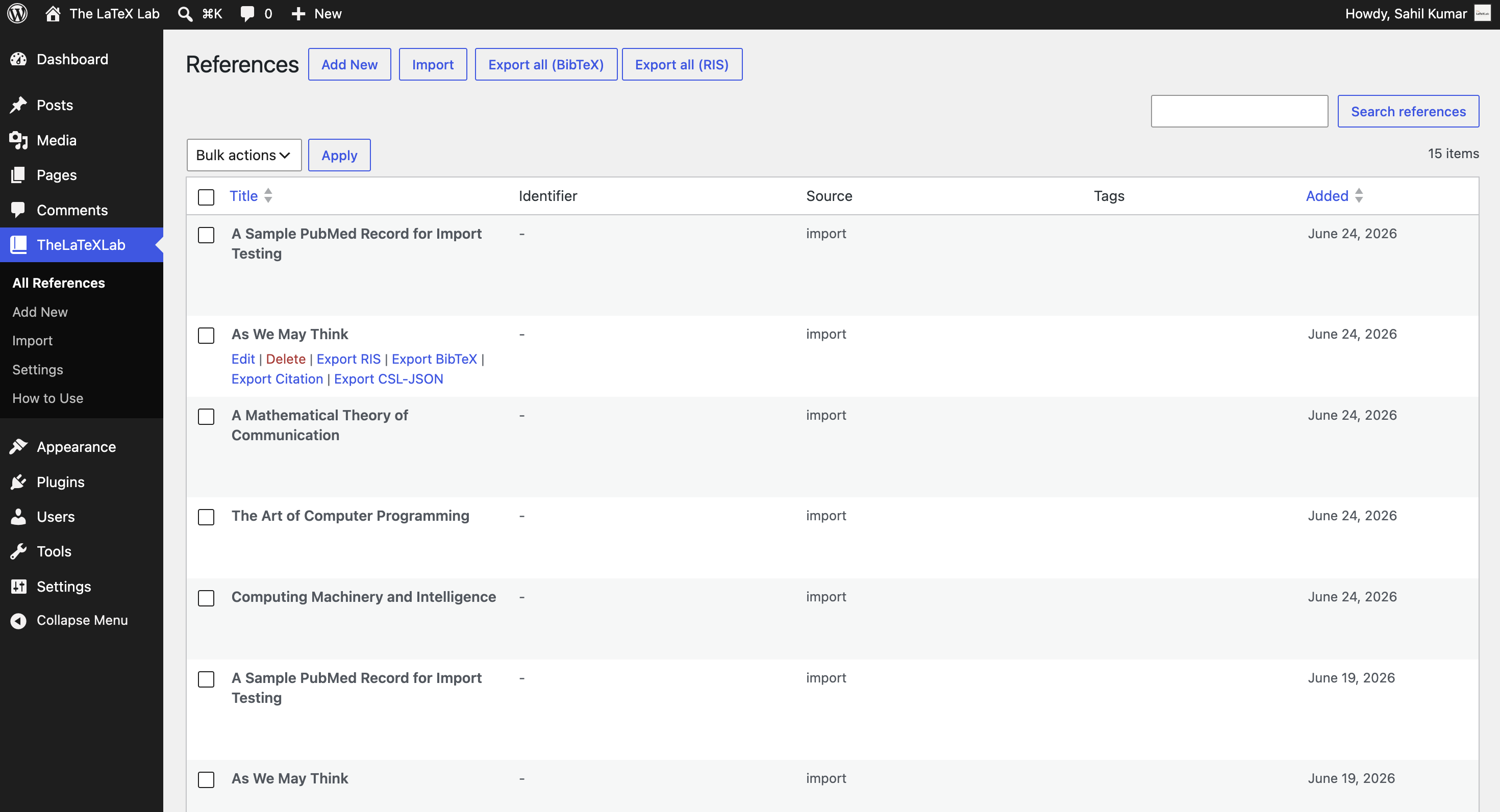
The References admin list.
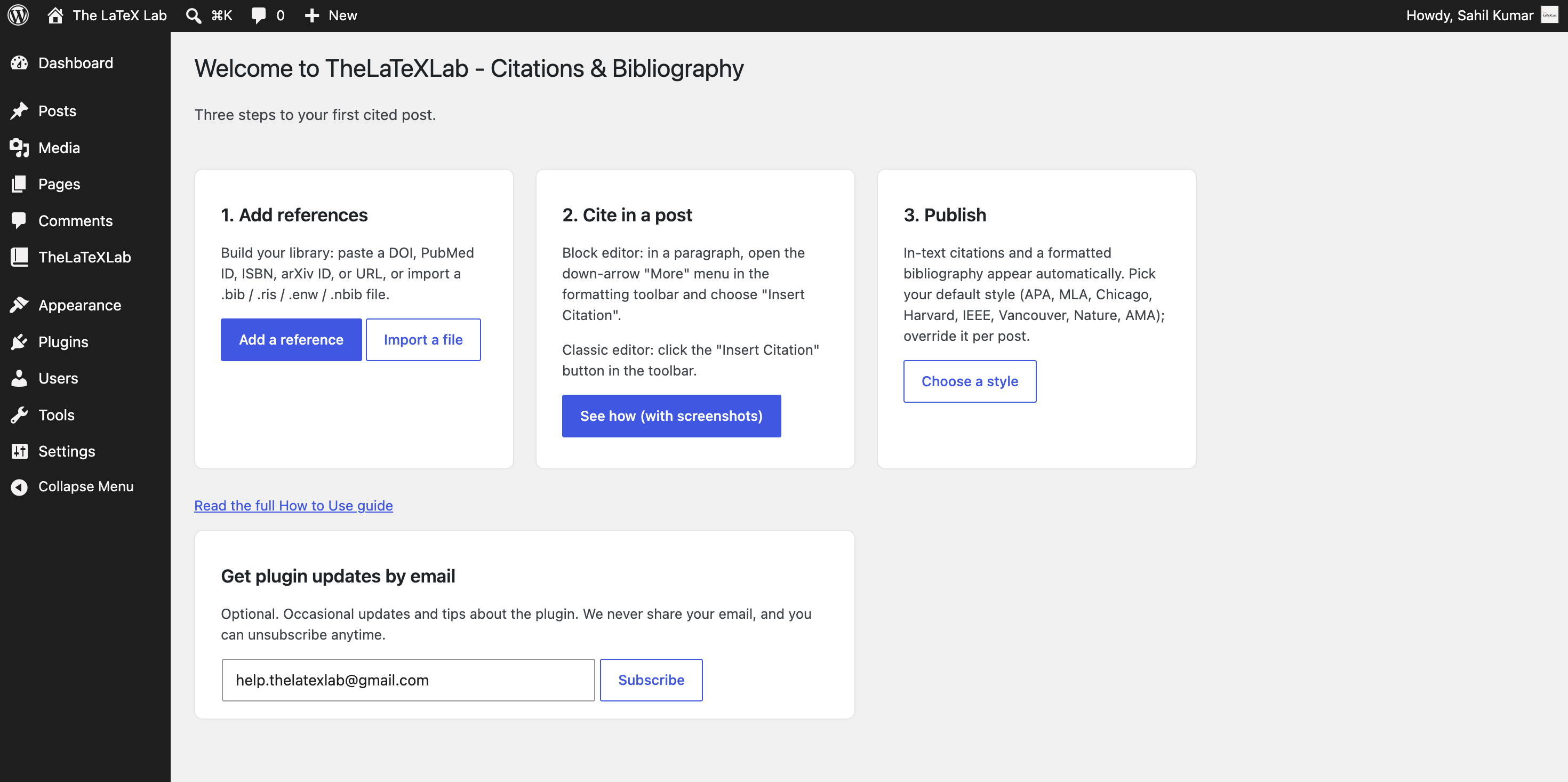
The three-step welcome screen shown right after activation.
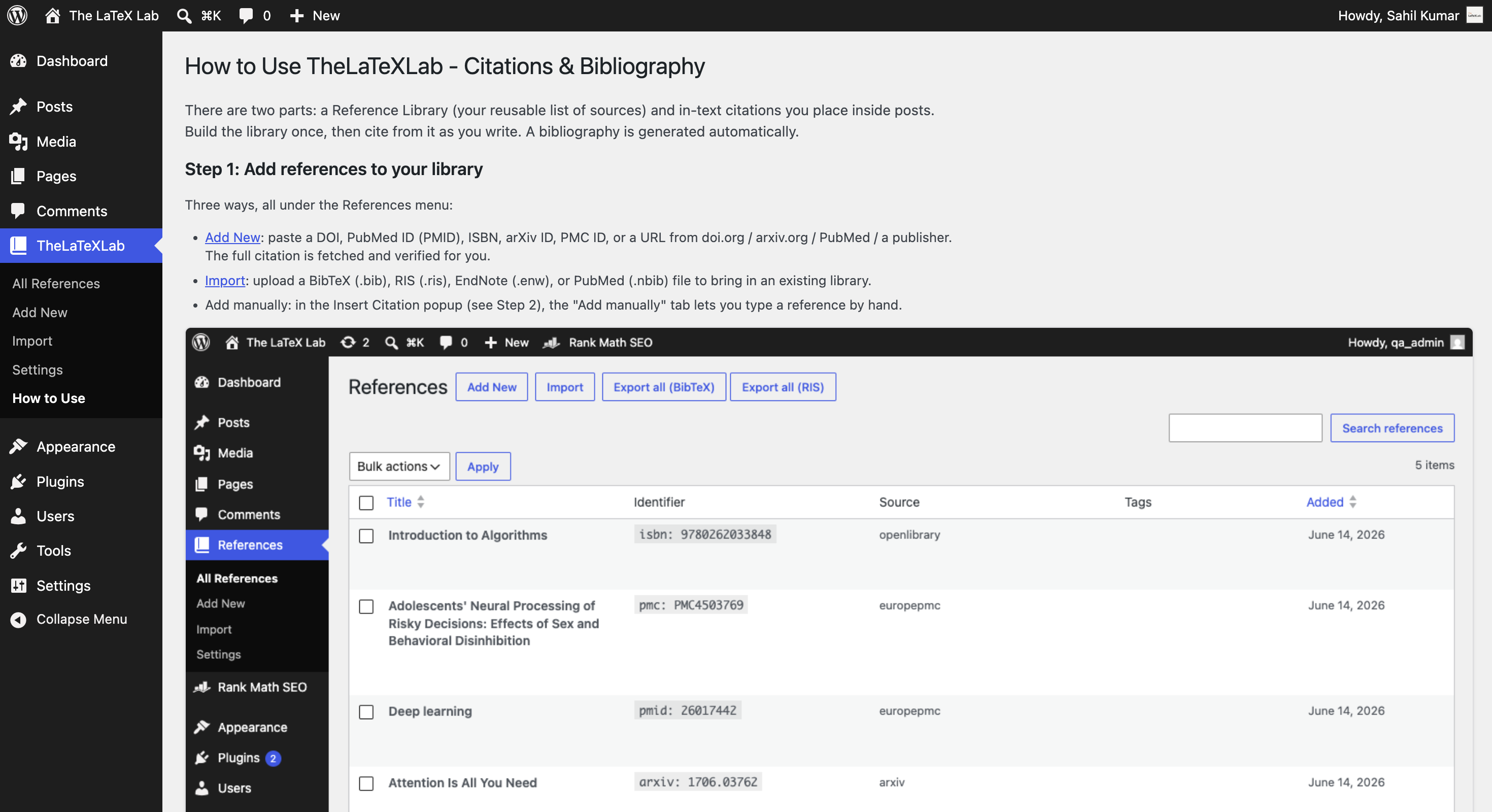
The built-in “How to Use” guide, with steps for both editors.


