
Vedrixa Event Calendar Events Tickets And Bookings Wordpress Plugin - Rating, Reviews, Demo & Download
Plugin Description
Vedrixa Event Calendar Events Tickets and Bookings is a flexible WordPress event calendar, event management, event registration and ticket booking plugin for creating events, managing tickets, collecting bookings and attendees, and building professional event directories.
Create conferences, workshops, seminars, classes, concerts, festivals, meetups, training programs, business events, community events, online events and local events directly from your WordPress dashboard.
With Vedrixa Event Calendar you can create event calendars, searchable event listings, multiple ticket types, attendee registration forms, venue profiles, organizer pages, performer profiles, event types and QR-based attendee check-ins.
Event Calendar and Event Listings
Create a professional WordPress event calendar and help visitors discover upcoming events.
Display events using:
- Grid view
- List view
- Calendar view
The All Events browser supports:
- Keyword search
- Date filtering
- Location search
- Event type filtering
- Organizer filtering
- Performer filtering
- Price filtering
- Sorting
- Pagination
- View switching
Use [eecebt_events] to create your main events directory or [eecebt_calendar] for a dedicated monthly event calendar.
Event Tickets and Registration
Create one or more ticket types for each event.
Configure:
- Ticket name and description
- Ticket price
- Available quantity
- Sale start and end dates
- Maximum quantity per booking
- Ticket display order
- Ticket availability
Create free tickets by setting the ticket price to zero or create priced tickets for events that require payment through a compatible payment extension.
Visitors can select available ticket types and quantities before continuing through the booking workflow.
Event Cart and Booking Checkout
Vedrixa Event Calendar provides a cart and booking checkout system for event registrations.
Use:
[eecebt_cart]
for the ticket cart and:
[eecebt_checkout]
for the booking checkout page.
The checkout can dynamically collect attendee and booking information based on the events being booked.
Important: The base plugin manages ticket prices, bookings, attendees and checkout information but does not process online payments or collect payment card details. Online payment processing requires a compatible extension.
Custom Attendee and Booking Fields
Use the built-in Fields Manager to create reusable registration fields.
Supported field types include:
- Text
- Phone
- Number
- Textarea
- Select
- Radio
- Checkbox
- Date
Fields can be assigned as either Attendee Fields or Booking Fields.
Attendee fields collect information associated with individual attendees.
Booking fields collect information once for the overall booking.
Fields can be assigned to specific events, allowing different events to collect different registration information.
Booking and Attendee Management
Event bookings and attendee records can be managed directly from the WordPress admin area.
Bookings generate attendee records that event administrators can review and manage.
This makes the plugin suitable for conferences, workshops, classes, training sessions and other events where attendee information needs to be maintained.
QR Code Event Check-In
Use QR check-in tools to validate attendee entries and track attendance.
QR-based event check-in can be useful for:
- Conferences
- Workshops
- Training sessions
- Business events
- Classes
- Ticketed events
- Local events
Modern Single Event Pages
Create detailed event pages containing the information visitors need before booking.
Single event pages can display supported content such as:
- Event date and time
- All-day and multi-day events
- Event images and media
- Image galleries
- Video media
- Event features
- Event schedules
- Venue details
- Organizers
- Performers
- FAQs
- Related events
- Ticket booking calls to action
The plugin includes multiple single event layouts, including Classic Event Layout and Modern Ticket Sales Layout.
Administrators can also control supported frontend sections using visibility settings.
Event Venues
Create dedicated venue profiles and associate venues with events.
Venue profiles can include:
- Venue name
- Address
- Contact details
- Images
- Capacity
- Amenities
- Venue spaces
- Gallery
- Ratings and reviews
- Related events
Create a venue directory using:
[eecebt_venues]
or:
[eecebt_all_venues]
Event Organizers
Create dedicated profiles for people or organizations hosting events.
Organizer profiles can include:
- Organizer information
- Contact details
- Social links
- Features
- Gallery
- Ratings and reviews
- Related events
Create an organizer directory using:
[eecebt_organizers]
or:
[eecebt_all_organizers]
Event Performers and Speakers
Create performer profiles for:
- Speakers
- Artists
- Musicians
- Bands
- Presenters
- Instructors
- Entertainers
Profiles can contain performer details, social links, features, galleries, ratings, reviews and related events.
Create a performer directory using:
[eecebt_performers]
or:
[eecebt_all_performers]
Event Types
Event types are managed as detailed content rather than only simple taxonomy terms.
Event type pages can include:
- Featured image
- Description
- Dynamic features
- Gallery
- Statistics
- Ratings and reviews
- Related events
Create an Event Types directory using:
[eecebt_event_types]
or:
[eecebt_all_event_types]
Ratings and Reviews
Supported event-related content can include ratings and reviews.
Ratings and reviews are available for supported venue, organizer, performer and event type content.
Frontend View Settings
Control supported frontend sections directly from the WordPress admin area.
Visibility settings are available for:
- Event listings
- Event calendar
- Single event pages
- Venue pages
- Organizer pages
- Performer pages
- Event type pages
- Checkout
This gives administrators control over frontend presentation without needing to edit templates for basic visibility changes.
WordPress Event Calendar Block
Vedrixa Event Calendar includes an Event Calendar block for websites using the WordPress block editor.
Shortcodes remain available for the Classic Editor, page builders and custom templates.
Shortcodes
The plugin includes flexible shortcodes for building event pages.
All Events
[eecebt_events]
Grid View
[eecebt_events view="grid"]
List View
[eecebt_events view="list"]
Calendar View
[eecebt_events view="calendar"]
Event Calendar
[eecebt_calendar]
Event Grid
[eecebt_event_grid]
Event List
[eecebt_event_list]
Specific Event Booking
[eecebt_event_booking event_id="123"]
Ticket Cart
[eecebt_cart]
Checkout
[eecebt_checkout]
Venues
[eecebt_venues]
Organizers
[eecebt_organizers]
Performers
[eecebt_performers]
Event Types
[eecebt_event_types]
Customize Event Listings with Shortcode Attributes
The main event browser supports useful shortcode attributes including:
limit– events displayed per pageview– grid, list or calendarcategory– event category slugevent_type– event type IDorganizer– organizer post IDperformer– performer post IDkeyword– default search keywordlocation– default location keywordpast_events– show or hide past events
Example:
[eecebt_events view="grid" limit="12" past_events="no"]
REST API Support
The plugin includes REST API endpoints for supported public event data and booking workflows, providing a foundation for custom development and integrations.
Built for Different Types of Events
Vedrixa Event Calendar can be used for:
- Conferences
- Workshops
- Seminars
- Classes
- Training programs
- Business and corporate events
- Community events
- Local events
- Meetups
- Concerts
- Music events
- Festivals
- Online events
- Venue events
- Speaker events
- Entertainment events
Key Features
- WordPress event calendar
- Event management
- Grid, list and calendar event views
- Event search and filters
- Multiple ticket types
- Free and priced event tickets
- Ticket availability and sale periods
- Event cart and booking checkout
- Custom attendee fields
- Custom booking fields
- Fields Manager
- Booking management
- Attendee management
- QR code event check-in
- Multiple single event layouts
- Venue directory and profiles
- Organizer directory and profiles
- Performer directory and profiles
- Event type directory and profiles
- Event galleries and media
- Ratings and reviews
- Frontend visibility controls
- Event Calendar block
- Shortcode support
- REST API endpoints
Recommended Setup
For a complete event website, create the following WordPress pages:
All Events
[eecebt_events]
Event Calendar
[eecebt_calendar]
Venues
[eecebt_venues]
Organizers
[eecebt_organizers]
Performers
[eecebt_performers]
Event Types
[eecebt_event_types]
Cart
[eecebt_cart]
Checkout
[eecebt_checkout]
After creating the pages, open the plugin settings and assign the required cart and checkout pages.
Privacy
Vedrixa Event Calendar stores event-related information in your WordPress database.
Depending on the features used, stored data can include:
- Events
- Tickets
- Bookings
- Attendees
- Venues
- Organizers
- Performers
- Event types
- Checkout fields
- Ratings and reviews
The base plugin does not collect payment card details and does not include built-in online payment gateway processing.
The base plugin does not automatically embed Google Maps or load third-party map iframes on the frontend.
Site owners are responsible for informing visitors about the attendee, booking and other information collected through their website and any third-party extensions they install.
Screenshots
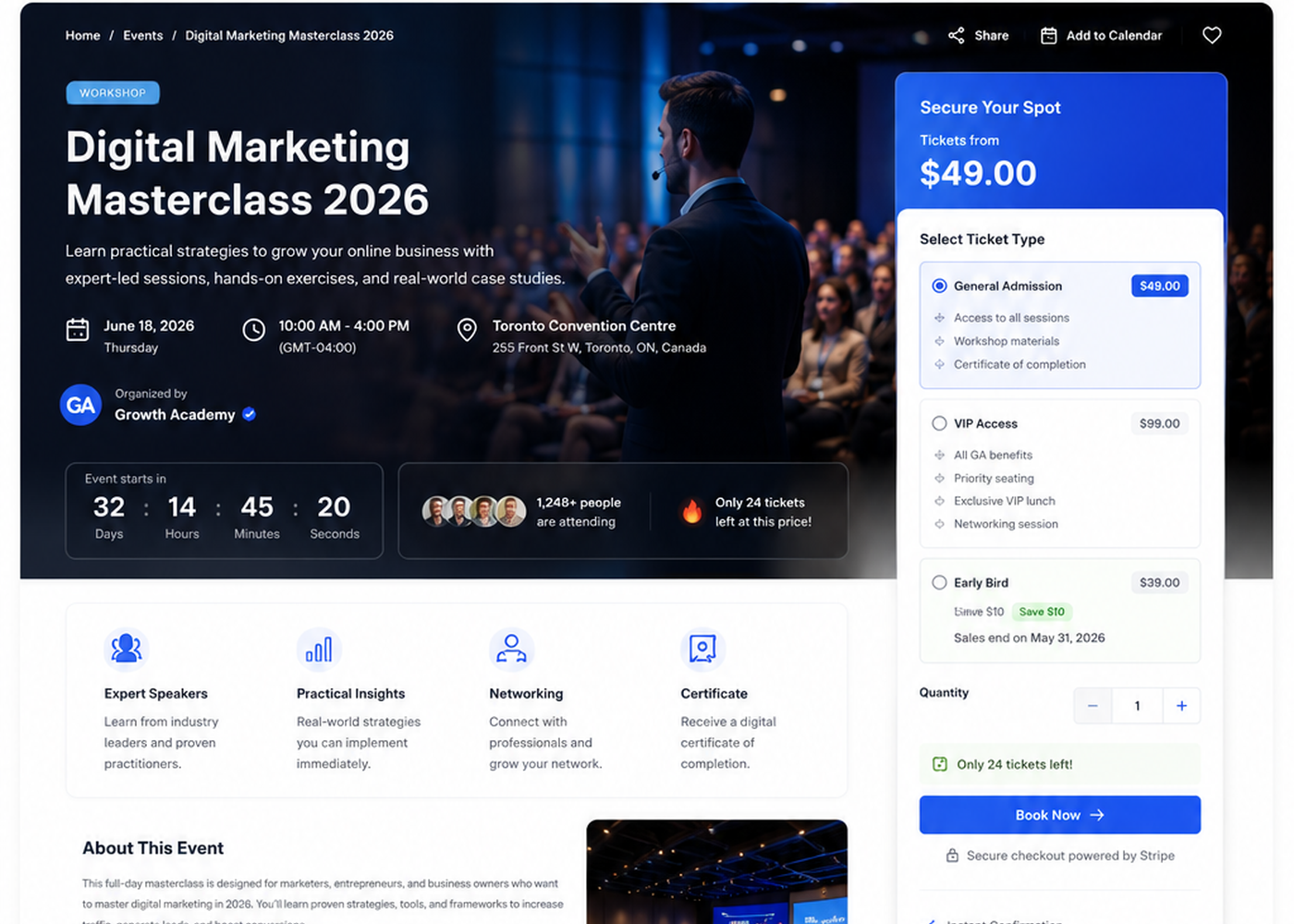
Modern single event page with ticket selection, event information, and a conversion-focused booking panel.
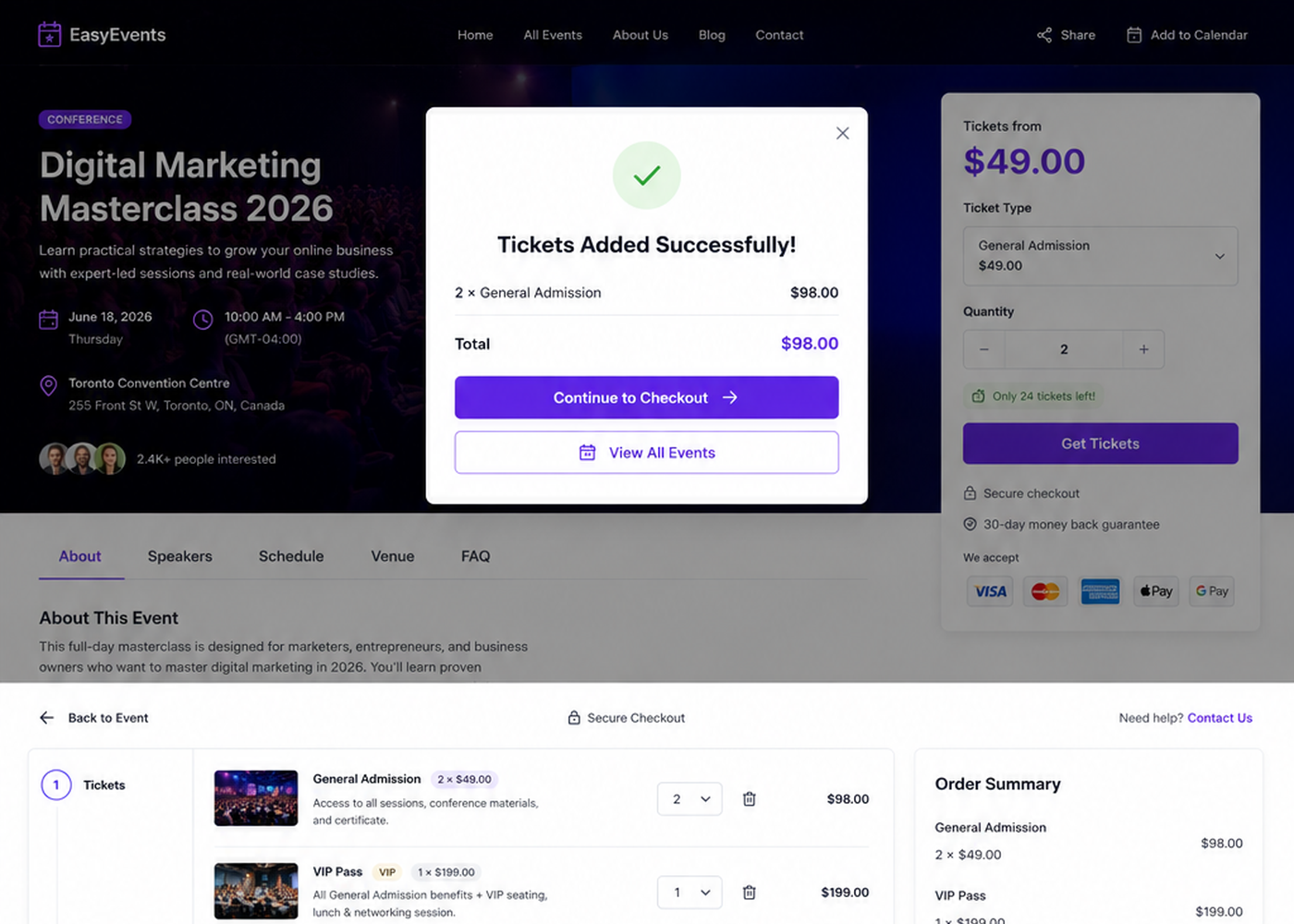
One-page event checkout with attendee details, booking fields, coupons, payment methods, and order summary.
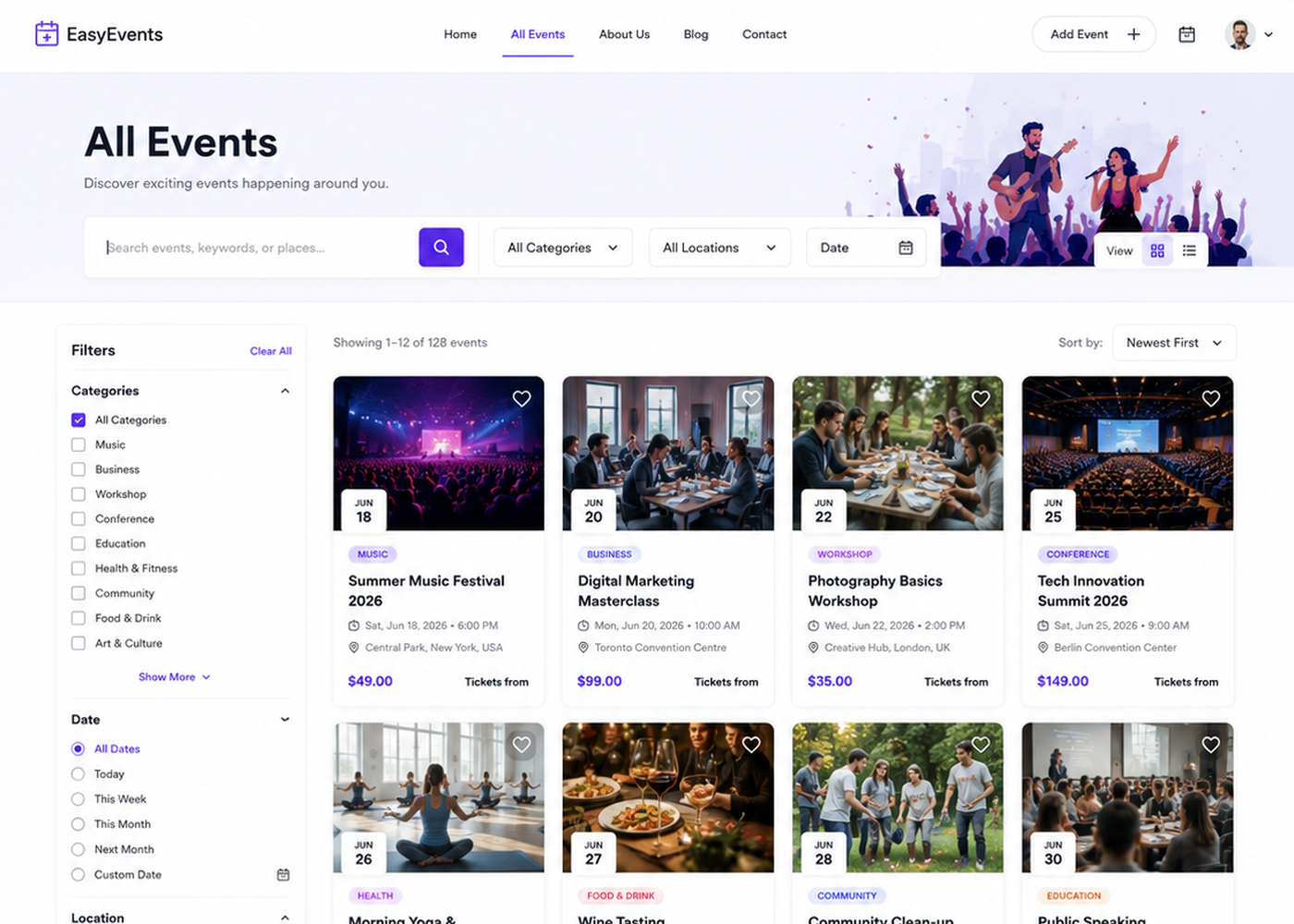
All Events directory for browsing and discovering upcoming events.
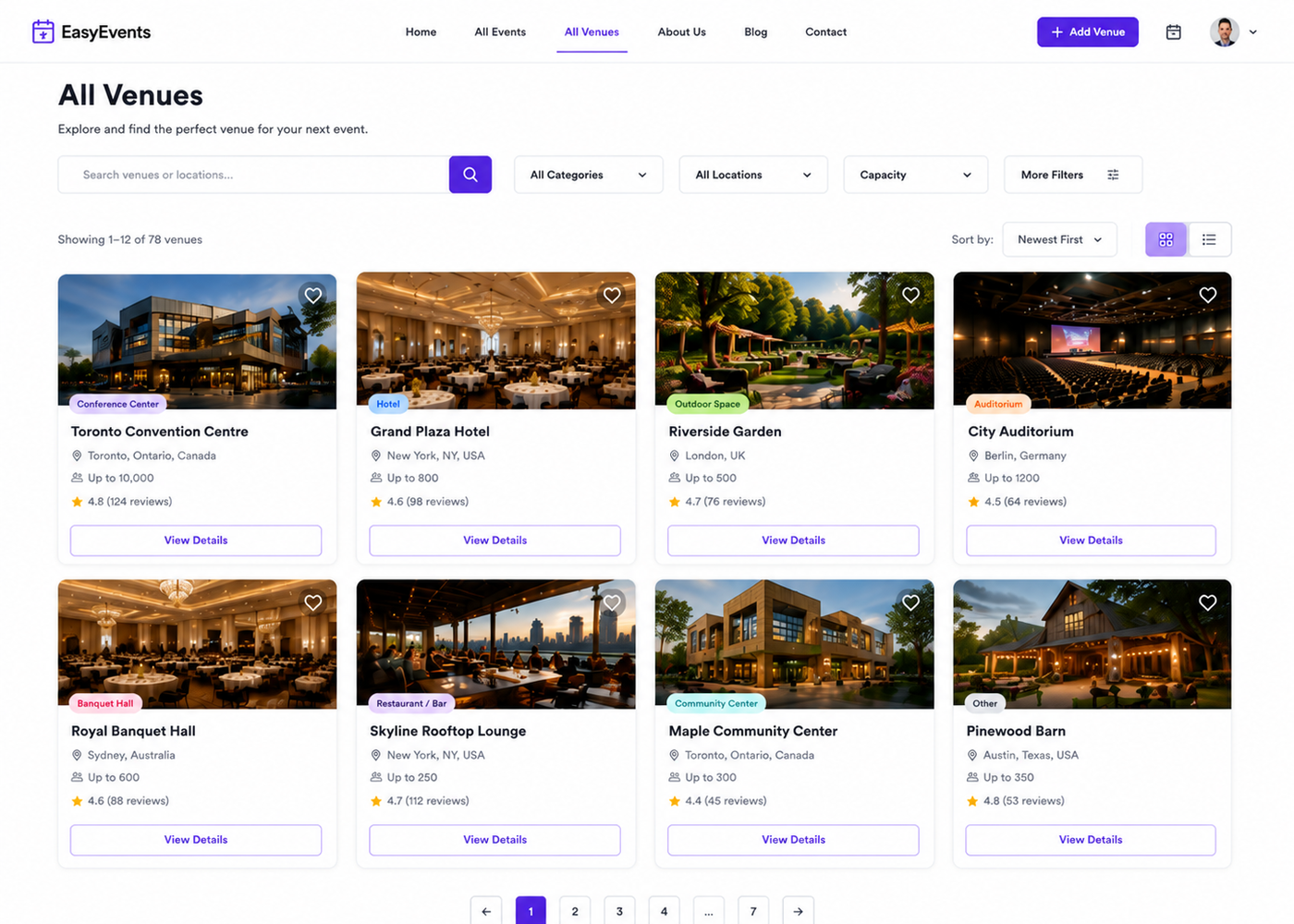
All Venues directory with venue search and browsing options.
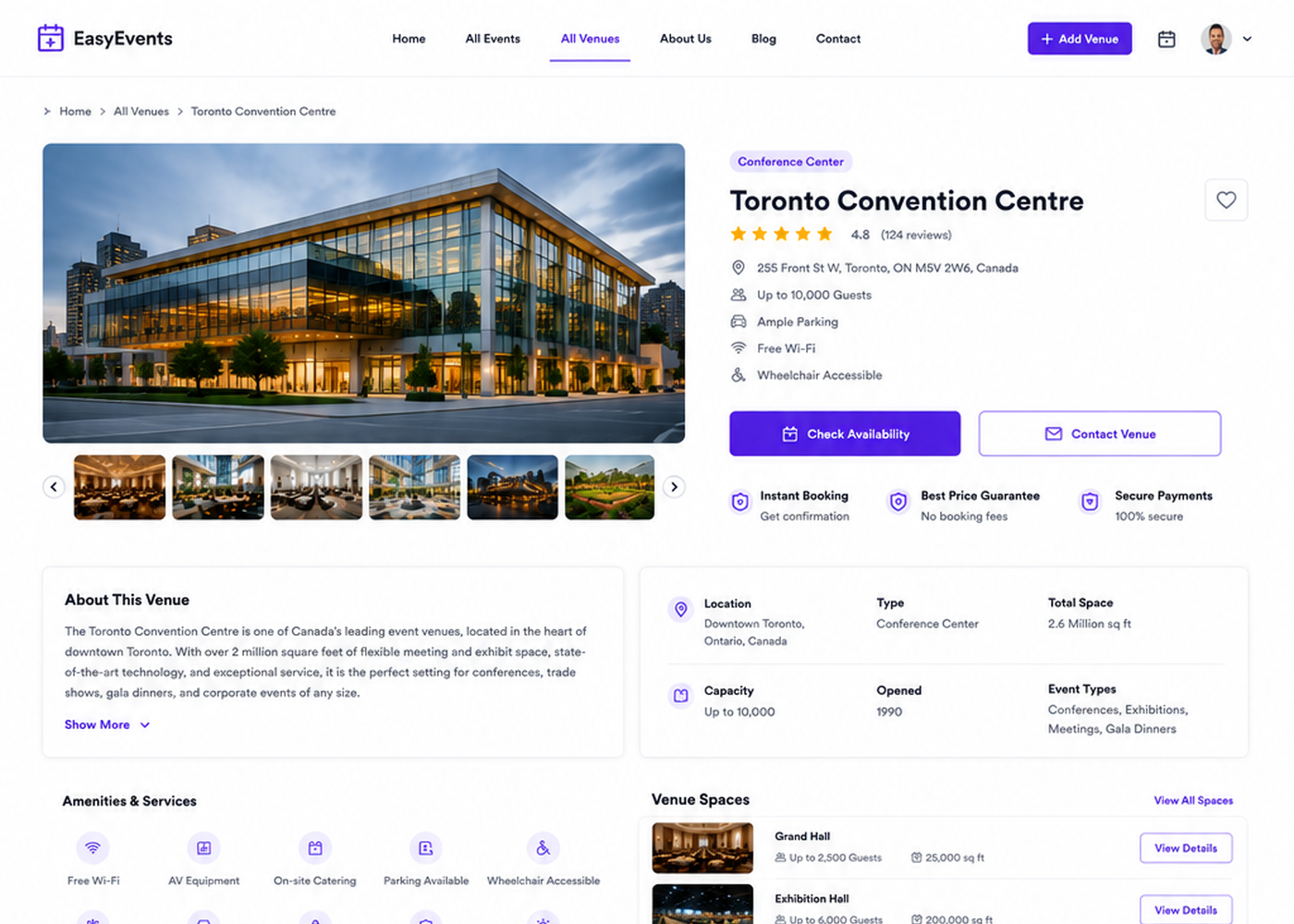
Single venue page displaying venue information and associated events.
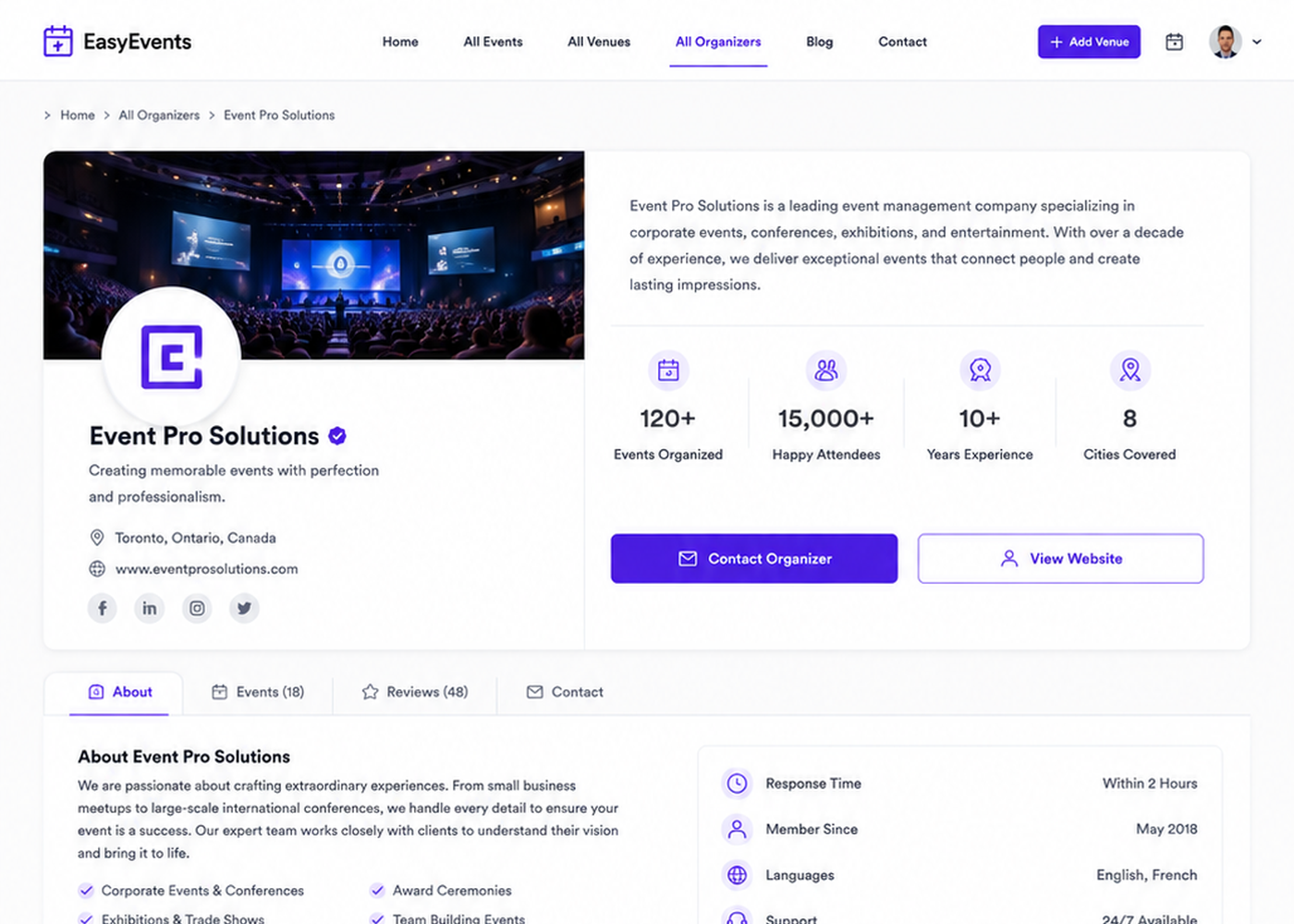
Organizer profile with organizer information and upcoming events.
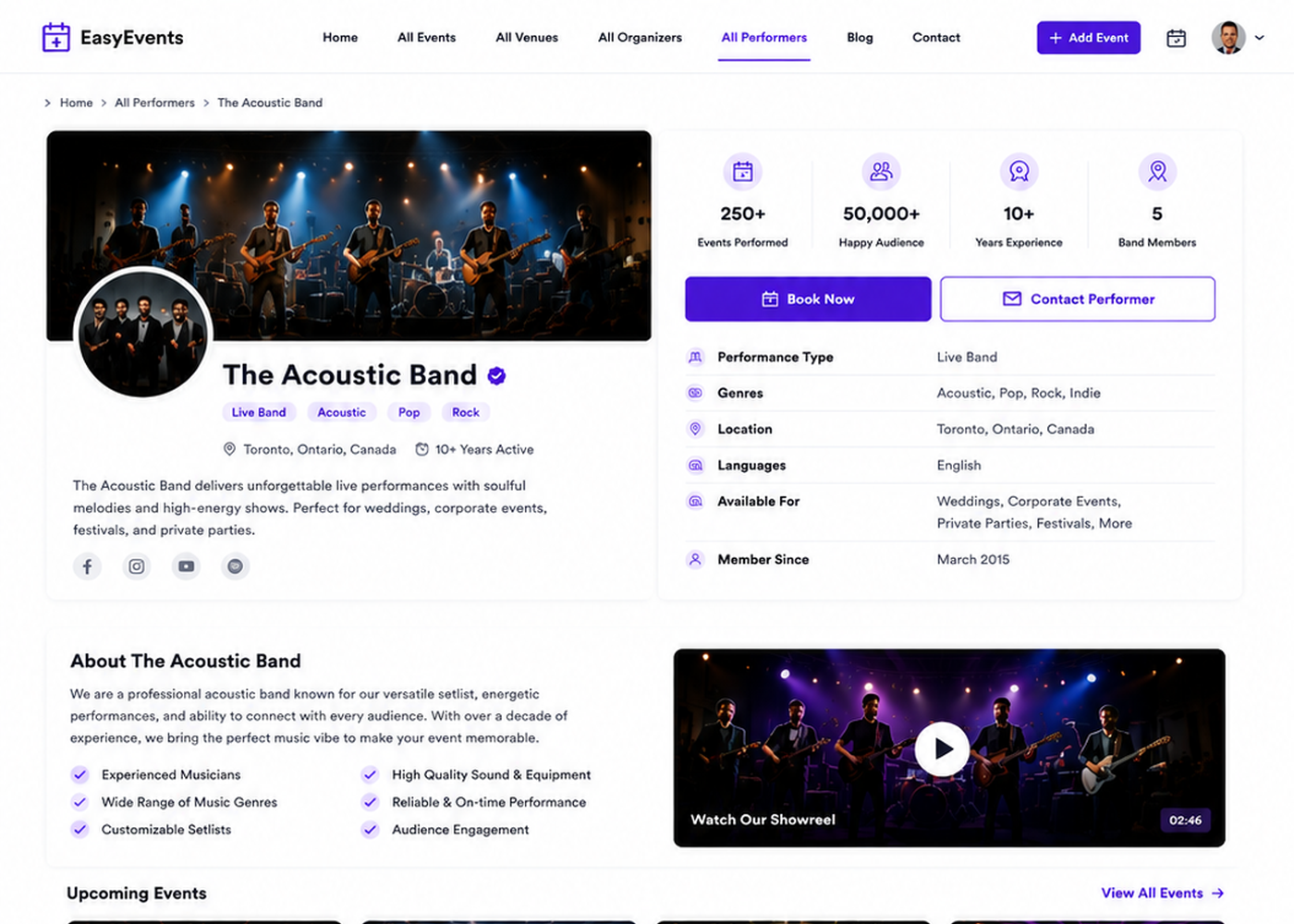
Performer profile for speakers, artists, bands, and other event performers.
Similar Plugins:
 Event Tickets Manager For WooCommerce – Ticket Stock Management, Download Tickets As PDF, Events Calendar, Event Check-in Using Emails, Edit Your Ticket Content
 Eventixa – Modern Events Calendar, Event Tickets, Bookings & Event Registration
 Sugar Calendar – Events Calendar, Event Tickets, And Events Management Platform