Vertical News Scroller Wordpress Plugin - Rating, Reviews, Demo & Download



Plugin Description
Vertical News Scroller turns any sidebar, footer, or page section into a live scrolling news ticker – no coding required. Add unlimited news items, choose how they scroll, and drop the scroller in with a widget, shortcode, or the native block editor.
Whether you’re running a news site, a school or club website, a business homepage with announcements, or just want a “what’s new” ticker that doesn’t take up much space, this plugin gets it on your page in a couple of minutes.
Why people use it
- Two scroll styles – a smooth jQuery slide-up scroller, or a simple continuous marquee-style scroll
- Works everywhere – native Gutenberg block, classic widget, or shortcode – use whichever fits your site
- Reliable on modern themes – built on a lightweight v3 scroll engine that fixes the inconsistent behavior older ticker plugins are known for
- Full control – set scroll speed, direction, height, width, and whether to show the news content or just the title
- Custom links – send each news item to any URL, opening in the same tab or a new one
- Lightweight – no bloated settings, no tracking, no ads
Want more?
The Pro version adds unlimited news categories, automatic RSS feed integration (pull in headlines from any site), thumbnail images, custom colors and fonts, 4 visual style presets, a lightbox preview popup, and colored item labels (News/Event/Announcement/Notice). See the full comparison at Vertical News Scroller Pro.
Features
- Add unlimited news items from a clean admin screen
- Two scroll styles: smooth jQuery scroller or classic marquee-style scroll
- Native Gutenberg block – search “News Scroller” in the block inserter
- Classic widget support – drag and drop into any widget area
- Shortcode support for placing the scroller anywhere
- Lightweight v3 scroll engine (default) – reliable scrolling across most themes, with v1/v2 kept for backward compatibility
- Control scroll speed, direction, height, width, and padding
- Choose to show full news content or just the title
- Add a custom link to any news item, opening in the same tab or a new one
- Two visual styles (Default and Card) to match your site
- No coding knowledge needed – works out of the box
- Responsive admin layout
Pro Version Features
- Unlimited news categories – organize news by section instead of one combined list
- Automatic RSS feed integration – pull in headlines from BBC, Reuters, or any site and mix them with your own news
- Thumbnail image support for every news item
- 4 visual style presets: Default, Card, Minimal, Headline
- Lightbox preview popup – readers preview a headline without leaving your page
- Colored item labels: News, Event, Announcement, Notice (with customizable text)
- Custom title/content colors and font sizes
- News list shortcode (static list, no scrolling) for archives and footers
- Manual news ordering and mass reorder
- Turn any existing post or page into a news item with one checkbox
- Role and capability support for multi-author sites
- Multisite compatible
- No ads, ever
License
This plugin is free for everyone! Since it’s released under the GPL, you can use it free of charge on your personal or commercial blog. But you can make some donations if you realy find it useful.
Screenshots
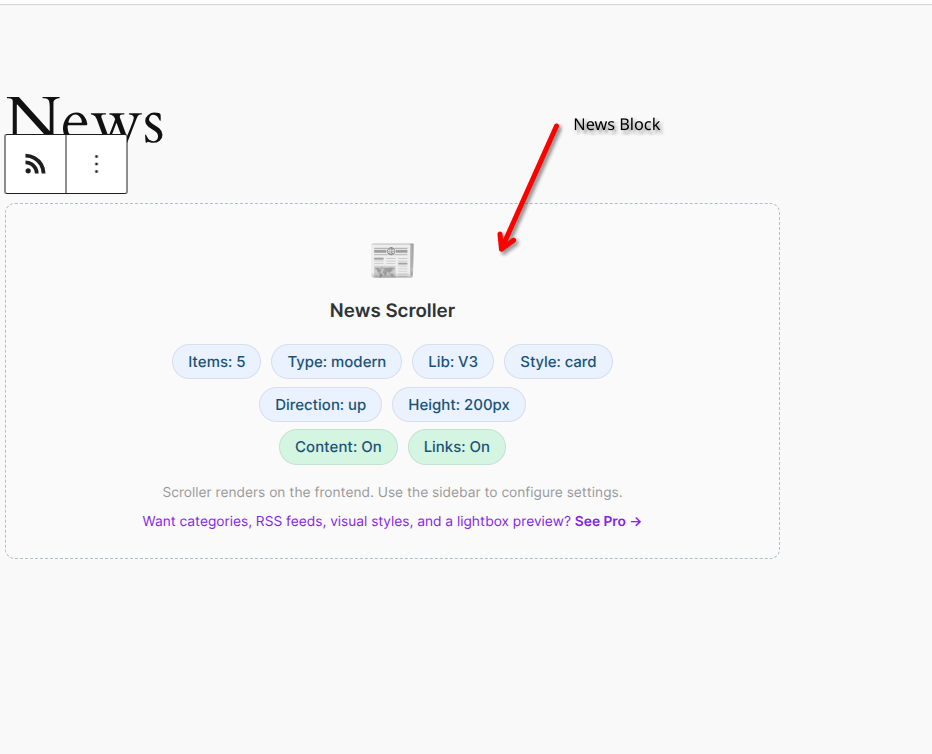
Vertical News Scroller in action on the frontend
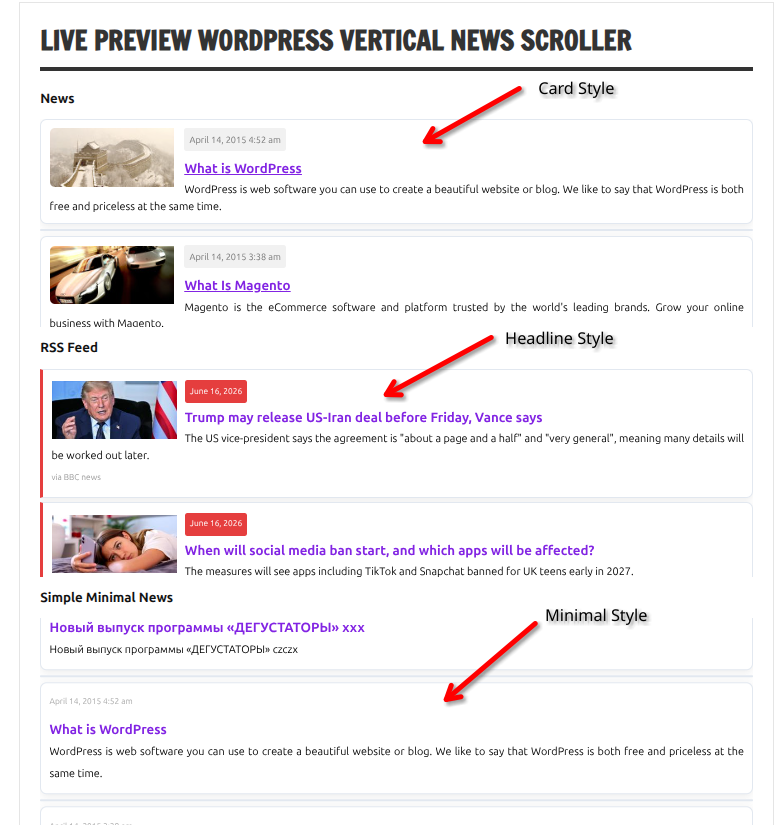
The Pro version’s expanded styling and thumbnail support

Widget settings panel
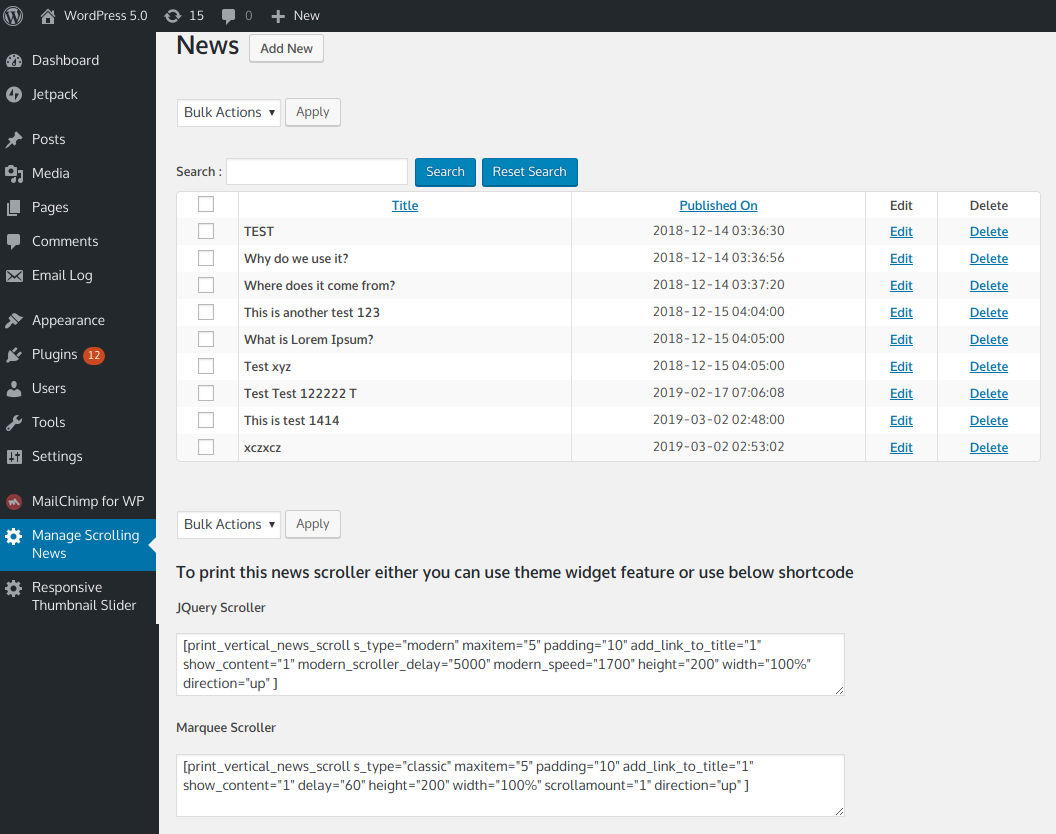
Manage News admin screen – add, edit, and organize your news items

Pro version: manage multiple news categories

Pro version: Manage News screen with categories and thumbnails

Pro version: add or edit a news category

Pro version: add or edit a news item with thumbnail support

Pro version: widget settings with full style control

Pro version: static news list shortcode (no scrolling)