Waitlist For Tutor LMS Wordpress Plugin - Rating, Reviews, Demo & Download
Plugin Description
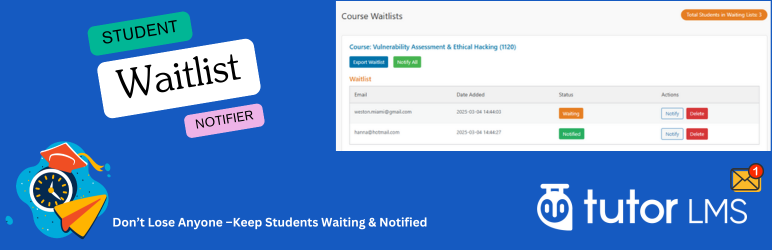
Waitlist For Tutor LMS is an easy-to-use addon that adds a waitlist to Tutor LMS courses. When a course is full, students can join the waitlist and get email alerts when spots open. Admins can manage waitlists, notify students, and track enrollments from a simple dashboard.
Key Features
- “Join Waitlist” button displayed on fully booked Tutor LMS courses
- Email notifications to waitlisted students when spots are available
- Admin dashboard to view and manage waitlist entries with separate sections for “Waitlist” and “Enrolled Users (From Waitlist)”
- Bulk “Notify All” option to email all waitlisted students for a course with one click
- Individual “Notify” and “Delete” actions for precise waitlist management
- Export waitlist data to CSV for each course
- Visual status indicators (“Waiting” in orange, “Notified” in green) for easy tracking
- Modern admin UI
- Total waitlist counter displayed in the admin header
- Automatic integration with Tutor LMS student data to identify enrolled users from the waitlist
How It Works
- For Students: When a course is full, students see a “Join Waitlist” button, enter their email, and join the waitlist.
- For Administrators: Access the “Waitlists” menu under Tutor LMS to:
- View active waitlist entries and enrolled users who were on the waitlist
- Notify individual students or all at once when spots open
- Export waitlist data or delete unwanted entries
- Monitor total waiting students across all courses
This plugin requires Tutor LMS to be installed and activated.
Additional Information
For support or feature requests, visit Website or submit a Feature Request. Check out more Tutor LMS addons at Video for Tutor LMS.
Screenshots

Admin dashboard displaying waitlist and enrolled users with Notify, Notify All, Export, and Delete options

Waitlist Button and form for students to submit their email
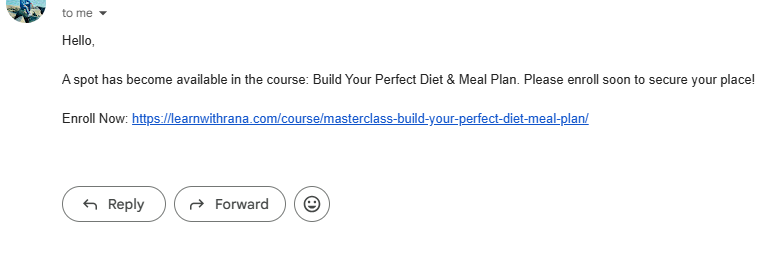
Email notification received by waitlisted students when a spot opens

Separated Course and Lists.
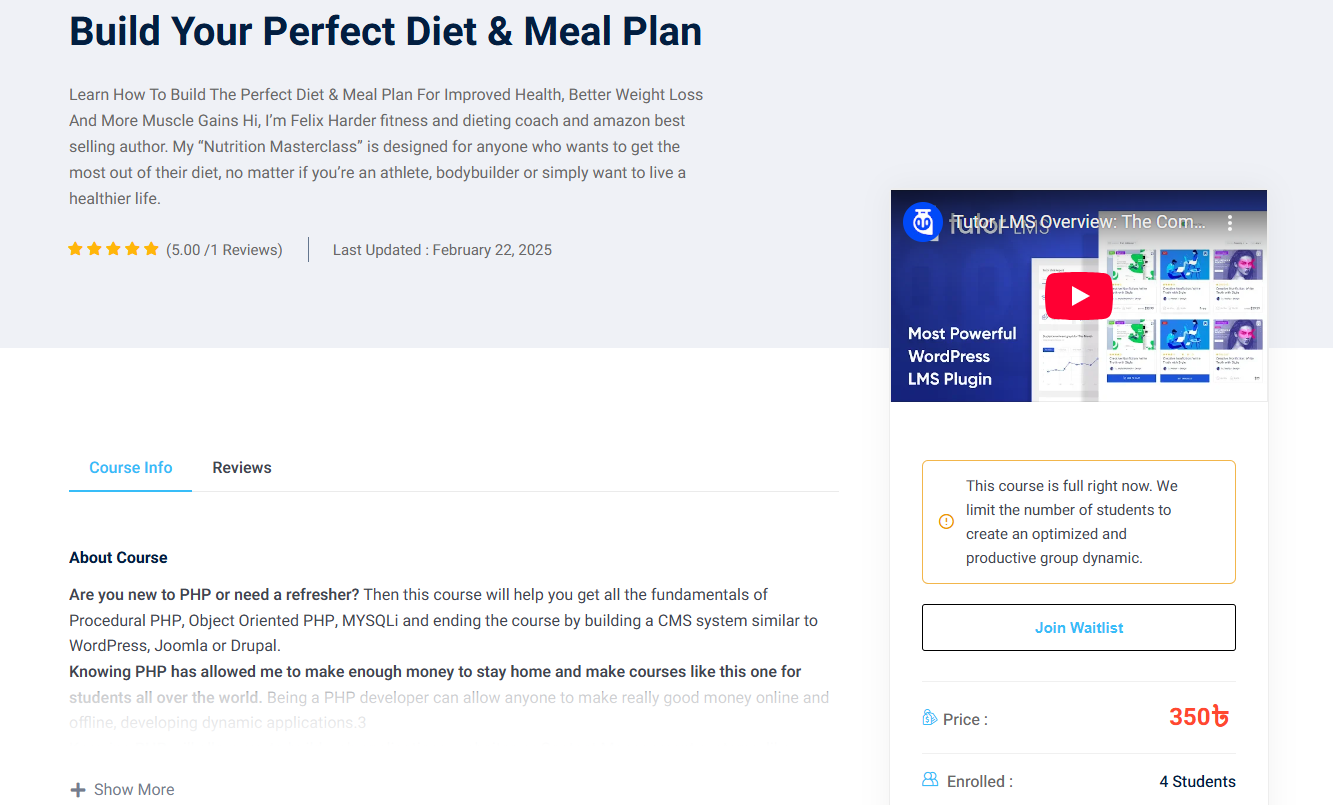
Waitlist Button on Course Single Page (While course is fully booked)