Webian Product Video For WooCommerce Wordpress Plugin - Rating, Reviews, Demo & Download

Plugin Description
Webian Product Video for WooCommerce allows you to display product videos directly on your WooCommerce product pages without writing any code. Simply add a YouTube URL, Vimeo URL, or a direct MP4/WEBM video URL to any product, and a video player will automatically appear within the product image gallery.
The plugin is fully compatible with Elementor and has been tested with the WooCommerce Storefront theme. It also works with any WordPress theme that uses the standard WooCommerce product gallery.
How it works
- Go to any product edit page and find the Product Videos panel
- Click + Add Video and enter a YouTube URL, Vimeo URL or MP4/WEBM URL
- Save the product — a Video now appears on your product page
Features
- Supports YouTube, Vimeo and MP4/WEBM videos
- Inline player — video plays directly over the product image, no page redirect
- Multiple videos per product — can add up to 3 videos per product
- Auto thumbnail — YouTube thumbnails are fetched automatically
- Custom thumbnail — upload your own thumbnail via the WordPress media library (Only work with MP4/WEBM videos)
- Compatible with Elementor and works with any WordPress theme
- Clean, accessible markup
Shortcode
Use the [wpvfe product_id=”xxx”] shortcode to display videos for any product anywhere on your website. Replace xxx with the desired product ID.
To limit the number of videos displayed, use the limit attribute. For example:
*[wpvfe product_id=”xxx”] – Display all videos for the product.
*[wpvfe product_id=”xxx” limit=”1″] – Display only the first video for the product.
Requirements
- WordPress 5.8 or higher
- WooCommerce 7.0 or higher
- PHP 7.4 or higher
Screenshots
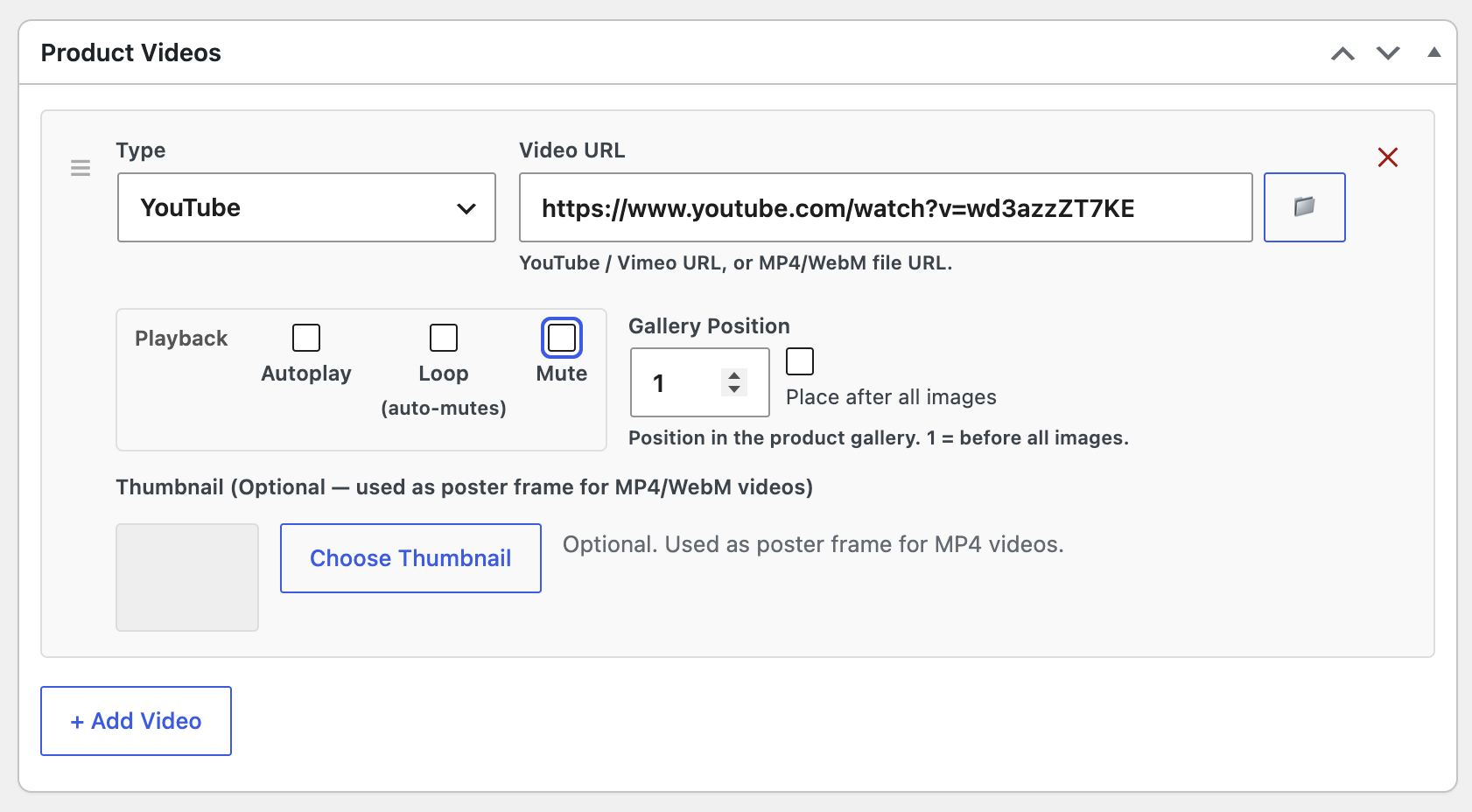
Product Videos meta box on the product edit page
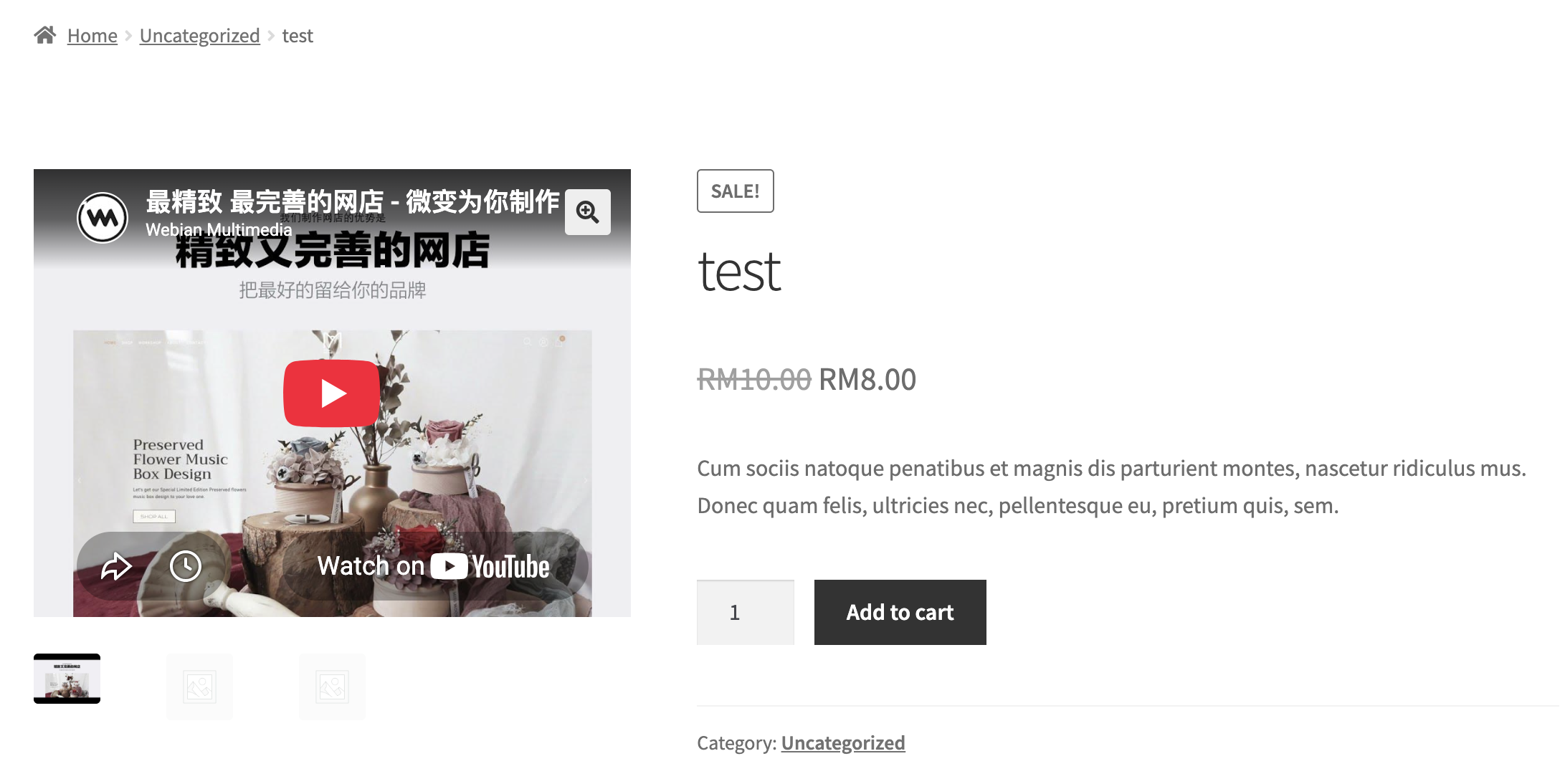
Inline video player open over the product gallery