
WPG Shield – Security Firewall Wordpress Plugin - Rating, Reviews, Demo & Download

Plugin Description
WPG Shield hardens a WordPress site in layers, and then proves each layer is actually working instead of assuming it is.
Most security plugins tell you a setting is on. WPG Shield asks the site whether the setting is doing anything. The Server Armor module writes your rules, then probes the live site over HTTP for the exposures those rules are meant to close: a downloadable wp-config.php, readable backups and logs, directory listing, REST and author user enumeration, and xmlrpc. If a host ignores the file, you see it instead of believing you are protected.
What it does
Firewall (WAF)
Inspects query strings, form bodies and REST JSON for injection and traversal payloads. It runs after WordPress has loaded, so it is not a replacement for a server-level firewall. It deliberately ships in log-only mode first, because a blocking rule that has never been observed against real traffic is how firewalls get uninstalled. Content routes such as the editor, admin-ajax and REST are inspected for injection classes only, so markup you legitimately post is not treated as an attack. REST bodies are read from the request WordPress has already parsed, so saving a post is not interrupted.
Login Fortress
Rate limits and locks out repeated failed logins, and adds real TOTP two-factor authentication (RFC 6238, the same standard Google Authenticator and Authy use). Codes are verified with a drift window, and an accepted code cannot be replayed.
Malware Scanner
Signature and heuristic scanning for webshells, obfuscated payloads and PHP files in the uploads directory. Matches are reported with the file path and signal. Nothing is moved or deleted automatically, so a false positive cannot break the site.
Server Armor
Generates hardened server rules for both Apache and nginx, and checks the live site for the exposures those rules are meant to close rather than trusting that the file is honoured. Rules are written dual-stack so an older Apache or a host without mod_authz_core cannot be turned into a 500 error by the hardening itself.
Config Doctor
Audits wp-config.php and can apply hardening constants for you. Every write is transactional: a timestamped backup is taken first, the result is re-read and verified afterwards, and the original is restored if verification fails.
Integrity Monitor
Baselines your files and reports anything that changes, so you learn about a modified file from your dashboard rather than from your host. Email alerts go to the administrator you choose on the plugin Dashboard, and you tick exactly which alert types are emailed. Only Administrator accounts are offered, the choice is re-validated at send time, and unticked alert types are never sent.
Rogue Admin Guard
Stops privilege escalation to administrator from an unconfirmed session, and asks for a password confirmation before the change is allowed through.
File Guard, Headers, User Policy and Plugin Health Watch
File Guard reports sensitive files and folder permissions that are exposed to the web. Headers sends hardened security headers. User Policy turns off open registration, blocks reserved usernames, stops a user from granting capabilities they do not already hold, and keeps new accounts on a safe default role. Plugin Health Watch flags plugins that are no longer listed on WordPress.org or have gone stale; it does not query a vulnerability database.
Who this plugin is for
Site owners, developers and agencies who manage WordPress sites for clients and need to know that hardening is genuinely in place, not merely switched on. If you are looking for a WordPress firewall, a malware scanner, brute force login protection, two factor authentication, or a way to harden wp-config.php and block user enumeration, this plugin covers all of those in one place. Every module can be enabled on its own, and every module defaults to the least disruptive setting.
Design principles
- Verify, do not assume. Hardening that cannot be proven is reported as unverified.
- Nothing destructive by default. The scanner never deletes or moves files. Uninstall removes settings and logs unless you switch on “keep data on uninstall” first.
- Log before you block. New rules are observed before they are allowed to reject traffic.
- Portable across stacks. Apache and nginx are both first-class, because a rule that only works on one host is not a fix.
External services
This plugin does not send data to the author.
Integrity Monitor is off by default. When you enable that module and turn on “Verify WordPress core against official checksums”, it requests official WordPress core checksums from https://api.wordpress.org/core/checksums/1.0/. The request includes the WordPress version and locale. It does not include account data. Activation never contacts this endpoint. WordPress.org privacy policy: https://wordpress.org/about/privacy/
Plugin Health Watch does nothing until you opt in on its settings screen. After that it queries https://api.wordpress.org/plugins/info/1.2/ with the slugs of installed plugins, in batches, to see whether they are listed and when they were last updated. It is an abandonment/staleness check only; it does not query a vulnerability database. It does not send usernames, emails or the site’s content.
Server Armor and the dashboard probes request this site’s own URLs (the homepage, login, and a few well-known paths) so a rule is only reported as working when the web server actually enforces it. Those requests stay on your server.
Screenshots
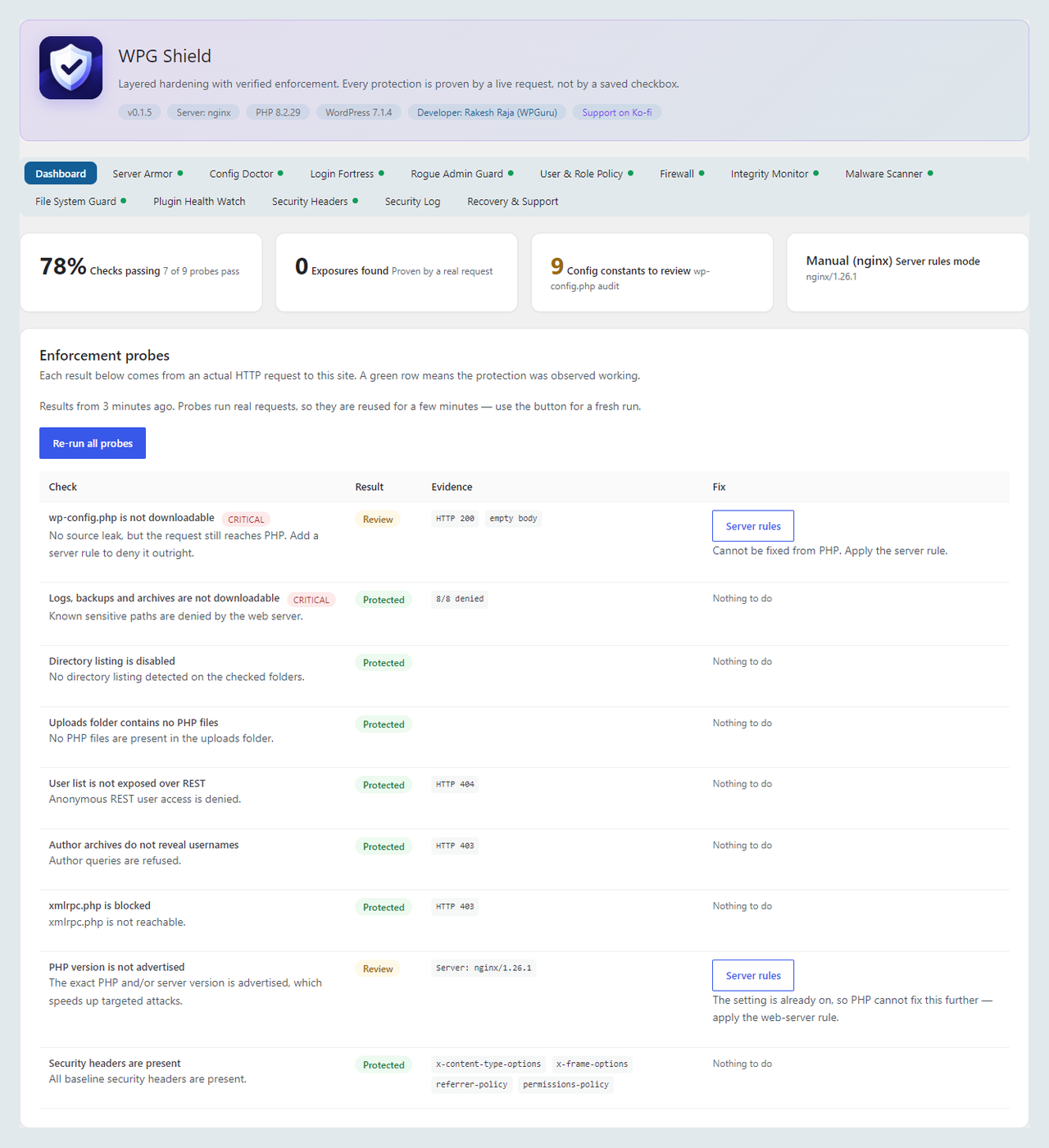
Dashboard with the live probe results and the status of each protection layer.
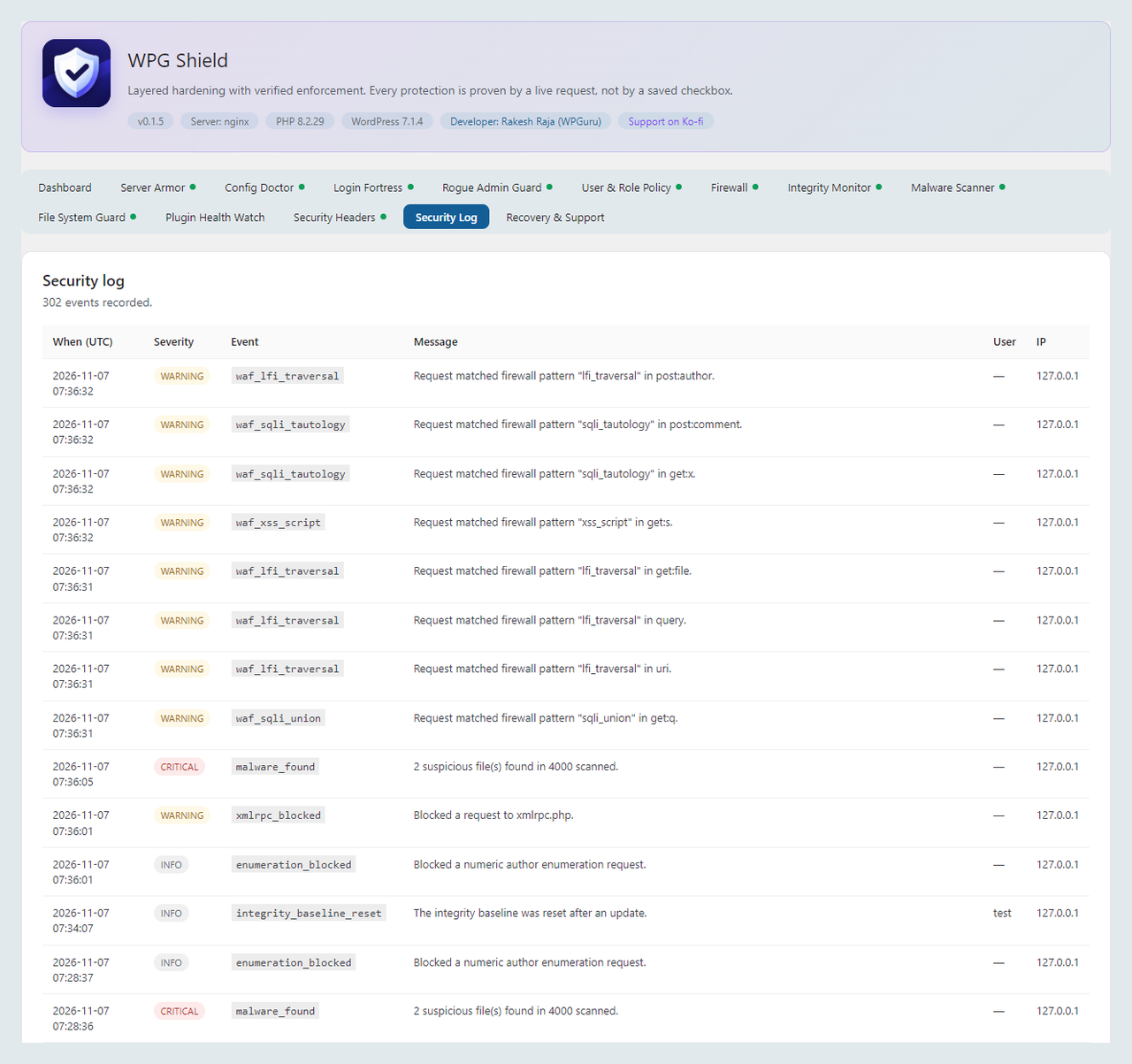
Security log with firewall matches recorded from real requests.
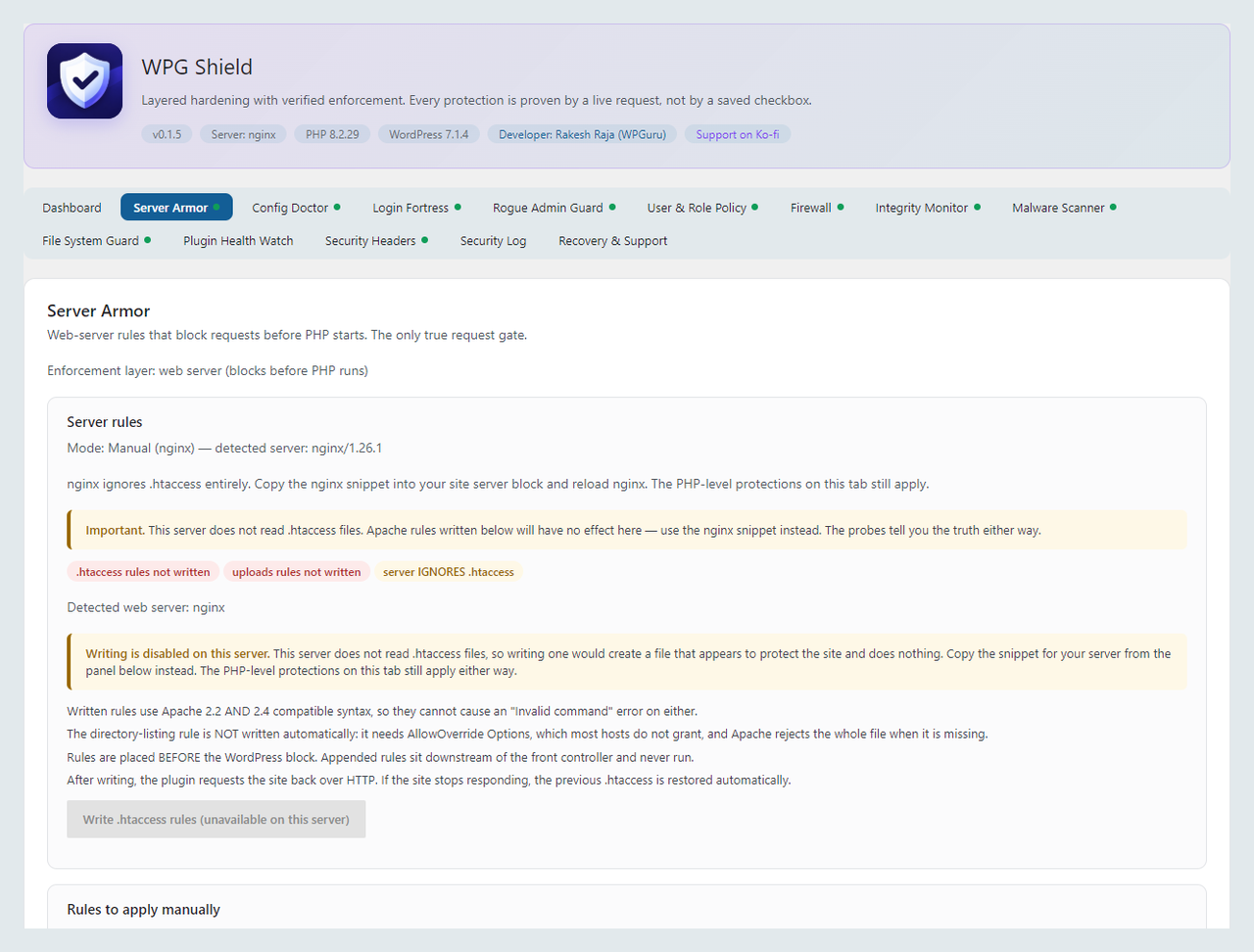
Server Armor with the detected server stack and the generated rules.

Config Doctor auditing the hardening constants in wp-config.php.

Login Fortress with the lockout policy and two-factor coverage.

File Guard reporting sensitive files and folder permissions.


