ZCBRG Admin Color Generator Wordpress Plugin - Rating, Reviews, Demo & Download
Plugin Description
Tired of the same admin color schemes? ZCBRG Admin Color Generator lets you create a custom admin color scheme that works exactly like the built-in ones — but with your own colors.
Choose 4 base colors:
1. Accent — WordPress theme color (buttons, highlights)
2. Menu background — Left sidebar color
3. Menu text — Navigation text color
4. Admin bar background — Top bar color
The plugin automatically generates all derived colors: hover states, active states, submenu backgrounds, contrast colors, and darker/lighter variants. No need to configure every UI state manually.
Features
- 🎨 Custom generated scheme — Appears alongside Default, Light, Modern, etc. on the profile page
- 🔄 Auto-generated variants — Hover, active, submenu, and contrast colors computed automatically
- 🎯 Built-in Iris color picker — WordPress’s own color wheel, with a 20-color quick palette
- 📋 92 built-in presets — 16 theme families, from Andromeda and Catppuccin to Tokyo Night, Nord, Solarized, and VS Code
- 📁 Multiple named palettes — Create, switch, rename, duplicate, and delete unlimited palettes
- 📤 Export / Import — Back up and migrate your palettes as JSON files
- 🌐 Site-wide enforcement — Administrators can enforce a palette (hard or soft) with role exclusions
- 👥 Role-based palettes — Assign a palette per user role, locked or user-overridable
- 🔧 Tabbed interface — Generator, Palettes, Site-Wide, and Roles tabs
- 👤 Per-user settings — Each admin customizes their own experience
- 👁️ Live preview — See changes instantly on the settings page
- 🔌 No external dependencies — Just pure WordPress
- 👨👩👧 Plugin family — Integrates with Admin Color Labels and Admin Color Dark via the shared “Admin Colors” menu
Screenshots

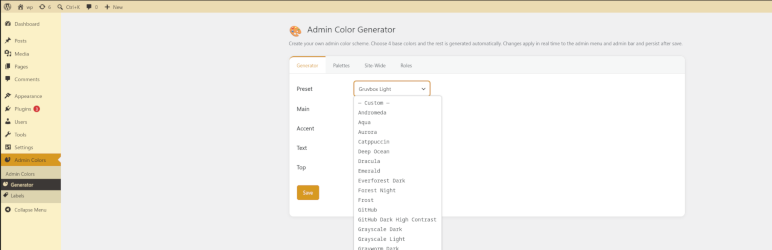
Grayscake Light color scheme. Every scheme can be used as base and additionally customized.

Everforest Dark color scheme.

SyntWave ’84 retro color scheme.
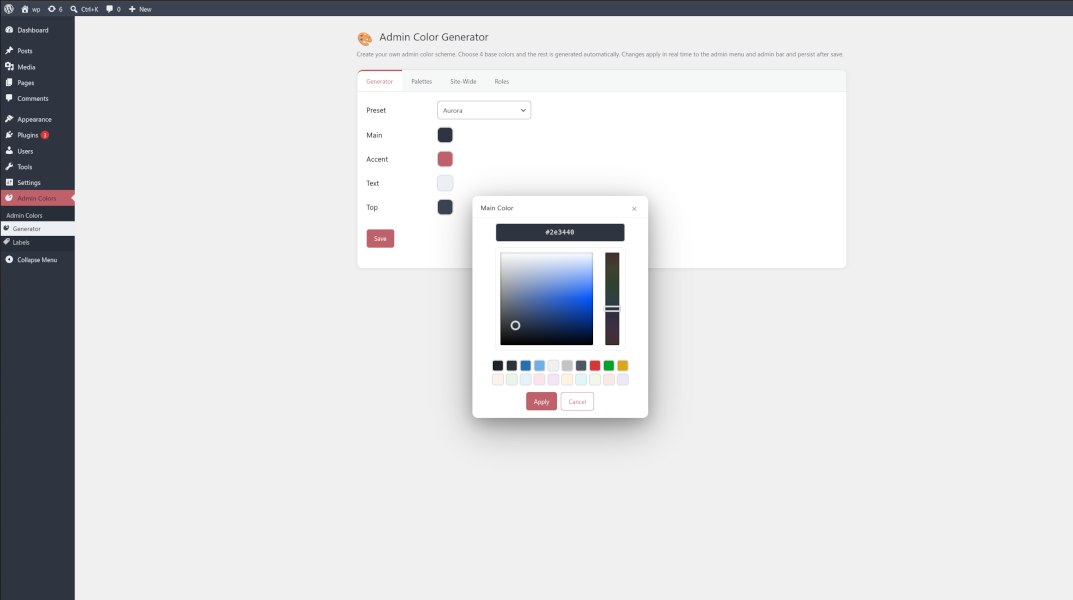
Aurora color scheme. Color schemes can be enforced site-wide or per role or per admin panel user rules.