Image Squeeze – Optimize WebP, Compress Images, Boost Performance Wordpress Plugin - Rating, Reviews, Demo & Download

Plugin Description
Image Squeeze is your all-in-one WordPress plugin to compress images, convert to WebP, and accelerate website performance.
Automatically compress JPEG and PNG files, generate WebP versions, and serve them conditionally for supported browsers. Improve Core Web Vitals, SEO, and page speed in just a few clicks.
Highlights
✅ Automatic WebP image delivery
✅ Compress JPEG and PNG images
✅ One-click bulk optimization
✅ Retry failed compressions
✅ Clean up orphaned .webp files
✅ Works with WooCommerce & Elementor
Features
- Smart Compression on Upload: Automatically optimize images as you upload.
- WebP Conversion Engine: Converts supported formats for better performance.
- Size Targeting: Set a target output size (KB) to stay within budget.
- Compression Quality Control: Choose how aggressive you want to go.
- Retry System: Automatically reprocess failed jobs.
- Optimization Logs: View your image history and space saved.
- WebP Cleanup Tool: Delete unused .webp files left behind.
- Fully Dashboard-Integrated: Everything in one easy UI.
Performance Boost
- Reduced page weight faster mobile load
- Higher Google PageSpeed scores
- Better Core Web Vitals (LCP, FID)
- Direct SEO and UX impact
Screenshots
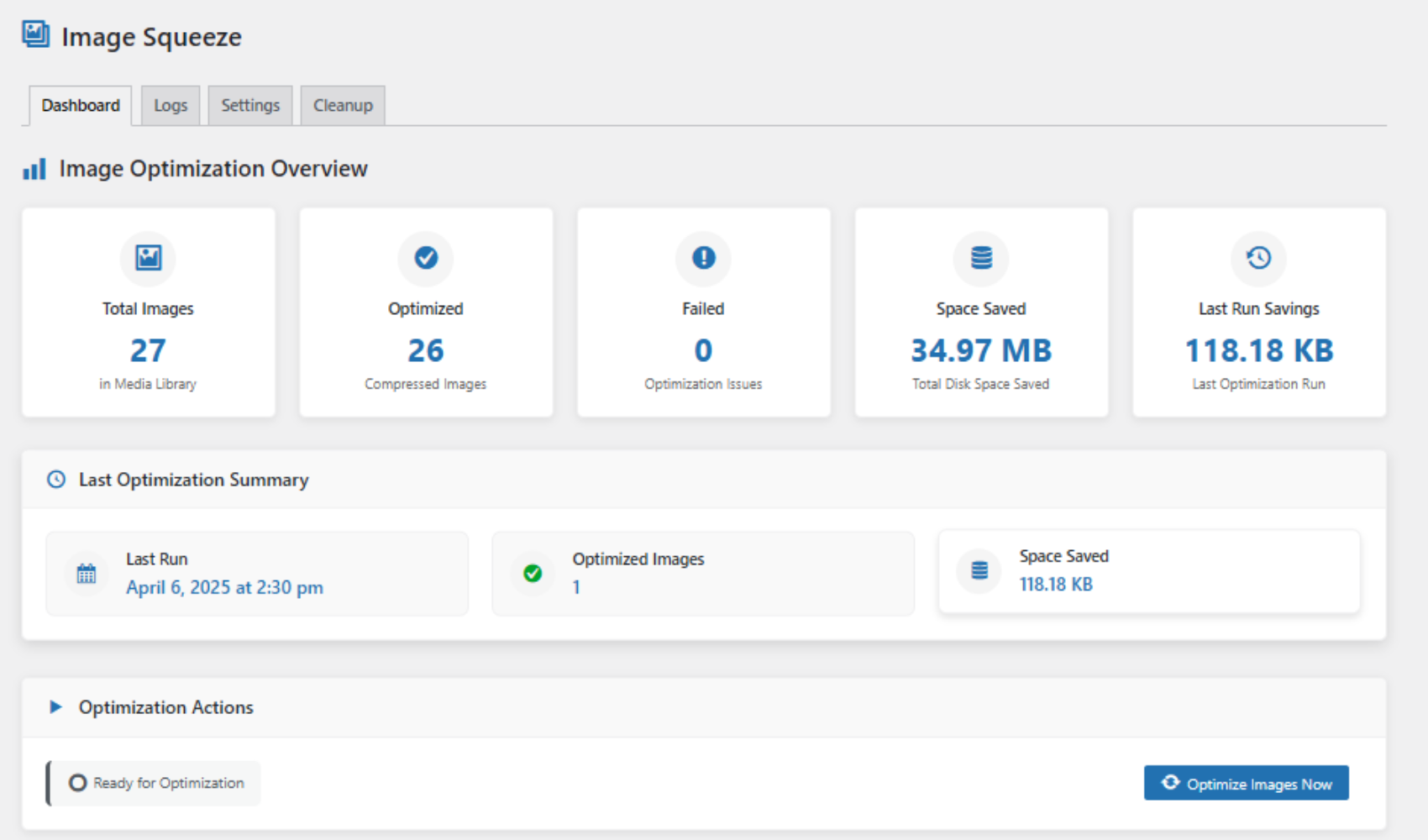
Dashboard Overview – See total image count, savings, and optimization stats at a glance.
(screenshot-1.png)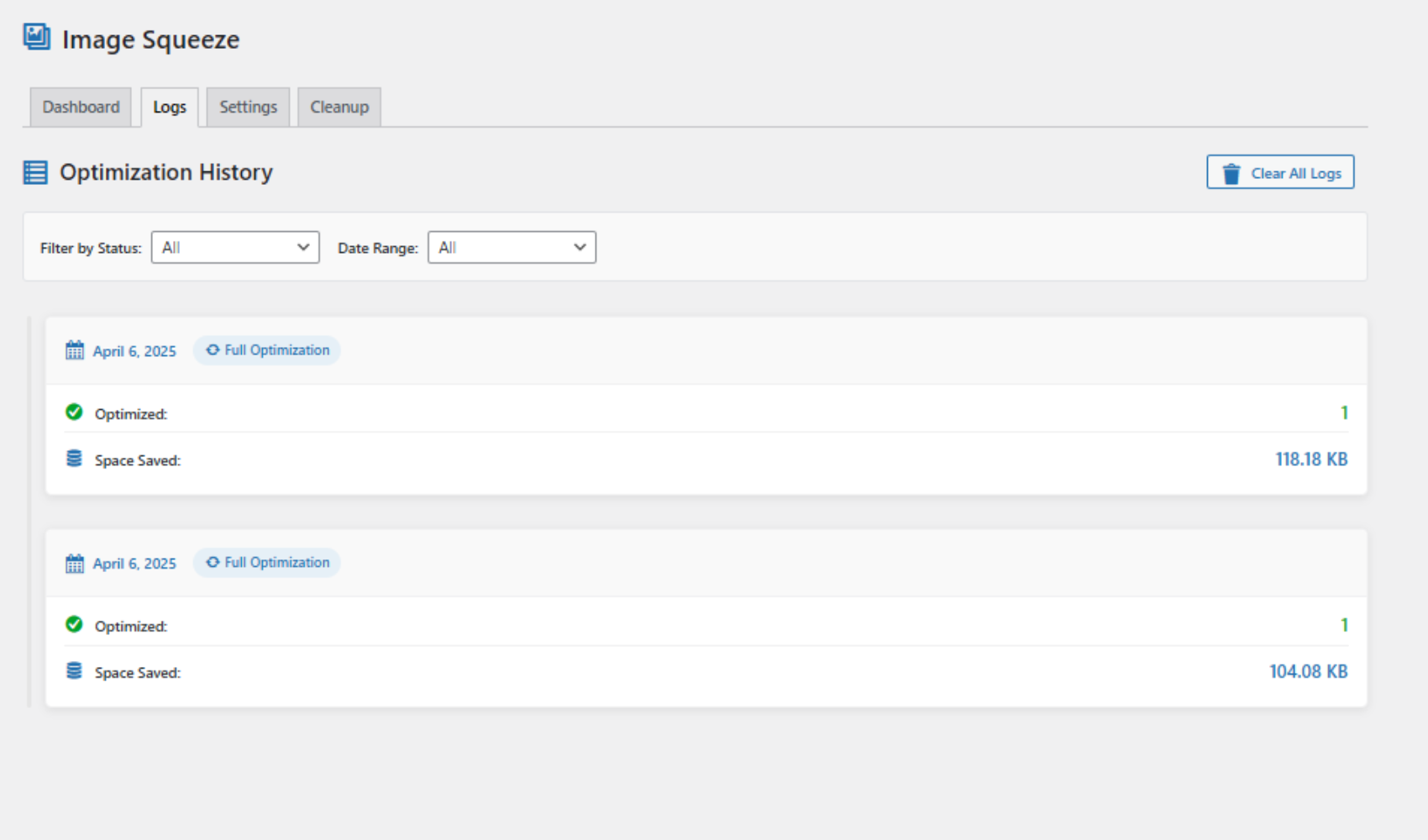
Optimization Logs – View history of image compression jobs and results with date, status, and size savings.
(screenshot-2.png)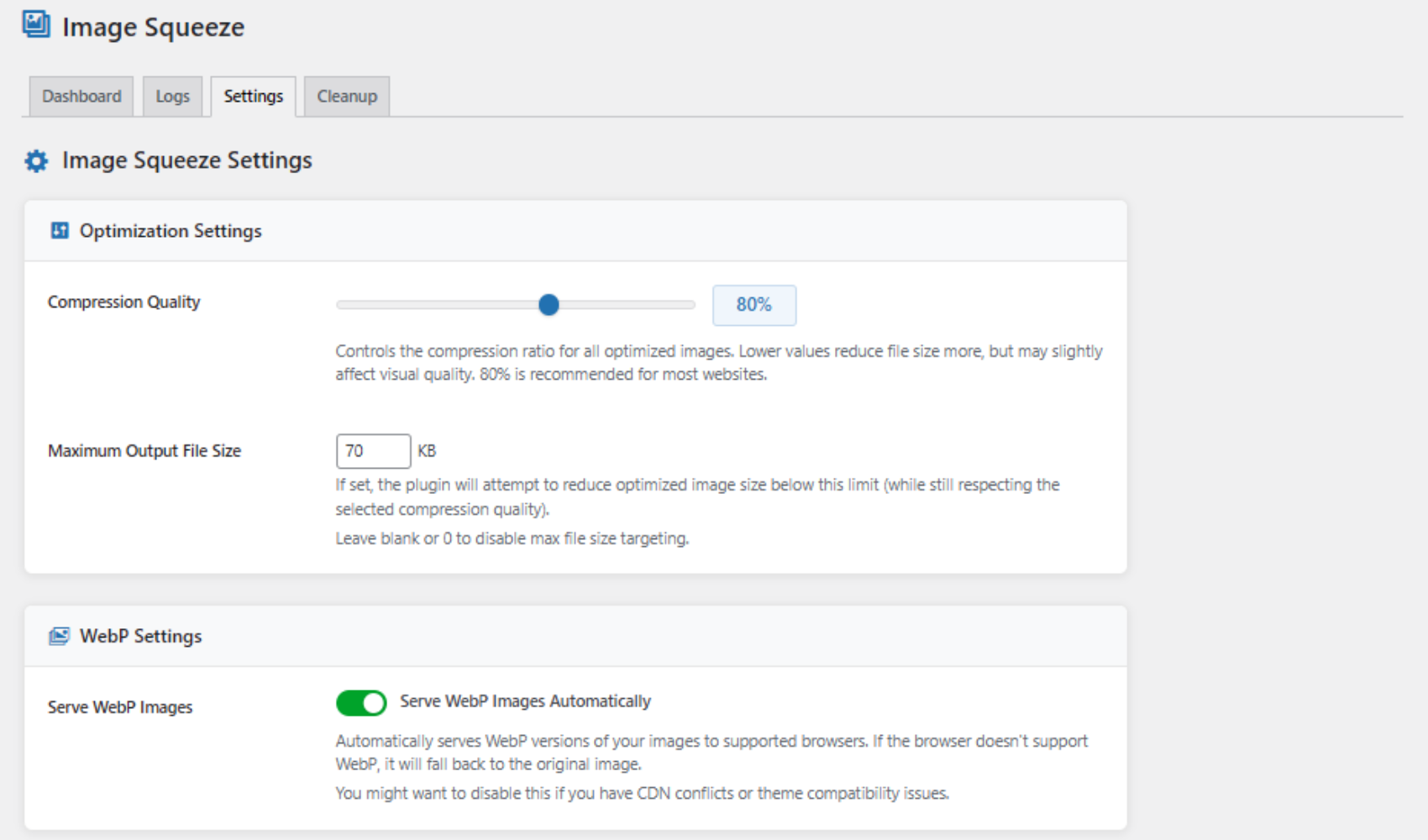
Settings Panel – Customize compression quality and output size, and toggle WebP delivery.
(screenshot-3.png)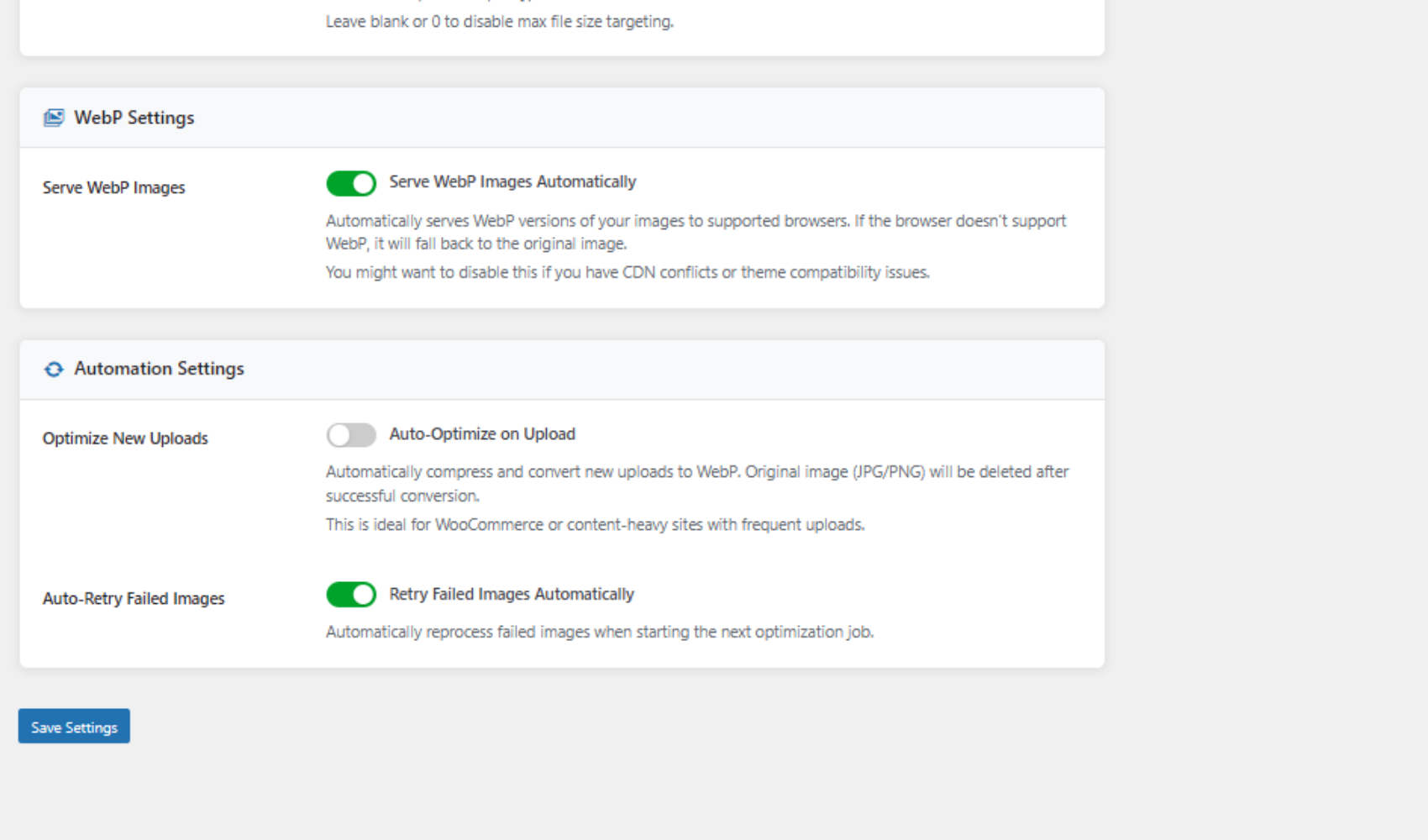
Advanced Settings – Enable auto-optimize on upload and automatic retry of failed images.
(screenshot-4.png)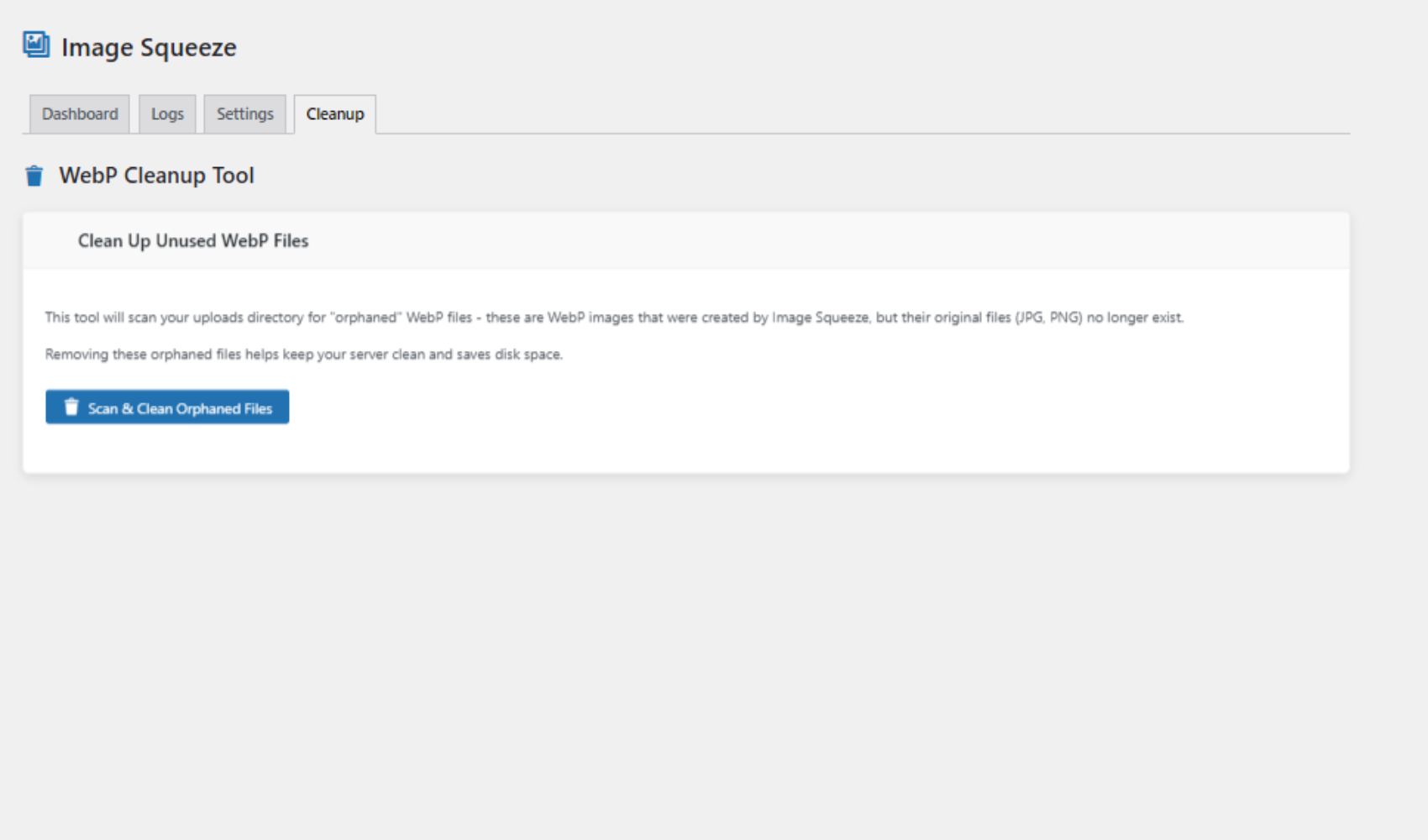
WebP Cleanup Tool – Scan and clean orphaned WebP files created by optimization jobs.
(screenshot-5.png)