
PrimePlaced – Withdrawal Button & Refunds For WooCommerce Wordpress Plugin - Rating, Reviews, Demo & Download
Plugin Description
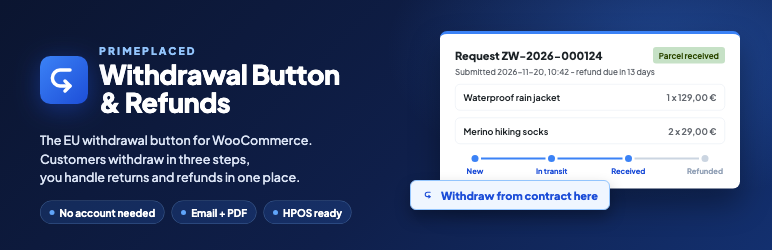
PrimePlaced – Withdrawal Button & Refunds adds a withdrawal button and a complete returns process to a WooCommerce shop. Customers withdraw from the contract in three steps without an account, get an immediate confirmation by email with a PDF, and the shop handles every return request and refund in one WooCommerce panel.
EU Directive 2023/2673 adds an online withdrawal function to consumer law: a button labelled “withdraw from contract here” that stays available for the whole withdrawal period, an online withdrawal statement the customer submits with a “confirm withdrawal” button, and an acknowledgement of receipt on a durable medium. EU member states were to apply these rules from 19 June 2026 through their national laws, so the exact date and details depend on your country. This plugin gives WooCommerce that function (known as “Widerrufsbutton” in Germany and “przycisk odstąpienia od umowy” in Poland) together with the returns and refund workflow behind it.
Everything runs on your own server. The free plugin works without any external service, account or license.
Withdrawal button and form for customers
- A visible “Withdraw from contract here” button in the footer, next to orders in My account and in the order emails. You can also place it with the “Withdrawal button” block or the
[ppwb_button]shortcode. - A three-step withdrawal form for guests (order number and email address) and logged-in customers. No account, no login and no reason needed. The form also works without JavaScript.
- Choice of products and quantities, an optional return reason and the full text of the withdrawal statement before the customer confirms.
- An immediate confirmation by email with a request number, the date and time of the withdrawal, return instructions and a PDF on a durable medium.
- A return status page with a timeline, shipping details (tracking number or proof of shipment) and the option to cancel the request before the refund.
- My account > Returns with all of the customer’s return requests.
Returns management for the shop
- WooCommerce > Returns: a list of return requests built like the orders list, with status views, search, bulk actions and the refund deadline.
- Request details like the order edit screen: products, the statement with its SHA-256 hash, a history that cannot be edited and notes for the team or the customer.
- Return statuses with allowed transitions and an email for each step. These are native WooCommerce emails that you can edit.
- WooCommerce refunds in one click: automatic with payment gateways that support refunds, manual for cash on delivery and bank transfer (the customer gives an IBAN, which is stored encrypted).
- Deductions for reduced value of the goods, with a reason that is sent to the customer.
- A daily reminder about refunds close to the statutory 14-day deadline and a dashboard widget.
- Product and category exclusions for the statutory exceptions, shown to customers with the reason.
- Return request numbers such as ZW-2026-000123, in a format you choose.
- A setup wizard, a diagnostics report for support and GDPR tools for personal data export and erasure.
Built for WooCommerce
- Compatible with High-Performance Order Storage (HPOS) and the block checkout.
- Templates for the form, the status page, the emails and the PDF can be overridden in your theme, like WooCommerce templates.
- Translation ready. Language packs come from translate.wordpress.org.
Pro features
An optional paid Pro version is available separately. The free plugin is fully functional on its own and does not contain locked features, limits or trial periods.
Pro areas include return shipments with carriers (InPost Parcel Locker return codes and Sendcloud return labels), return statistics, reply templates, CSV export, automations such as automatic refunds, webhooks, credit notes after a refund (PDF Invoices & Packing Slips, Fakturownia, wFirma and inFakt), a separate complaints process for defective products, white label, WP-CLI commands and settings export and import.
No legal advice
This plugin is a tool and does not provide legal advice. Check your obligations, your withdrawal period and your statutory exceptions with a lawyer.
Development
The complete, human-readable source of the generated JavaScript in assets/build/ is available on GitHub: https://github.com/Dobrzepostawieni/primeplaced-withdrawal-button
The file assets/build/ppwb-form.js is built from assets/src/front/form.ts. To rebuild assets/build/, clone the repository and run npm ci and then npm run build with Node.js 20 or newer. All other JavaScript, CSS and PHP files in the plugin are shipped unminified.
External services
This plugin uses the Freemius SDK, a service provided by Freemius, Inc., for opt-in usage diagnostics, account and license management, and the optional upgrade flow. Customer data, orders and return requests are never sent to Freemius.
The plugin contacts Freemius (api.freemius.com, wp.freemius.com, checkout.freemius.com) only in these cases:
- After an administrator opts in on the plugin’s welcome screen: the administrator’s name and email address; the site’s homepage URL and title, WordPress and PHP versions, and site language; the plugin and SDK versions and whether the plugin is active, deactivated, or uninstalled. If the administrator also allows it, the names, slugs, versions, and active status of installed plugins and themes are sent. Opting in is optional, and the administrator can skip it or change permissions later from the plugin’s Account page.
- When an administrator submits deactivation feedback: the selected reason and any text entered.
- When an administrator starts the upgrade or checkout flow: plan and pricing data are loaded from Freemius, and the information entered during checkout is sent to Freemius to process the purchase.
If the administrator does not opt in and does not use these screens, no data is sent to Freemius.
Freemius terms of service: https://freemius.com/terms/
Freemius privacy policy: https://freemius.com/privacy/
Privacy
The plugin stores the customer’s name, email address, order number, returned products, the optional reason, the statement text with its date and time, a salted hash of the IP address (never the raw address) and, when the refund is made by bank transfer, the encrypted account number. This data stays in your WordPress database and in a protected folder on your server. It is included in the WordPress personal data export and erasure tools.
Screenshots

Withdrawal button in the shop footer.

Withdrawal form: choosing the products and quantities to return.

Confirmation with the request number, the date and time and the PDF.

Return status page with the timeline and shipping details.

WooCommerce > Returns: the list of return requests with statuses and refund deadlines.

Return request details: products, statement, history and the refund.

Settings: withdrawal period, how it is counted and who pays for return shipping.

